IMEI Repair Tool: How to Restore a Missing or Invalid IMEI
Looking for an IMEI repair tool because your phone shows “IMEI null,” “IMEI unknown,” or no IMEI after flashing firmware or performing a software repair?
An IMEI problem can prevent a phone from connecting correctly to a cellular network, even when the device otherwise starts normally. The important distinction is between repairing the phone’s original IMEI and replacing it with a different device identifier.
This guide explains what an IMEI repair tool is, why an IMEI can disappear, how to diagnose the problem, what information you should have before attempting a repair, and which recovery options are appropriate for a legitimately owned device.
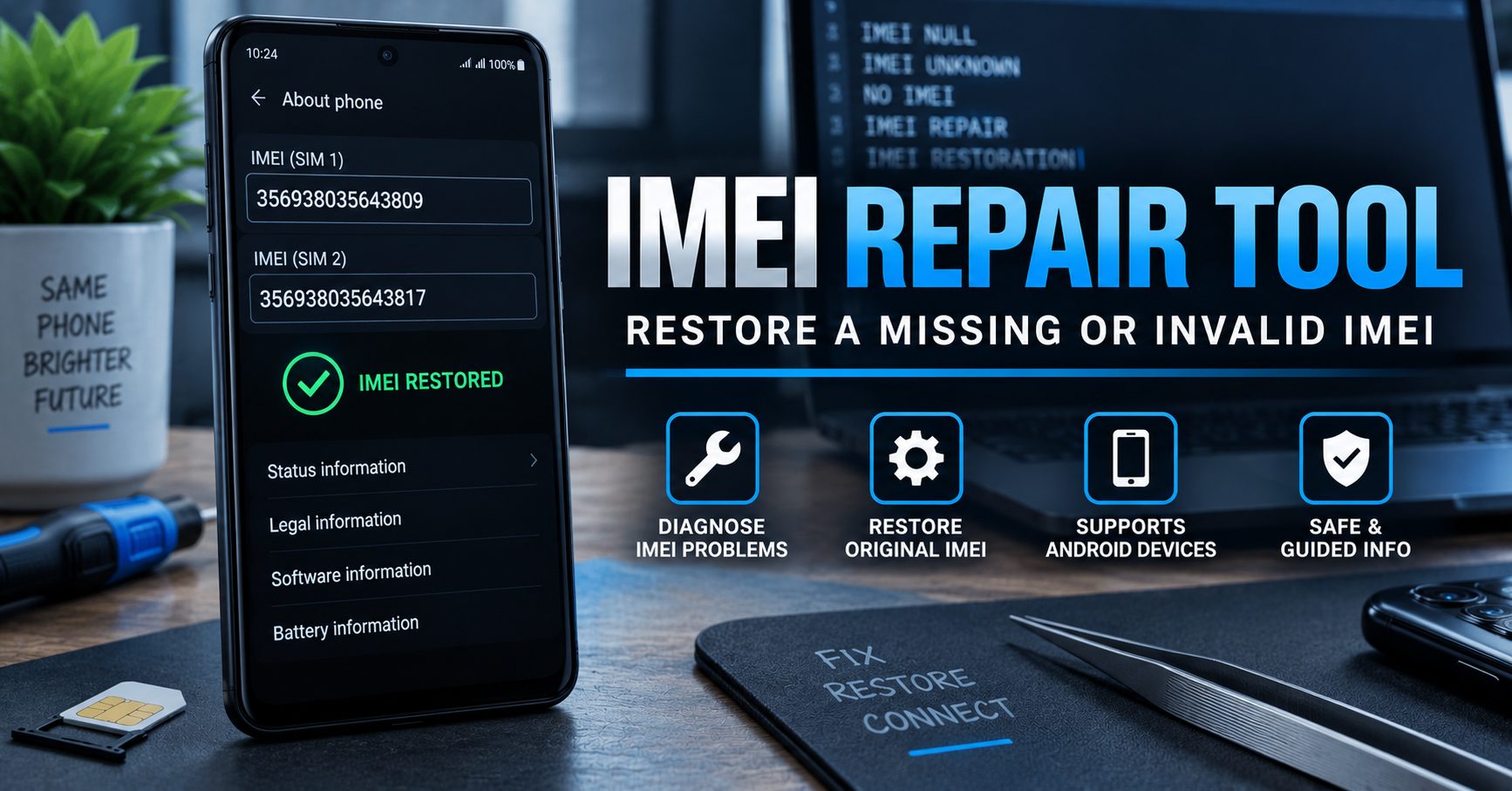
Important: this guide focuses on restoring a device’s legitimate original identity. Do not use another phone’s IMEI or attempt to alter a device identifier to bypass a carrier block, blacklist, stolen-device report, or other network restriction.
What Is an IMEI Repair Tool?
An IMEI repair tool is software or a manufacturer/service utility designed to diagnose or restore a device’s cellular identity information when it has been lost, corrupted, or incorrectly displayed after a legitimate repair or firmware operation.
The exact repair process depends on the phone manufacturer, chipset, firmware and the part of the device’s non-volatile storage responsible for cellular configuration.
There is therefore no single universal IMEI repair program that safely works on every Android phone.
| IMEI Problem | What It Can Mean |
|---|---|
| IMEI is missing | The phone may have lost or corrupted important cellular identity information. |
| IMEI shows “null” | The operating system may not be reading the expected device identity data. |
| IMEI shows “unknown” | The device may have a software, firmware, modem or configuration problem. |
| IMEI differs from the device label | The device identity information may be corrupted, incorrectly configured, or require professional inspection. |
| IMEI is valid but network is unavailable | The problem may be SIM, carrier, coverage, compatibility, account or network related rather than an IMEI problem. |
What Is an IMEI Number?
IMEI stands for International Mobile Equipment Identity. It is used to identify cellular devices on mobile networks.
For most cellular phones, the IMEI is a 15-digit device identifier. GSMA documentation explains that IMEI information is used throughout the mobile ecosystem for identification, authenticity, device blocking, theft checking and network-related functions.
The IMEI is different from your phone number, SIM card number and Google or Apple account.
| Identifier | What It Identifies |
|---|---|
| IMEI | The cellular device. |
| IMSI | The subscriber identity associated with a SIM/eSIM. |
| Phone number | The number assigned to a subscriber or mobile service. |
| Serial number | The manufacturer’s individual device identifier. |
| SIM card | The subscriber module used to authenticate cellular service. |
Why Does a Phone Lose Its IMEI?
IMEI problems can occur after certain software or hardware procedures, particularly when low-level device storage or modem-related information is affected.
Common Causes of an IMEI Problem
- Incorrect firmware flashing
- Interrupted software repair
- Corrupted modem-related data
- Incorrect firmware for the device variant
- Failed system or baseband update
- Motherboard replacement
- Improper factory repair
- Damage to non-volatile device storage
- Previous unauthorized modification of the device software
If the phone suddenly shows no IMEI immediately after flashing firmware, it is important to investigate the software operation that caused the problem instead of immediately trying random IMEI-writing applications.
How to Check Your Phone’s IMEI
On many cellular phones, you can check the IMEI by entering:
*#06#Depending on the device, the IMEI may also appear in the phone’s settings, on the original packaging, on a label, or in documentation supplied with the device.
If your phone contains multiple SIM slots, it may display more than one IMEI.
Why You Should Compare the IMEI With Your Device Records
If your IMEI is missing after a software repair, compare the device with legitimate records you already own, such as the original packaging, purchase documentation or manufacturer’s service documentation.
Do not use an IMEI belonging to another phone.
IMEI Repair vs IMEI Changing
This is the most important distinction in any article about IMEI repair.
| IMEI Repair / Restoration | IMEI Changing |
|---|---|
| Attempts to restore the device’s legitimate original identity. | Replaces the device identity with another identifier. |
| Can be relevant after firmware corruption or legitimate hardware repair. | Can be used to disguise the identity of a device. |
| Should use the phone’s legitimate original device information. | Using another device’s IMEI can create serious legal and network problems. |
| May be appropriate through an authorized repair process. | Legality varies by jurisdiction and circumstances. |
GSMA specifications treat the IMEI as a unique device identity and require protection against unauthorized modification.
Can an IMEI Repair Tool Write a New IMEI?
Many older websites use phrases such as “write new IMEI” or “change IMEI” when describing phone servicing software.
That wording can be misleading.
A legitimate repair should focus on restoring the device’s original authorized IMEI when it has been lost or corrupted. Writing an unrelated IMEI from another phone is not the same as repairing the device.
For this reason, you should be cautious with any tool that promises to generate an entirely new IMEI or bypass an IMEI blacklist with one click.
Can an IMEI Repair Tool Remove a Blacklist?
No legitimate repair should be presented as a way to bypass an IMEI blacklist.
Mobile operators and industry systems can use IMEI information to identify and block devices reported lost or stolen. The GSMA Device Check system explains that a device can appear on the GSMA Block List when it has been reported lost, stolen, or otherwise unsuitable for cellular-network use.
If you believe a device has been incorrectly blacklisted, the appropriate solution is to contact the carrier or organization that reported the device rather than attempting to replace its IMEI.
What Should You Check Before Using IMEI Repair Software?
Before attempting any low-level repair, collect the following information:
| Information | Why It Matters |
|---|---|
| Exact phone model | Repair methods differ between manufacturers and models. |
| Model number | Regional variants can use different firmware and hardware. |
| IMEI from legitimate records | Useful when diagnosing an original-identity restoration problem. |
| Android version | Software compatibility can affect repair procedures. |
| Firmware/build number | Helps identify the correct software package. |
| Baseband status | Can indicate whether the modem software is functioning correctly. |
| Recent repair history | Helps determine what caused the IMEI problem. |
IMEI Missing After Flashing Firmware
One of the most common situations is an IMEI problem appearing after flashing firmware.
If the phone worked normally before the firmware operation and immediately lost its IMEI afterward, the first step should be to identify whether the correct firmware was installed for the exact model and region.
Do not immediately flash another random firmware package or use multiple repair applications. Repeated low-level operations can make a software problem more difficult to diagnose.
Check the Baseband Information
On many Android phones, the baseband version can be found under the device information section.
If the baseband is missing, unknown, or otherwise abnormal at the same time as the IMEI, the underlying problem may involve modem firmware or related device configuration rather than simply an IMEI display issue.
IMEI Repair on Android Phones
Android devices from different manufacturers can use very different hardware and software architectures.
For that reason, an IMEI repair procedure for one device family should not automatically be applied to another.
| Device Type | Why Compatibility Matters |
|---|---|
| MediaTek phones | Repair tools and device storage structures can differ between chipset generations. |
| Qualcomm phones | Modem configuration and diagnostic mechanisms can vary by manufacturer and model. |
| Samsung devices | Firmware, security partitions and service procedures differ by model and region. |
| Huawei devices | Older and newer Huawei generations can have substantially different software architectures. |
| LG devices | Different LG generations and carrier variants can require different repair approaches. |
This is why the phrase universal IMEI repair tool should be treated carefully. A tool that supports one chipset or model does not automatically support every Android device.
Do You Need an IMEI Repair Tool or a Network Unlock?
Sometimes users search for an IMEI repair tool when the actual problem is a carrier restriction.
These are completely different problems.
| Problem | Correct Direction |
|---|---|
| IMEI is missing or invalid | Investigate IMEI restoration and device software. |
| Phone displays “No SIM” | Check the SIM card, tray, carrier and network compatibility. |
| Phone displays “SIM not supported” | Investigate carrier/network locking. |
| Phone has no cellular signal | Check coverage, SIM, baseband, firmware and hardware. |
| Device is reported lost or stolen | Contact the carrier or rightful owner; do not attempt to bypass the block. |
If the phone is simply carrier locked, our existing device unlock software guide is closer to that search intent.
IMEI Repair Tool and Privacy
Your IMEI should be treated as sensitive device information.
An IMEI is associated with a physical cellular device and can have privacy implications. The IETF’s IMEI specification specifically discusses the identifier’s privacy and security considerations.
Do not publicly post your complete IMEI in comments, forums or social media.
Be especially careful with websites that request an IMEI together with your email address, password, account credentials or other sensitive information without clearly explaining why it is required.
How to Avoid Fake IMEI Repair Tools
Search results contain many programs advertised as “universal IMEI repair,” “IMEI changer,” or “one-click IMEI generator.” Not all of them are trustworthy.
Warning Signs
- The software claims to repair every phone model.
- The program promises to remove any blacklist instantly.
- The website asks you to provide another phone’s IMEI.
- The tool claims to generate a completely new legitimate IMEI.
- The download is hosted behind multiple suspicious redirects.
- The software requests unrelated passwords or account credentials.
- The developer provides no supported-model information.
- The instructions tell you to ignore warnings from security software.
A legitimate repair workflow should be specific about the supported device, firmware and purpose of the repair.
What Is the Safest Way to Restore an IMEI?
If your phone has genuinely lost its original IMEI after a legitimate software or hardware repair, the safest approach is to determine the exact cause first.
- Record the phone’s exact model and variant.
- Check the IMEI display using the device’s normal information screen or
*#06#. - Compare the result with legitimate device records.
- Check the baseband and cellular status.
- Identify the firmware that was installed immediately before the problem appeared.
- Avoid random IMEI-changing applications.
- Use manufacturer-supported or authorized repair procedures where available.
- If the problem involves protected modem or identity storage, use a qualified repair professional.
This approach is safer than repeatedly flashing unknown files or experimenting with tools that claim to write arbitrary IMEI numbers.
IMEI Repair Tool Frequently Asked Questions
What is an IMEI repair tool?
An IMEI repair tool is software or a service utility intended to diagnose or restore a device’s legitimate cellular identity information when it has been lost or corrupted.
Can I repair a null IMEI?
Sometimes. The cause must first be identified. A null or missing IMEI can be related to firmware, modem software, protected device storage or hardware problems, so there is no universal repair method.
Can I write my original IMEI back to my phone?
Restoring a device’s legitimate original identity can be an appropriate repair objective when the information has been lost or corrupted. The exact process depends on the manufacturer and device and should use legitimate device information rather than an IMEI belonging to another phone.
Can an IMEI repair tool remove an IMEI blacklist?
No. A legitimate repair should not be used to bypass a lost, stolen or carrier-imposed device block. If you believe the blacklist status is incorrect, contact the carrier or organization that reported the device.
Is changing an IMEI legal?
Laws vary by country and circumstances. Unauthorized IMEI modification can be restricted or criminalized in some jurisdictions, and using a different device’s IMEI can create serious network, ownership and legal issues.
Why does my phone show IMEI unknown after flashing?
The firmware operation may have affected modem software or protected device configuration. Verify the exact model and firmware first rather than immediately using an arbitrary IMEI-writing program.
Does an IMEI repair tool unlock a carrier-locked phone?
No. IMEI repair and carrier unlocking are separate issues. If your phone is carrier locked, you need to follow the appropriate network-unlock process instead.
Can an IMEI repair tool work on every Android phone?
No. Compatibility depends on the manufacturer, model, chipset, firmware and security architecture. There is no single repair application that should be assumed to work on every Android phone.
Final Thoughts on IMEI Repair Tools
An IMEI repair tool can be relevant when a legitimately owned phone loses or corrupts its original cellular identity after a firmware operation, hardware repair or other software problem.
However, IMEI repair should not be confused with changing a phone’s identity to another number. An IMEI exists to uniquely identify a cellular device, and the mobile industry uses these identifiers for device identification, authenticity, theft checking and network blocking.
If your IMEI is missing, start by diagnosing the exact problem: check the device information, compare legitimate records, verify the firmware and baseband status, and determine what changed immediately before the problem appeared.
If the actual problem is a carrier restriction rather than a missing IMEI, use the appropriate device unlock guide instead of an IMEI repair utility.
And if the device has been reported lost or stolen, contact the carrier or rightful owner rather than attempting to circumvent the block.
The safest IMEI repair is the one that restores the phone’s legitimate original identity without creating a new or misleading device identity.