Samsung Galaxy Unlock Code: Network Unlock & SIM Unlock Guide
If your Samsung Galaxy is asking for a network unlock code, SIM network unlock PIN or NCK code, the phone is usually restricted to a particular mobile network. The correct solution depends on the type of lock, the original carrier, the exact Galaxy model and how that device handles network unlocking.
QUICK ANSWER
There is no single Samsung unlock code that works on every Galaxy phone. Some devices use a carrier-provided network unlock code such as an NCK, while newer Galaxy devices and some carriers use an automatic or on-device unlock process. Start by identifying exactly what your Samsung is asking for before entering any code.
Samsung Unlock Code: Start With the Message on Your Screen
The wording displayed by the phone is one of the fastest ways to determine which unlocking problem you actually have. A network unlock request is not the same thing as a forgotten screen PIN, SIM PIN, PUK or Google account verification.
| What Samsung Shows | What It Usually Means | What You Need |
|---|---|---|
| SIM network unlock PIN | Carrier or network lock | Carrier unlock or device-specific network unlock code |
| Network unlock code | Carrier/network restriction | Network unlock authorization or code |
| NCK / Network Control Key | Code-based network unlocking | Correct device/carrier NCK |
| MCK / Defreeze / Unfreeze | Network unlock state has been frozen | Correct MCK/defreeze procedure, followed by the required unlock process |
| SIM PIN | Security lock on the SIM card | SIM PIN from the mobile operator |
| PUK / SIM PIN blocked | SIM PIN has been entered incorrectly too many times | PUK from the SIM provider |
| Screen PIN / Pattern / Password | Phone screen security | Screen-lock recovery, not a network unlock code |
| Google account verification | Factory Reset Protection or account security | Previous Google account or legitimate FRP recovery |
What Is a Samsung Network Unlock Code?
A Samsung network unlock code is a device-specific authorization used on some carrier-locked Samsung phones to allow the handset to accept a SIM card from another compatible network.
You may see several terms used for this process, including Samsung unlock code, network unlock code, SIM network unlock PIN and NCK. The exact wording depends on the model, carrier and software version.
Samsung’s current support information states that a network lock can be applied by the original network provider and that customers should contact the original service provider or retailer for the unlock. Samsung also documents a Network unlock area on supported Galaxy devices, although the available options can vary by carrier.
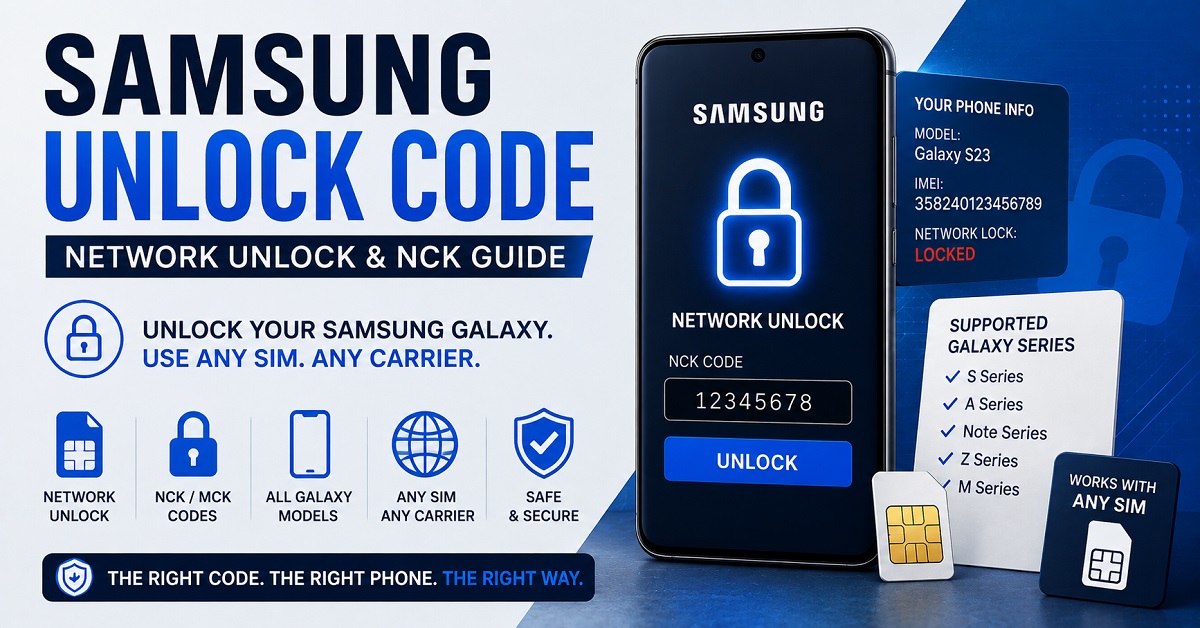
Is there one universal Samsung unlock code?
No. A universal Samsung master code should not be expected to unlock every Galaxy model, carrier and IMEI.
This is especially important when searching for a Samsung unlock code generator. A generator cannot legitimately create one code that is guaranteed to work on every Samsung phone because network unlocking depends on the particular device and the network restriction attached to it.
For older devices that support code-based unlocking, an NCK may be required. Other Galaxy phones may use a carrier-controlled unlock process instead of asking the user to type a code.
Samsung Unlock Code vs. NCK vs. MCK
These terms are frequently mixed together on old phone-unlocking websites. Understanding the difference can prevent you from entering the wrong value into your Galaxy.
| Term | Meaning | Purpose |
|---|---|---|
| NCK | Network Control Key | Network unlock code on supported devices |
| MCK | Master Control Key / Defreeze | Used in certain frozen network-unlock situations |
| SPCK | Service Provider Control Key | Associated with certain older/provider-specific locking systems |
| SIM PIN | Personal Identification Number for the SIM | Protects the SIM card itself |
| PUK | Personal Unblocking Key | Recovers a SIM after too many incorrect PIN attempts |
If your Samsung specifically asks for an NCK, do not substitute a SIM PIN, PUK, screen PIN or random Samsung service code.
How to Unlock a Samsung Galaxy From a Network Lock
The safest approach is to work through the problem in the correct order instead of trying random codes.
Find out which network originally sold or locked the Samsung Galaxy. This is important because the carrier normally controls the network-unlock authorization.
Open Settings → About phone and record the model number. Galaxy devices with similar names can have different carrier versions and unlocking behavior.
Use Settings → About phone → Status/IMEI information, or dial *#06# where supported. The IMEI identifies the device when you contact the carrier.
The original carrier may automatically unlock the phone, provide an unlock code, or require you to complete an eligibility process.
If the phone displays a network unlock prompt, enter only the code supplied for that device and carrier. If the carrier uses an automatic unlock system, follow that process instead.
Where to find the IMEI on a Samsung Galaxy
- Open Settings.
- Go to About phone.
- Look for IMEI information or device status information.
- On many phones, dialing *#06# also displays the IMEI.
- If the device has two SIM slots, check whether it displays more than one IMEI.
Never publish your complete IMEI together with your email address or other personal information in a public comment. If you need help, share only the information necessary through a trusted support channel.
What Happens When You Insert a Different SIM?
A different carrier SIM is often the easiest way to reveal whether a Galaxy is network locked. Depending on the device, you may see a message such as SIM network unlock PIN, Network unlock code, Network lock or another carrier-specific prompt.
| Result After Inserting Another SIM | Likely Situation | Next Step |
|---|---|---|
| Phone connects normally | Probably already network unlocked | Test calls, SMS and mobile data |
| SIM network unlock PIN appears | Network lock is active | Check the original carrier’s unlock process |
| Network unlock code appears | Code-based network lock | Use the correct carrier/device-specific code |
| Phone says Network unlock unsuccessful | Code or unlock procedure failed | Stop guessing and verify the correct method |
| MCK / Defreeze appears | Unlock state may be frozen | Do not repeatedly enter random codes |
| SIM PIN appears | SIM security, not network lock | Use the SIM provider’s PIN |
| PUK appears | SIM PIN has been blocked | Contact the SIM provider for the PUK |
Samsung Network Unlock in Settings
Some Galaxy devices expose network-lock information directly in the phone’s settings. On supported models and carrier configurations, Samsung documents a path through Settings → Connections → More connection settings → Network unlock.
The available options can vary by carrier and software version. If you see Network unlock, check the network lock status before searching for a generic code.
Important:
A missing Network unlock menu does not automatically mean that the phone cannot be unlocked. Carrier software, region, model and firmware can change which options appear on the device.
Samsung Unlock Code Generator: What You Should Know
People searching for a Samsung unlock code generator are usually looking for a quick way to create a network unlock code from the phone’s IMEI and model.
The important distinction is between an educational calculator or legacy tool and a service that actually has access to the device/carrier information required to authorize an unlock.
| Search Term | What the User Usually Wants | What to Check |
|---|---|---|
| Samsung unlock code | A code to remove a carrier lock | Carrier and device compatibility |
| Samsung network unlock code | Network-specific unlocking | Original carrier and exact model |
| Samsung NCK code | Network Control Key | Whether the device uses code-based unlocking |
| Samsung unlock code generator | Automatic code generation | Whether the tool actually supports the device/carrier |
| SIM network unlock PIN Samsung | Code shown after another SIM is inserted | Network lock, not SIM PIN |
Our broader NCK Code Generator guide explains how NCK codes relate to network unlocking and why device-specific information matters.
Samsung Unlock Code by IMEI: What Does the IMEI Actually Do?
The IMEI is the device identifier. It is not itself the unlock code.
When a carrier or legitimate unlocking service processes a Samsung network unlock, the IMEI can be used to identify the exact device and determine its eligibility or the appropriate unlocking procedure.
This is why searches such as Samsung unlock code by IMEI and Samsung NCK code by IMEI are closely related, but they should not be interpreted as meaning that every IMEI can be converted into a universal unlock code.
For a broader explanation of IMEI-based phone unlocking, see our Free IMEI Unlock guide.
What If Your Samsung Says “Network Unlock Request Unsuccessful”?
This message means the attempted network-unlock process did not complete successfully. The reason can vary depending on the model and carrier.
Check these possibilities:
- The code does not belong to the device.
- The code was entered incorrectly.
- The phone requires a different type of unlock procedure.
- The carrier has not authorized the device for unlocking.
- The device has reached a network-unlock attempt limit.
- The phone is using a carrier-controlled unlock application rather than a traditional code.
- The issue is actually a SIM, regional, screen or account lock rather than a network lock.
Do not keep guessing unlock codes
Repeated incorrect attempts can make some code-based Samsung unlocking situations more difficult. If the phone reports a frozen or defreeze condition, stop entering random values and determine exactly which code the device is requesting.
Samsung documentation for certain devices describes an MCK process followed by the NCK when the network-unlock state is frozen. The exact procedure is model and carrier dependent, so do not assume that an old code sequence applies to your Galaxy.
Samsung MCK, Defreeze and Unfreeze Codes
An MCK is commonly associated with a frozen network-unlock state. It is different from the NCK used for the actual network unlock on devices that support this code-based process.
| Phone State | Possible Code | What It Means |
|---|---|---|
| Normal network unlock prompt | NCK | Network unlock code |
| Network unlock state frozen | MCK / Defreeze | Unlock counter/state may need to be cleared |
| SIM PIN request | SIM PIN | SIM card security |
| SIM PIN blocked | PUK | SIM recovery code |
If you are specifically researching NCK and MCK codes, our NCK Code Generator and Network Unlock Guide provides more information.
Older Samsung Phones and Legacy Unlock Codes
Older Samsung phones are responsible for many of the unlock-code lists that still appear in search results today. Some legacy models used dialer sequences and separate network, provider or defreeze codes.
These old instructions should not automatically be transferred to modern Galaxy phones. A code that was documented for an older SGH handset may be a service or reset command rather than a current Samsung network-unlock code.
Legacy code warning
Do not enter random factory-reset, service-menu or diagnostic codes simply because a website labels them as “unlock codes.” Some sequences can change settings or erase information and are not equivalent to a carrier network unlock.
Samsung Galaxy Unlock by Model: What Changes?
Galaxy devices are sold in many regional and carrier versions. The same family name can therefore have different unlocking behavior depending on where the phone was purchased and which carrier originally supplied it.
| Galaxy Family | What to Check |
|---|---|
| Galaxy S Series | Exact model, original carrier, network lock status and software |
| Galaxy A Series | Carrier version, eligibility and whether network unlocking is controlled by the carrier |
| Galaxy Note Series | Original network, exact model and whether a code prompt is supported |
| Galaxy Z Fold / Z Flip | Carrier configuration, region and current network-unlock status |
| Older Galaxy Models | Legacy network-lock behavior and compatibility with older code systems |
Do not choose an unlock method solely because the model name looks similar. The exact model number and original carrier are much more useful when determining the correct path.
Samsung Network Lock vs. Other Samsung Locks
One of the biggest reasons users enter the wrong code is that several completely different security systems are described online as “phone unlocking.”
| Lock Type | Blocks | Is a Samsung Network Unlock Code the Solution? |
|---|---|---|
| Carrier / Network Lock | Use of another mobile network | Yes, when the device uses code-based network unlocking |
| SIM PIN | Access to the SIM card | No |
| SIM PUK | Blocked SIM PIN | No |
| Screen Lock | Access to the phone interface | No |
| FRP / Google Lock | Activation after certain resets | No |
| Regional Lock | Use of the device in certain regions | Not necessarily |
| Enterprise / Knox Restrictions | Organization-controlled device functions | No |
Samsung network lock is not the same as FRP
A network lock controls which mobile network SIM cards the phone can use. FRP, or Factory Reset Protection, is an Android security feature connected to Google account verification after certain resets.
A Samsung NCK or network unlock code will not remove Google account verification. These should remain separate topics so that you use the correct solution for the actual problem.
Free Samsung Unlock Code: Can You Unlock a Galaxy for Free?
Sometimes, yes. Whether a Samsung network unlock is free depends primarily on the original carrier’s policies and the device’s eligibility.
A carrier may unlock an eligible phone without charging a separate fee. Other situations may involve a paid service or a device-specific code. The important point is that “free Samsung unlock code” does not mean that a single free code exists for every Galaxy.
Our Free Phone Unlock Codes guide explains the wider difference between network unlock codes, SIM unlock methods, carrier unlocking and device-specific codes.
What Information Should You Have Before Requesting an Unlock?
| Information | Why It Matters |
|---|---|
| Samsung model number | Identifies the exact device version |
| IMEI | Identifies the individual handset |
| Original carrier | Usually controls the network-lock authorization |
| Current SIM/carrier | Helps confirm the compatibility problem |
| Exact error message | Shows which type of lock is being requested |
| Country/region | Can affect carrier and regional unlocking behavior |
Common Samsung Unlock Problems and Solutions
| Problem | Likely Cause | Recommended Direction |
|---|---|---|
| SIM network unlock PIN appears | Network lock | Check original carrier unlock eligibility |
| Wrong unlock code | Incorrect code or device mismatch | Verify model, IMEI and carrier |
| Network unlock unsuccessful | Failed unlock attempt | Stop guessing and verify the correct procedure |
| Phone is frozen | Too many unsuccessful code attempts | Determine whether an MCK/defreeze process applies |
| New SIM has no service | Could be lock, compatibility or activation | Check both network lock and SIM/network compatibility |
| Phone asks for SIM PIN | SIM card security | Use the SIM provider’s PIN |
| Phone asks for PUK | SIM PIN blocked | Contact the SIM provider |
| Google verification appears | FRP/account protection | Use legitimate Google account recovery |
Samsung Unlock Checklist
Before entering any Samsung unlock code, check all six:
- Is the phone actually network locked?
- What exact message is displayed?
- What is the exact Samsung model number?
- What is the original carrier?
- Do you have the correct IMEI?
- Does the device use a code-based unlock or a carrier-controlled unlock process?
Frequently Asked Questions About Samsung Unlock Codes
What is the Samsung unlock code?
A Samsung unlock code is a device-specific code used on some carrier-locked Samsung phones to remove a network restriction. Depending on the device, it may be called a network unlock code, SIM network unlock PIN or NCK.
Is there a universal Samsung Galaxy unlock code?
No. Samsung Galaxy phones do not share one universal network unlock code. The correct unlocking method depends on the device, carrier, region and software.
What is a Samsung NCK code?
NCK generally means Network Control Key. On supported Samsung devices, it can refer to the network unlock code required to remove a carrier restriction.
What does SIM network unlock PIN mean on Samsung?
It normally means that the Galaxy is restricted to a particular mobile network and is requesting the authorization or code needed to use another compatible carrier.
Can I unlock my Samsung with the IMEI?
The IMEI identifies your Samsung device and can be required by a carrier or unlocking service, but the IMEI itself is not an unlock code. Some devices can be unlocked through carrier systems associated with the device’s IMEI.
Can a Samsung unlock code generator unlock every Galaxy?
No legitimate tool should promise that one generator will unlock every Samsung Galaxy model and carrier. Code-based unlocking is device and carrier dependent, while some newer devices use different unlocking mechanisms.
What is the difference between NCK and MCK?
NCK is generally the network unlock code, while MCK is associated with defreezing a network-unlock state on certain devices after unsuccessful attempts. They are not interchangeable.
Will a network unlock code remove Samsung FRP?
No. Network unlocking and Factory Reset Protection are separate security systems. An NCK or carrier network unlock does not remove Google account verification.
What should I do if my Samsung unlock code does not work?
Stop entering random codes. Verify the exact model, original carrier, IMEI and message displayed by the phone. Also determine whether the phone requires an NCK, MCK/defreeze process or a carrier-controlled unlock instead.
Related Phone Unlock Guides
Different Samsung unlocking searches often lead to different types of phone-lock problems. These guides cover the related topics in more detail:
- NCK Code Generator: NCK Unlock Code & Network Unlock Guide — understand NCK, network unlock codes and related terminology.
- Free IMEI Unlock: How to Unlock a Phone With IMEI Number — learn how IMEI-based phone unlocking works.
- Free Phone Unlock Codes Guide — compare network, SIM, carrier and device-specific unlock methods.
- SIM Network Unlock PIN Guide — understand the “SIM Network Unlock PIN” message and network unlocking.
- LG Unlock Code Guide — related brand-specific network unlocking information.
- Huawei Code Calculator and Unlocker Guide — information about Huawei-specific code-based unlocking.
Final Word: Find the Right Samsung Unlock Method First
The most important part of unlocking a Samsung Galaxy is not finding the longest list of codes. It is identifying which lock is actually preventing the phone from accepting another SIM.
If your Galaxy displays SIM network unlock PIN, Network unlock code or NCK, investigate the carrier/network lock. If it asks for a SIM PIN or PUK, the problem belongs to the SIM card. If it displays Google account verification, that is a different security system altogether.
For code-based Samsung unlocking, always use the code associated with the correct device and carrier. For newer Galaxy phones, check whether the carrier or Samsung’s Network unlock functionality provides an alternative to manually entering a code.
Samsung Unlock in One Sentence
Identify the network lock, confirm the Samsung model and IMEI, determine whether the phone uses a carrier unlock or code-based method, and never substitute a random Samsung code for the correct device-specific authorization.
Samsung Galaxy amp2 imei #356419073173736
Imei# 357757083383020
samsung galaxy j7 crown
imei 357092105439919
samsung galaxy a21
imei 354232116702086
Samsung galaxy a21
galaxy a 32 imei 353245907270858
sim lock code for A52 5G
with IMEI 357312150579959
Was anyone able to unlock their phone by leaving their IMEI in the comments here?
Unlock Code Needed
Samsung Galaxy A50 (SM-S506DL)
IMEI: 357857100615089
Samsung galaxy j2 prime us cellular
Imei-356375081815934
Samsung s21plus 5G
35745024084484 imei#
Need unlock code for us cellular network
richard88losey@gmail.com
Thank you
Samsung Galaxy Note 10
Verizon
IMEI – 89148000005956204192
need device password reset without losing the data
356417095969016
samsung galaxy J7 crown
IMEI: 357092100946231
Need unlock code for Samsung Galaxy a11
IMEI 355678114734522
Email candicobain6794@gmail.com
Need network unlock or sim unlock from cricket. Imei# 354564110236160
sprint galaxy note s9 #imei 35998050747899
Model sm-s906l
Imei 990005838204205
My imei is 353322092040477 needs to unlock clean thank
unlock code needed for spectrum note 9 imei# 358202090169475
Samsung Galaxy A21
imei: 354992110531357
Thank You!
Samsung galaxy A51
358719830722438
Guyton73@yahoo.com
Samsung galaxy A51
358719830722438
Samsung sm-A015M
IMEI 359770108157442
Samsung galaxy a52 5g
35018373368526
Email: dheeter51@gmail.com
Samsung galaxy note 4
IMEI: 354483062415435
353467109123715
IMEI : 353467109123715
355069177180979
galaxy a32-5g
350091124976064
Galaxy Note8
model- Sm-N950U
IMEI # 358505080511583
Samsung galaxy s21 5g 350686136572601
Galaxy note8
Model Sm-N950U
IMEI 358505086342355
Samsung galaxy A32 5G
IMEI: 352387288526077
Samsung galaxy j3 Aura us celluar imei 35213910011407 model SMJ337R4
cwd220@gmail.com
Samsung Galaxy SM-G781U
IMEI 359823611121957
busttony0@gmail.com
Samsung Galaxy J4 Plus
IMEI:351802103936112
354631090518279 / 16
Need this universal unlock code for Samsung Galaxy
I need help with the network unlock code for Samsung Galaxy S10Plus IME:357330100150176
Samsung Galaxy Note 9 SM-N960U
IMEI 359983090017579
Rockstarkc951@gmail.com
Samsung galaxy s9 sm-g960u
Iemi 357929090231274
Samsung a32 g5.
IMEI. 355561776946099/11
Samsung galaxy a11
IMEI:- 354229115854603
Need network lock code for
Samsung galaxy halo
Cricket wireless
355880091749313
ashleyyb2012@gmail.com
Joeandthomp@gmail.com
samsung galaxy a50
357857102054121
Samsung A11
Cricket Wireless
IMEI:
355679113145033
WILLIAMWOOD950@gmail.com
Unlock network device for Samsung galaxy A12 cricket phone 352863815959015
unlock network device for samsung galaxy S6 edge SM-G925W8
IMEI :358758061466851/58
Galaxy module number sm-a125u imie 350344485046237 serial number R58r412az4y estonnunes@yahoo.com
Samsung Galaxy A12
Cricket
IMEI – 352863819897427
gingerleigh1973@yahoo.com
Kristenfaith1990@gmail.com
Galaxy a12
351030311741369
need unlock code for Samsung Galaxy Z Fold 3 5G. so I can go to another carrier for my cell phone.. I was thinking of going to cricket
352707354858783
Need network unlock from metro pcs imei 354150875455904
Hello. I would like to carrier unlock my phone:
SAMSUNG GALAXY S5
IMEI 357536060362904 / 20
Sn
RV8FC0DCC2Y
Model
SM-G900T
Email
aaronhamilton34@gmx.com
Thanks,
Aaron
carrier unlock
Galaxy Z Fold3 5G SM-F926U
IMEI 356745220619753
carrier unlock (AT&T)
Galaxy Z Fold3 5G SM-F926U
IMEI 356745220619753
stevennahdee3@gmail.com
Samsung Galaxy Z Fold3 5G (SM-F926W)
350302230650810
Need unlock code for a Samsung galaxy s10 e imei : 354772100638887
Need unlock code for att samsung s21 ultra 5g
Hi,
I would like to get carrier unlock code. Please help.
SAMSUNG GALAXY S6
IMEI 351559074730805 / 86
Email: stockbd001@gmail.com
Thanks!
357631097674957
Hello help me get unlock code
Galaxy tab a7 IMEI 35486274853774
Email reagronnie@gmail.com
Hello, kindly unlock my sam gal s7 (unlock code)
samsung Galaxy S7
IMEI 355916071895930
IMEI number 352134102396133
Please help me sim Unlock
Galaxy s9 plus
Xfinity
353515090491390
Thank you
Hi would greatly appreciate help with the unlock code
Sm-g965u
Galaxy s9 plus
Imei -353515090491390
Xfinity
THANK YOU
Hello please help me unlock sim pin lock on galaxy j730F
IMEI 1 :357074083202543
IMEI 2 :357075083202540
SN: RF8J71MAYRN
Please help me Unlock
Galaxy A12
Locked to Cricket Wireless
352863817641116
Thank you
Imei-351980931577827
Samung galaxy a52 5g
acandelarie@hotmail.com
hello how are you ?my samsung is gt-s3100 imel 359799032498036
Model# SM-AO25U
IMEI# 35613275072894
Network unlock please.
Model# SM-AO25U
IMEI# 35613275084112
Network unlock please.
hello, need unlock code for samsung galaxy s9, imei 353304090134825, thank you so much. looking foward to your response.
this is shea again unlock code for samsung galaxy s9, just in case my email is sheaowens184@gmail.com
thanks again. imei 353304090134825
Hi I need a carrier unlock code for cricket
For Samsung galaxy A12
SM-A125U
IMEI# 352863817645125
It would be greatly appreciated
Crj32382@gmail.com
356761086651475 need code
My name is carlos thompson
I need network unlock for Samsung galaxy s5.
IMEI#353502063539751
serial#R385F411LKLA
feel free to email me any comments or questions
carlosthompson564@gmail.com ty
Need unlock code for Samsung Galaxy A11
Model -SM-S115DL
Imei-354229111794654
Please – Thank you
Need to unlock my phone
Model : Huawei P30
IMEI: 864939040367025
email: gamechanger2296@gmail.com
unlock code for galaxy s10
imei: 356028102263093
thank you
unlock code for galaxy s10
imei: 356028102263093
thank you plz help me
unlock code for Samsung Galaxy A5 2017
IMEI: 355227085634996
Dougrogers36@gmail.com imei-353955217411329 Samsung galaxy A03s
I need my unlock code for a Samsung galaxy a23
Imei: 351162211181105
Robert.j.clubb@outlook.com
F926U
350237721661571
Please unlock my samsung a800f
Imei 353002071847304-1
Imei 353002071847320-2
Denishabehrmann@gmail.com
Model SM-S908U AT&T
IMEI 358533130067364
Need network unlock code
SM-N910T3 T-Mobile
IMEI – 352218071273116
Galaxy A5
model SM-A520F
IMEI – 354607085898090
Need network unlock code
Need unlock code
Samsung galaxy k7 crown
Imei#356924090497547/09
I need sim unlock code for a verizon Samsung galaxy s21 fe
Imei: 350799510626776
Samsung Galaxy A52 5g
IMEI: 350981210579030
Samsung Galaxy A52 5g
IMEI: 350981210579030
Network lock
Please i need unlock network unlock code for
IMEI.:351554097751375
J530 GALAXY J5 2017 (SM-J530F)
SAMSUNG
IMEI: TAC: 351554 FAC: 09 SNR: 775137 CD: 5
talktophemi@yahoo.co.uk
Samsung Galaxy A32 5G
IMEI: 352387287596220
IMEI: 352659950797982
Samsung Galaxy S20 Fe 5G
MCK Lock
Vivekgrk04@gmail.com
Phone:Samsung Galaxy Note 9 Snapdragon
Model No.:SM-N960U
IMEI: 358496098595752
Unlock imei 351716510182153
350237720621287 Need mck and nck codes! ASAP!
358505083325528
275bird@gmail.com
Samsung sm-a166u
353026647362795
Need MCK and NCK