iPhone 4 Unlock: How to Unlock an iPhone 4 for Another Network
If you have an iPhone 4 that is locked to a particular mobile network, you may want to use it with a different SIM card or carrier. The good news is that a carrier lock is different from the iPhone passcode, Apple ID lock or Activation Lock, and the correct solution depends on which restriction is affecting the device.
This guide explains how iPhone 4 unlocking works, how to check whether the phone is carrier locked, how to test another SIM card, where IMEI information fits into the process and what you should do if the iPhone still refuses to connect to another network.
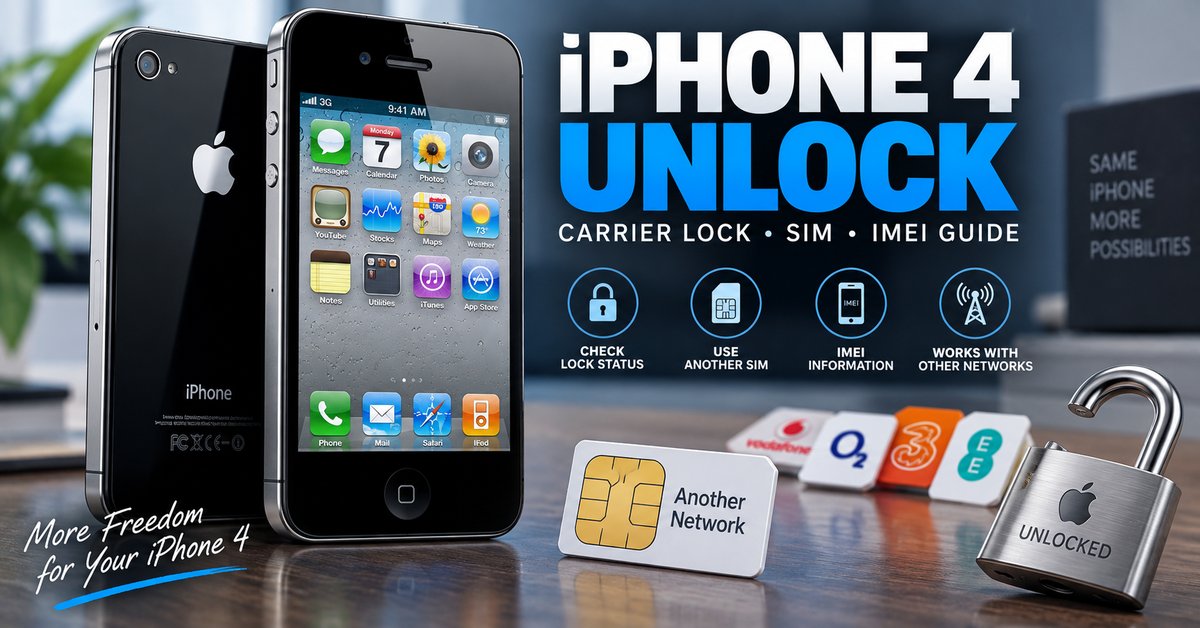
Can You Unlock an iPhone 4?
Yes, an iPhone 4 can be carrier unlocked when the original network provider allows the device to be unlocked. The important point is that an iPhone 4 network lock is not normally removed by entering a universal code generated from the phone’s IMEI.
The original carrier controls the network-lock status. Therefore, if your iPhone 4 is locked, the safest approach is to identify the carrier and request an authorized unlock rather than relying on websites or software claiming to generate a universal iPhone unlock code.
What Does an iPhone 4 Carrier Lock Mean?
A carrier-locked iPhone 4 is restricted to the network for which the device was originally supplied. If you insert a SIM card from another network, the phone may reject the SIM or fail to connect to the new carrier.
This is different from several other types of locks that can appear on an iPhone.
| Restriction | What it affects | Typical solution |
|---|---|---|
| Carrier or network lock | Using another mobile network | Authorized carrier unlock |
| iPhone passcode | Access to the device | Recover or reset the device using Apple’s supported process |
| SIM PIN | Access to the SIM card | Correct SIM PIN or carrier-provided PUK |
| Apple ID / Activation Lock | Activation after erase or restore | Sign in with the Apple Account associated with the device |
How to Check If an iPhone 4 Is Unlocked
Before trying to unlock the phone, first determine whether it is actually carrier locked. There is no reason to request an unlock if the iPhone 4 already accepts another compatible network.
Method 1: Test With Another SIM Card
The most practical test on an iPhone 4 is to use a working SIM card from a different carrier.
- Turn off the iPhone 4.
- Remove the existing SIM card.
- Insert a compatible SIM card from another network.
- Turn the iPhone back on.
- Wait for the phone to search for the new network.
- Check whether the phone registers on the network and can make a call.
Apple’s current support documentation confirms that the GSM version of the iPhone 4 has a physical SIM tray.
Method 2: Ask the Original Carrier
If you know which carrier originally supplied the iPhone 4, contacting that carrier is the most reliable way to confirm its network-lock status. The carrier can also tell you whether the device qualifies for an unlock and whether any account requirements remain.
Method 3: Check the IMEI
The IMEI identifies the individual iPhone and is commonly used by carriers when checking device status. It can therefore be useful when speaking with the original network provider or using a legitimate carrier-checking service.
However, an IMEI number by itself does not mean that you can generate a universal unlock code. Do not publish your complete IMEI in public comments or forums.
How to Unlock an iPhone 4 for Another Network
If the iPhone 4 is confirmed to be carrier locked, the preferred method is to request an official network unlock from the carrier that applied the restriction.
Step 1: Identify the Original Carrier
Find out which network originally sold or activated the iPhone 4. If you purchased the phone second-hand, ask the seller for the original carrier information if it is available.
Step 2: Check Unlock Eligibility
Contact the original carrier and ask whether the iPhone 4 can be unlocked. Eligibility requirements differ between carriers and countries, so an old unlocking rule from another network may not apply to your device.
Step 3: Provide the Required Information
The carrier may request information such as the account details, device IMEI or other ownership information. Provide this information directly to the carrier rather than posting it publicly.
Step 4: Complete the Carrier’s Unlock Process
Once the carrier approves the request, follow its instructions for completing the unlock. Depending on the carrier and the age of the device, the process may involve connecting the iPhone to a computer or activating it again with a different SIM.
Step 5: Test the iPhone 4 With Another SIM
After the carrier confirms the unlock, insert a compatible SIM card from another network. Restart the phone and check whether it connects normally.
Can You Unlock an iPhone 4 for Free?
Possibly, but the answer depends on the original carrier. Some carriers provide an authorized network unlock without charging the customer when the device meets their requirements.
That is different from downloading a supposed “free iPhone 4 unlock code generator.” There is no universal generator that can legitimately produce a working carrier unlock code for every iPhone 4.
If a website promises an instant universal iPhone 4 unlock simply by entering an IMEI, treat the claim cautiously. A carrier-controlled network lock cannot be assumed to disappear because a piece of software produces a number.
Does an iPhone 4 Unlock Code Exist?
The term “iPhone unlock code” can be confusing because older Android phones often use NCK or network unlock codes that are entered directly into the handset. iPhones do not generally use the same universal NCK-code system.
| Unlock term | What it means for iPhone 4 |
|---|---|
| iPhone 4 unlock code | Often used as a general search term, but not a universal code-generation method |
| IMEI unlock | Usually refers to changing the carrier-lock status associated with the device |
| NCK code | Common on many older Android/network-locked devices, not the normal iPhone unlocking method |
| SIM unlock | Removal of the carrier restriction so another compatible SIM can be used |
| Carrier unlock | Authorized removal of the network restriction by the original provider |
If you are actually looking for an NCK or network unlock code for an Android phone, see our NCK Code Generator and Network Unlock Guide.
What If the iPhone 4 Says SIM Not Supported?
A message indicating that the inserted SIM cannot be used can be a sign of a carrier restriction, but it should not automatically be interpreted as proof that the phone needs an unlock code.
First check the following:
- Whether the SIM card is active.
- Whether the SIM is compatible with the device and network.
- Whether the iPhone 4 is locked to its original carrier.
- Whether the carrier has approved an unlock.
- Whether the device can complete activation.
iPhone 4 Unlock vs. Apple ID or Activation Lock
Unlocking an iPhone 4 from a mobile carrier does not remove an Apple ID or Activation Lock. These are separate security mechanisms.
If the iPhone asks for the Apple Account credentials belonging to another person after a reset, that is not a carrier network lock. The legitimate owner needs to remove the device from the associated account or provide the required credentials.
Do not confuse an iPhone 4 network unlock with a method advertised as an Activation Lock bypass.
iPhone 4 Unlock vs. SIM PIN and PUK
A SIM PIN protects the SIM card itself. It is not the same thing as a carrier lock on the iPhone 4.
| Message or problem | Likely issue |
|---|---|
| SIM PIN requested | SIM card security |
| PUK requested | SIM PIN has been entered incorrectly too many times |
| Another carrier’s SIM is rejected | Possible carrier/network lock |
| Apple Account requested after reset | Activation Lock |
| iPhone passcode requested | Device screen lock |
Can IMEI Unlock an iPhone 4?
The IMEI is important because it uniquely identifies the device and can be used by a carrier to look up its status. However, the IMEI is not itself an unlock key.
When an authorized carrier unlock is performed, the network restriction associated with the device is changed in the carrier’s system. This is why entering the IMEI into a random “free unlock generator” should not be treated as equivalent to an official unlock request.
If you need more information about IMEI-based unlocking, see our Free IMEI Unlock and Phone Unlock Guide.
Will an Unlocked iPhone 4 Work on Any Network?
Not necessarily. Removing the carrier lock only removes one restriction. The phone and target network must still be technically compatible.
| Requirement | Why it matters |
|---|---|
| Carrier unlock | The original network restriction must be removed |
| Compatible SIM | The SIM must be supported by the target network |
| Network compatibility | The phone must support the required cellular technology and frequencies |
| Active service | The new SIM/account must be active |
| Device status | The phone should not have a separate ownership or activation problem |
iPhone 4 GSM Model and SIM Compatibility
The iPhone 4 was released in different market and network configurations, so compatibility should be checked before buying a SIM specifically for the device. Apple’s current SIM documentation lists the iPhone 4 GSM model among the iPhone models that use a physical SIM tray.
An unlocked phone can still fail to connect to a particular network if that network does not support the technologies or frequencies available on the specific iPhone 4 variant.
Common iPhone 4 Unlock Problems
The New SIM Is Not Recognized
Check the SIM itself, confirm that it is active and make sure it is inserted correctly. If the phone consistently rejects another carrier’s SIM, investigate the carrier-lock status.
The Carrier Says the Phone Is Unlocked but It Still Does Not Work
Check whether the new SIM is active and compatible. Network compatibility can also be a factor, especially with an older device such as the iPhone 4.
The Phone Is Asking for an Apple Account
This is not a carrier unlock problem. It indicates an Apple Account or Activation Lock issue that must be resolved by the legitimate account holder.
An Online Unlock Generator Does Not Work
Do not repeatedly enter random codes or install unknown unlocking software. iPhone carrier unlocking is not equivalent to generating an NCK code for an older Android phone.
Should You Jailbreak an iPhone 4 to Unlock It?
Jailbreaking and carrier unlocking are different processes. A jailbreak changes what software can run on the device, while a carrier unlock concerns the network restriction.
Therefore, jailbreaking should not be presented as the normal solution for an iPhone 4 that is locked to a carrier. If your goal is simply to use another network, start with the carrier unlock route.
What Information Do You Need to Unlock an iPhone 4?
| Information | Why you may need it |
|---|---|
| iPhone 4 model | Identifies the device variant |
| IMEI | Allows the carrier to identify the specific device |
| Original carrier | The carrier normally controls the network unlock |
| Country of original sale | Carrier rules vary by market |
| Account or purchase information | May be required to verify eligibility |
| Another compatible SIM | Useful for testing the unlock |
Related Phone Unlock Guides
If your device is not an iPhone 4, one of these guides may be more appropriate:
- Free Phone Unlock Codes: Network, SIM & Carrier Unlock Guide
- Free IMEI Unlock: How to Unlock a Phone With IMEI Number
- NCK Code Generator: NCK Unlock Code & Network Unlock Guide
- Samsung Galaxy Unlock Code: Network Unlock & SIM Unlock Guide
- LG Unlock Code: Network Unlock, NCK & SIM Unlock Guide
- Nokia Lumia Unlock: Unlock Code & Network Guide
Frequently Asked Questions About iPhone 4 Unlocking
Can I unlock an iPhone 4 for free?
An iPhone 4 may be unlocked without a separate charge when the original carrier offers an authorized unlock and the device meets its requirements. There is no universal free code generator that should be relied upon for every iPhone 4.
Can I unlock an iPhone 4 with an IMEI?
The IMEI can be used by the carrier to identify the device and process or check an unlock request. The IMEI itself is not a universal unlock code.
How do I know if my iPhone 4 is unlocked?
The simplest practical test is to insert a compatible SIM card from another carrier and check whether the phone connects to that network. You can also ask the original carrier to confirm the lock status.
Does an iPhone 4 use an NCK unlock code?
No. NCK terminology is primarily associated with network-locked phones such as many older Android devices. iPhone carrier unlocking should not be treated as an NCK code-generation process.
Can I unlock an iPhone 4 without a computer?
The carrier’s unlock procedure determines what you need. In many cases, the important step is getting the carrier to authorize the unlock, after which the phone can be tested with another SIM.
Will unlocking remove Activation Lock?
No. Carrier unlocking and Activation Lock are completely separate. An authorized network unlock does not remove an Apple Account or Activation Lock.
Final Thoughts on iPhone 4 Unlocking
If you need to unlock an iPhone 4, start by identifying the exact problem. If another carrier’s SIM is rejected, investigate the network lock and contact the original carrier. If the phone asks for an Apple Account, has a passcode problem or requests a SIM PIN, you are dealing with a different type of restriction.
The IMEI is useful for identifying the device and checking its status, but it should not be confused with a universal unlock code. For an old iPhone such as the iPhone 4, the most reliable path is to verify the carrier lock, request an authorized unlock when available and then test the phone with a compatible SIM from another network.