How to Unlock a Samsung Phone: Network, SIM & Unlock Code Guide
Need to unlock a Samsung phone so you can use a different SIM card or mobile network? The correct solution depends on what type of lock is affecting the device. A carrier or network lock is different from a screen PIN, SIM PIN, PUK, Google account lock or other Samsung security feature.
This guide explains how to unlock a Samsung phone, how to check whether it is network locked, what a Samsung network unlock code or SIM Network Unlock PIN means, how IMEI information is used, and when an official carrier unlock is the right solution.
Can You Unlock a Samsung Phone?
Yes. A Samsung phone that is locked to a mobile network can often be unlocked when the original carrier allows the device to be unlocked and its requirements are satisfied.
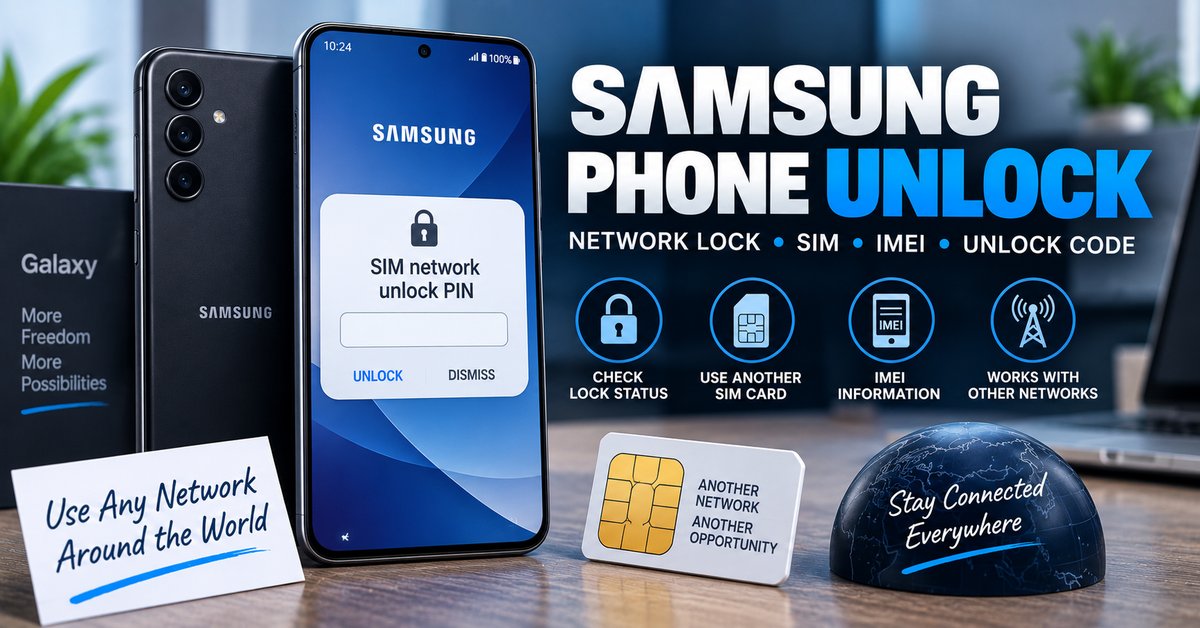
The important point is that Samsung phones do not all use one universal unlock code. The original carrier controls the network restriction, and the unlocking process can vary according to the model, carrier, country, account status and software.
Samsung’s own support guidance says that network-locked devices should be unlocked through the original service provider or retailer. Some providers offer the unlock for free, while others have different eligibility requirements.
What Does a Network-Locked Samsung Phone Mean?
A network-locked Samsung phone is restricted by its original mobile provider so that it cannot normally be used with another carrier’s SIM card until the restriction is removed.
For example, you may purchase a Samsung phone from one carrier and later insert a SIM card from another network. If the phone displays a network unlock message or refuses to register with the new carrier, a network lock may be responsible.
| What you see | Possible problem | Correct direction |
|---|---|---|
| SIM Network Unlock PIN | Carrier/network lock | Contact the original carrier |
| Network unlock code | Carrier/network lock | Use the carrier-provided unlock method |
| SIM PIN | SIM card security | Use the SIM PIN supplied by the carrier |
| PUK | Blocked SIM card | Contact the SIM provider for the PUK |
| Screen PIN or pattern | Device screen lock | Use the appropriate Samsung/account recovery method |
| Google account requested after reset | Factory Reset Protection | Use the legitimate account associated with the device |
How to Check If a Samsung Phone Is Network Locked
Before looking for a Samsung unlock code, check whether the phone actually has a carrier restriction. This can save you from using the wrong unlocking method.
Test the Phone With Another SIM Card
The simplest practical test is to insert an active SIM card from a different mobile network.
- Turn off the Samsung phone.
- Remove the current SIM card.
- Insert a working SIM card from another carrier.
- Turn the phone on.
- Wait for the phone to connect to the new network.
- Check whether you receive a network unlock message or can make a call.
If the phone accepts the new SIM and connects normally, it may already be unlocked. If it specifically asks for a SIM Network Unlock PIN or network unlock code, investigate the original carrier lock.
Check the Network Unlock Settings
Some Samsung Galaxy devices provide network-unlock information in the connection settings. The exact menu can vary by model, Android version, region and carrier.
On supported devices, Samsung documents a Network unlock area under Settings > Connections > More connection settings. Available options are carrier-dependent, so the menu may not appear on every Samsung phone.
How to Unlock a Samsung Phone for Free
If your Samsung phone is eligible for an official carrier unlock, you may be able to unlock it without paying a separate unlocking fee. The exact eligibility rules belong to the original carrier, not to Samsung as a universal rule.
The safest free Samsung unlock method is therefore:
- Identify the original carrier.
- Check whether the Samsung phone is network locked.
- Find the device IMEI.
- Check the carrier’s current unlock eligibility requirements.
- Submit an unlock request when required.
- Follow the carrier’s instructions for completing the unlock.
- Test the phone with another compatible SIM card.
There is no universal free Samsung code that works on every Galaxy phone. A carrier may provide a device-specific unlock code, automatically unlock the device, or use another carrier-controlled procedure.
How to Unlock a Samsung Phone With an Unlock Code
Some Samsung phones and carriers use a network unlock code. If the original provider gives you an NCK or another network unlock code, follow the exact instructions supplied with that code.
General Samsung Network Unlock Code Procedure
- Confirm that the code is intended for your exact Samsung phone.
- Turn the phone off.
- Insert a compatible SIM card from another carrier.
- Turn the phone back on.
- Wait for the network unlock prompt.
- Enter the carrier-provided unlock code exactly as instructed.
- Restart the phone if requested.
- Confirm that the new SIM connects to the network.
Do not guess network unlock codes. On some Samsung devices, failed attempts can lead to a frozen or restricted unlock state.
What Is a Samsung SIM Network Unlock PIN?
A SIM Network Unlock PIN is associated with a network or carrier restriction. It should not be confused with the PIN that protects your SIM card.
If your Samsung displays a message such as SIM Network Unlock PIN after inserting a SIM from another carrier, the phone may be locked to its original network.
| Term | Meaning |
|---|---|
| SIM Network Unlock PIN | Network unlock credential requested by some carrier-locked Samsung phones |
| NCK | Network Control Key used as a network unlock code on supported devices |
| MCK / Defreeze | Unlock-related credential associated with some frozen network-lock states |
| SIM PIN | Security PIN for the SIM card itself |
| PUK | Personal Unblocking Key used to recover a blocked SIM |
If you need more information about NCK terminology and network unlock codes, see our NCK Code Generator and Network Unlock Guide.
Can You Unlock a Samsung Phone With IMEI?
The IMEI is important when unlocking a Samsung phone, but it is not itself an unlock code.
The IMEI identifies the individual device and may be requested by the original carrier when checking the phone’s eligibility or processing an unlock request.
This is why phrases such as “Samsung unlock by IMEI” can be misleading. An authorized IMEI-based unlock normally means that the device’s network status is checked or changed through an appropriate carrier or service system. It does not mean that any website can calculate a universal Samsung unlock code from an IMEI.
How to Find the Samsung IMEI
- Dial *#06# on supported Samsung phones.
- Open Settings > About phone.
- Check the original device packaging when available.
- Look for the IMEI on the device label where applicable.
Keep your complete IMEI private. Give it directly to your carrier or legitimate service provider when required, rather than posting it in public comments or forums.
For a broader explanation of IMEI-based unlocking, see our Free IMEI Unlock and Phone Unlock Guide.
Samsung Unlock Code vs. NCK Code
Samsung unlocking terminology can be confusing because different generations of Samsung phones use different procedures.
| Search term | What it usually refers to | Important point |
|---|---|---|
| Samsung unlock code | General term for a network unlock credential | Not one universal code |
| Samsung NCK code | Network Control Key | Device/carrier specific |
| Samsung network unlock code | Code used for a network restriction | Usually supplied through the carrier or approved unlock process |
| Samsung SIM Network Unlock PIN | Network-lock prompt/credential | Different from SIM PIN |
| Samsung MCK | Unlock-related defreeze/master credential on some devices | Should not be guessed |
If you are specifically researching Samsung unlock codes, NCK, MCK and related terminology, our Samsung Galaxy Unlock Code: Network Unlock & SIM Unlock Guide goes deeper into that subject.
How to Unlock a Samsung Phone to Any Network
“Unlock to any network” does not mean that every Samsung model will work on every mobile network worldwide. Removing a carrier lock is only one part of network compatibility.
| Requirement | Why it matters |
|---|---|
| Carrier unlock | Removes the original network restriction |
| Compatible SIM | The SIM must be active and supported |
| Network bands | The Samsung model must support the target network’s frequencies |
| Network technology | Older devices may not support newer cellular technologies |
| Regional compatibility | Some Samsung devices can have separate regional restrictions |
| Account eligibility | The original carrier may require specific conditions before unlocking |
Therefore, an unlocked Samsung phone may still have limited compatibility with a particular carrier. Always check the exact model and network compatibility before switching providers.
Samsung Network Lock vs. Regional Lock
Samsung devices can encounter different types of restrictions. A network lock generally prevents use with another carrier, while a regional restriction can affect devices sold for a particular market.
These problems should not automatically be treated as the same issue. If a Samsung phone was purchased in another country and displays a regional-lock message, the correct solution can differ from a normal carrier network unlock.
Samsung Network Unlock vs. SIM PIN and PUK
One of the most common mistakes is confusing a network unlock with a SIM-card PIN or PUK.
| Problem | What is locked? | Who normally provides the solution? |
|---|---|---|
| Network unlock | Samsung phone’s carrier restriction | Original carrier or retailer |
| SIM PIN | SIM card | Mobile carrier |
| PUK | Blocked SIM card | Mobile carrier |
| Screen PIN | Phone access | Device/account recovery process |
| Google account after reset | Activation/FRP protection | Legitimate account holder |
How to Unlock Older Samsung Phones
Older Samsung phones can use unlocking procedures that are different from those found on recent Galaxy models. Some legacy devices used typed network codes, while newer devices can use carrier-controlled or on-device unlocking systems.
This is why an old Samsung unlock code list should never be treated as a universal solution for every Samsung phone.
If you have an older Samsung device and know the exact model, identify the model number and original carrier before trying any code. This information is more useful than simply searching for a generic “Samsung unlock code free.”
Samsung Galaxy Unlocking
Samsung Galaxy phones cover many generations and carrier configurations. A Galaxy S, Note, A, J, M, Z or other series model can have different network-unlock requirements depending on where and how it was sold.
For a specific Samsung Galaxy model, start with the original carrier and then check the exact device status. Do not assume that an unlock procedure for an older Galaxy model will work on a newer one.
For Samsung Galaxy unlock codes and NCK-related information, visit our Samsung Galaxy Unlock Code guide.
Samsung Galaxy J7 Unlock
If your phone is specifically a Galaxy J7, use our dedicated Samsung Galaxy J7 Unlock guide for model-specific information about network locks, SIM unlocking and unlock-code terminology.
What If Your Samsung Says “Network Locked”?
If your Samsung says that the network is locked, first determine which carrier originally supplied the device. Then check the carrier’s current unlock requirements.
- Try a known-working SIM from another carrier.
- Record the exact message displayed by the phone.
- Find the device IMEI.
- Identify the original carrier.
- Check whether the device is eligible for unlocking.
- Follow the carrier’s approved unlock procedure.
If the phone is eligible but remains locked after the carrier confirms the unlock, contact the carrier again rather than repeatedly entering random codes.
What If the Samsung Unlock Code Does Not Work?
A rejected unlock code does not automatically mean that the phone cannot be unlocked. Check the following before trying anything else.
| Possible cause | What to check |
|---|---|
| Wrong code | Confirm the code belongs to the exact device |
| Wrong carrier | Confirm which provider originally locked the phone |
| Wrong lock type | Check whether the phone is asking for SIM PIN, PUK, NCK or another credential |
| Frozen unlock state | Stop entering codes and contact the carrier |
| Inactive SIM | Confirm that the replacement SIM is active |
| Network incompatibility | Check the Samsung model’s supported bands and technologies |
| Regional restriction | Determine whether the issue is a regional rather than carrier lock |
Can a Free Samsung Unlock Tool Unlock Any Phone?
No universal Samsung unlock tool should be assumed to work with every Samsung phone.
Older websites often advertise a downloadable program that supposedly accepts the Samsung model, country, carrier and IMEI and then generates an unlock code. The problem is that Samsung network unlocking is not based on one universal calculation that works across every model and carrier.
A tool that claims to unlock every Samsung phone for free should therefore be treated cautiously, particularly when it requests an IMEI, asks you to install unknown software or promises an instant unlock without checking the original carrier.
For general phone unlocking information, our Free Phone Unlock Codes guide explains the difference between carrier unlocking, network unlock codes, SIM unlocking and IMEI-based services.
Samsung Unlocking and IMEI Safety
Your IMEI is commonly required when dealing with a carrier, but it should not be published publicly.
If an unlocking website asks you to place your full IMEI in a public comment section, do not do it. Use the carrier’s private account, support page or another trusted submission method instead.
Samsung Network Unlock Checklist
| Step | What to do |
|---|---|
| 1 | Insert another carrier’s SIM |
| 2 | Record the exact error or unlock message |
| 3 | Find the Samsung IMEI |
| 4 | Identify the original carrier |
| 5 | Check current carrier eligibility |
| 6 | Request the official unlock if necessary |
| 7 | Follow the carrier’s code or device instructions |
| 8 | Test the phone with the new SIM |
Frequently Asked Questions About Samsung Phone Unlocking
How do I unlock my Samsung phone for free?
First check whether the phone is carrier locked, then contact the original carrier and check its current unlock eligibility requirements. If the device qualifies, the carrier may provide an unlock without a separate fee.
What is the Samsung network unlock code?
A Samsung network unlock code is a credential used on supported devices to remove a carrier network restriction. The correct code is device and carrier specific rather than a universal Samsung code.
What is the Samsung SIM Network Unlock PIN?
It is a network-unlock credential requested by some Samsung phones when a SIM from another carrier is inserted. It is different from the SIM PIN that protects the SIM card itself.
Can I unlock a Samsung phone with an IMEI?
The IMEI can be used by the carrier to identify your phone and check or process its unlock status. The IMEI itself is not a universal Samsung unlock code.
Is there a universal Samsung unlock code?
No. Samsung phones use different network-lock systems depending on the model, carrier, region and generation. Do not assume that a code found online will work on your device.
What is an 8-digit Samsung unlock code?
On some carrier-locked Samsung devices, an 8-digit code can refer to an NCK or network unlock credential. The length alone does not identify a universal code, so the correct value must come from the appropriate carrier or unlock system.
Can I unlock Samsung without a carrier?
The carrier is normally the first and most reliable source for removing a carrier network lock. Some devices and third-party services may use other procedures, but compatibility and legitimacy vary, so a universal carrier-free method should not be assumed.
Why does my Samsung say “SIM network unlock PIN”?
This message usually indicates that the phone has detected a network restriction when a different SIM card was inserted. Check the original carrier and request the appropriate network unlock procedure.
Will unlocking remove my Samsung screen PIN?
No. A network unlock only concerns the carrier restriction. It does not remove the phone’s screen PIN, pattern, password or other device security.
Will a network unlock remove Google FRP?
No. Carrier unlocking and Factory Reset Protection are separate security systems. A network unlock does not remove the Google account requirement after a protected factory reset.
Related Samsung and Phone Unlock Guides
- Samsung Galaxy Unlock Code: Network Unlock & SIM Unlock Guide
- Samsung Galaxy J7 Unlock: Network, SIM & Unlock Code Guide
- NCK Code Generator: NCK Unlock Code & Network Unlock Guide
- SIM Network Unlock PIN: Free Code & Unlock Guide
- Free IMEI Unlock: Unlock Phone With IMEI Number
- Free Phone Unlock Codes: Network, SIM & Carrier Unlock Guide
- LG Unlock Code: Network Unlock, NCK & SIM Unlock Guide
- Huawei Unlock Code Calculator: Huawei NCK & Network Unlock Guide
Final Thoughts
Unlocking a Samsung phone is usually straightforward once you identify the type of lock affecting the device. If another carrier’s SIM is rejected or the phone asks for a SIM Network Unlock PIN, investigate the carrier network lock first.
For a legitimate carrier unlock, identify the original provider, find the IMEI, check the current eligibility requirements and follow the provider’s instructions. Some eligible phones can be unlocked for free, while the exact process varies between carriers and devices.
Most importantly, do not confuse a network unlock with a SIM PIN, PUK, screen lock or Google account protection. And avoid universal Samsung unlock generators that promise to unlock every phone simply from an IMEI.