Free Phone Unlock Codes: Network, SIM & Carrier Unlock Guide
Looking for free phone unlock codes or trying to unlock a mobile phone from its original network? Unlocking a phone can involve several different methods depending on the device, manufacturer, carrier and type of lock. Some phones use a network unlock code or NCK code, while newer devices may be unlocked directly by the carrier.
This guide explains how phone unlock codes work, what a network unlock code or SIM Network Unlock PIN means, how IMEI information is used, and how to determine which unlocking method is appropriate for your device.
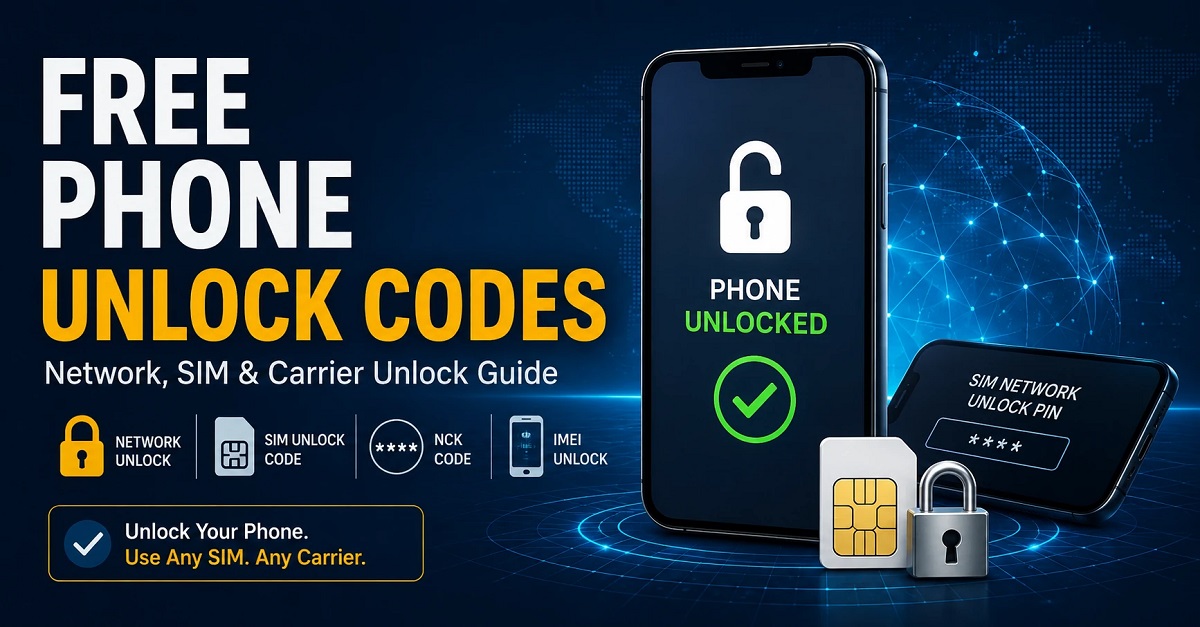
If your phone displays a message such as “SIM Network Unlock PIN,” “Enter Network Unlock Code,” “Network Locked” or “Enter Unlock Code,” you are most likely dealing with a carrier or network restriction. Start by identifying the exact phone model and the original carrier before entering any code.
What Is a Phone Unlock Code?
A phone unlock code is a code used by certain mobile phones to remove a network or carrier restriction. When a compatible locked phone accepts the correct code, it can allow a SIM card from another compatible network to be used.
Phone unlock codes have different names depending on the manufacturer and device. You may see terms such as network unlock code, SIM unlock code, SIM Network Unlock PIN, NCK code, Network Control Key or simply unlock code.
| Term | What it generally refers to |
|---|---|
| Phone Unlock Code | A code used to remove a compatible network restriction |
| Network Unlock Code | A code associated with unlocking a phone from a carrier or network |
| SIM Network Unlock PIN | A message commonly displayed when a network-locked phone requests its unlock code |
| NCK Code | Network Control Key used on compatible devices for network unlocking |
| SIM PIN | A security PIN associated with the SIM card, not normally the phone’s carrier lock |
| PUK Code | A code used to recover a SIM card after too many incorrect SIM PIN attempts |
How Do Free Phone Unlock Codes Work?
There is no single universal unlock code that works for every phone. The correct method depends on the device model, original network, country, carrier policy and type of lock.
For many modern smartphones, the most appropriate free unlocking method is to request an official carrier unlock when the device meets the carrier’s eligibility requirements. Older GSM phones may use a code-based unlocking system, while some devices are unlocked remotely through carrier or manufacturer systems.
For this reason, websites claiming that one generic code can unlock every phone should be treated with caution. Entering an incorrect code repeatedly can cause additional restrictions on some devices.
How to Unlock a Phone With an Unlock Code
If your phone specifically asks for a network unlock code, the general process is straightforward, but the exact procedure varies by manufacturer and model.
- Identify the exact phone manufacturer and model.
- Find the device’s IMEI number by dialing *#06# or checking the phone’s settings.
- Identify the carrier or network that originally locked the device.
- Check whether the carrier offers an official unlock and whether the device is eligible.
- If the phone uses a compatible code-based system, obtain the correct network unlock code for that specific device.
- Insert a SIM card from another compatible carrier and follow the phone’s unlock prompt.
- Enter the correct code carefully and only when the device specifically requests it.
If you are unsure whether your device is actually network locked, do not start entering random codes. First determine the type of restriction.
What Is a SIM Network Unlock PIN?
A SIM Network Unlock PIN is generally associated with a phone that has a carrier or network restriction. When a SIM card from another network is inserted, the phone may display a request for a SIM Network Unlock PIN or Network Unlock Code.
This is different from the PIN used to protect your SIM card. Android’s telephony interface itself uses the term “SIM network unlock PIN” for the network depersonalization screen.
If your device displays this message, our SIM Network Unlock PIN guide provides more information about the different types of unlock requests and how to identify them.
NCK Code and Network Unlock Codes
NCK is commonly used as an abbreviation for Network Control Key. On compatible phones, the NCK can be associated with the network unlock code requested when a carrier restriction prevents another SIM card from being used.
If your phone asks for an NCK, network unlock code or SIM Network Unlock PIN, the code must correspond to the specific device and unlocking system. It is not the same thing as a generic SIM PIN.
Learn more about this subject in our NCK Code Generator and network unlock guide.
NCK Code vs SIM PIN vs PUK
| Code | Purpose |
|---|---|
| NCK | Associated with network unlocking on compatible devices |
| SIM PIN | Protects the SIM card itself |
| PUK | Recovers a SIM card after too many incorrect PIN attempts |
| Network Unlock PIN | Used by compatible phones when requesting removal of a carrier/network restriction |
Can You Unlock a Phone With IMEI?
Yes, IMEI information can be important when determining how a phone can be unlocked. The IMEI is a unique device identifier that carriers and service systems may use when checking a phone’s status and unlocking eligibility.
However, an IMEI number by itself is not a universal unlock code. Modern carrier unlocking may be performed through the carrier’s system rather than by calculating a code from the IMEI.
If you are specifically looking for an IMEI unlock or want to understand how an IMEI is used during the unlocking process, see our IMEI unlock guide.
How to Find Your Phone’s IMEI Number
Before requesting many types of phone unlocking, you may need your device’s IMEI number. On many mobile phones, the quickest method is to open the phone dialer and enter:
*#06#
The IMEI may also be listed under Settings → About Phone on Android devices or in the device information section on iPhone.
Always verify that the IMEI you submit belongs to your own device and avoid publishing your full IMEI publicly in comments or forums.
How to Tell If Your Phone Is Network Locked
If you are not sure whether your phone needs an unlock code, the first step is to check whether it is actually carrier locked.
- Insert a SIM card from a different mobile carrier.
- Restart the phone.
- Check whether the device connects to the new network.
- Look for messages such as “SIM Network Unlock PIN,” “Network Locked,” “SIM Not Supported” or “Enter Network Unlock Code.”
- Check the phone’s network or carrier settings when available.
- Contact the original carrier to confirm the device’s unlock status.
Remember that a phone can have other restrictions that are unrelated to a carrier lock. A screen password, Google account verification, Factory Reset Protection and SIM PIN are different security mechanisms.
Free Carrier Unlock vs Unlock Code
For many modern smartphones, requesting an unlock directly from the original carrier is the best place to start. Depending on the carrier and device, an eligible phone may be unlocked without purchasing a third-party code.
Older phones may use traditional code-based unlocking, where a device-specific network unlock code is entered into the phone. The terminology and procedure vary considerably between manufacturers.
| Unlock method | Best suited for | Usually requires |
|---|---|---|
| Official carrier unlock | Modern carrier-locked phones | Device and account eligibility |
| Network unlock code | Compatible code-based phones | Correct device-specific code |
| NCK unlock | Compatible GSM devices | Correct NCK/network code |
| IMEI-based service | Devices supported by the relevant system | IMEI and carrier information |
Samsung Phone Unlock Codes
Samsung phones can display network unlock messages such as SIM Network Unlock PIN or Network Lock Control Key. The exact unlocking procedure depends on the Galaxy model, original carrier and type of restriction.
For Samsung users, our Samsung Galaxy unlock code guide contains additional information about Samsung network unlocking and code-based methods.
Do not confuse a Samsung network lock with Samsung FRP. FRP is a Google-related device protection feature and requires a completely different solution.
LG, Huawei, Nokia, Xiaomi and Other Phone Unlock Codes
Different manufacturers have used different unlocking systems over the years. Older GSM phones are particularly associated with code-based network unlocking, while newer smartphones often rely on carrier-side activation or account systems.
UnlockPhoneTool contains manufacturer-specific resources for many popular brands. You can explore our phone code generator resources for additional unlocking guides.
For Huawei devices, see our Huawei Code Calculator guide. For LG phones, our LG unlock code guide covers code-based unlocking information.
You can also find additional manufacturer-specific information for Huawei, Xiaomi and LG devices.
What Does “Network Unlock Request Unsuccessful” Mean?
If your phone reports “Network unlock request unsuccessful”, do not keep entering random codes. The message can mean that the code is incorrect, the device does not support that unlocking method, the phone has reached an attempt limit, or the requested code does not match the type of lock.
Some devices use additional codes or procedures when too many incorrect network unlock attempts have been made. Carrier documentation also distinguishes between an NCK/network unlock code and other codes such as an MCK or service-provider code.
Phone Unlock Codes and FRP Are Not the Same
One of the most common mistakes is confusing a network unlock with FRP unlock.
| Restriction | What it affects | Typical terminology |
|---|---|---|
| Carrier/network lock | Which mobile network or SIM can be used | Network unlock code, NCK, SIM Network Unlock PIN |
| FRP | Google account verification after certain resets | Factory Reset Protection, Google verification |
| SIM PIN | Access to the SIM card | SIM PIN |
| Screen lock | Access to the phone itself | PIN, password, pattern |
| PUK | Recovery of a locked SIM | PUK, PIN Unlock Key |
If your device is asking for Google account verification after a factory reset, searching for a network unlock code will not solve the problem. You need information specific to Factory Reset Protection and the device’s account recovery options.
Common Phone Unlock Messages
| Message | Possible meaning |
|---|---|
| SIM Network Unlock PIN | Network/carrier unlock request |
| Enter Network Unlock Code | Network restriction is active |
| Network Locked | Phone may be restricted to a carrier |
| SIM Not Supported | SIM may not be accepted because of carrier or compatibility restrictions |
| Enter NCK | Compatible device is requesting a Network Control Key |
| Google Account Verification | Likely related to FRP rather than network unlocking |
| Enter SIM PIN | SIM-card security, not normally a carrier unlock |
| Enter PUK | SIM card requires PUK recovery |
Before Using Any Free Unlock Code
- Confirm the exact phone model.
- Find the correct IMEI.
- Identify the original carrier.
- Determine whether the problem is a network lock, SIM PIN, PUK, FRP or screen lock.
- Check whether the carrier offers an official unlock.
- Never repeatedly enter random codes.
- Keep your IMEI private and do not post it publicly.
- Back up important information before performing any procedure that could reset the device.
Frequently Asked Questions About Phone Unlock Codes
Can I get a phone unlock code for free?
Sometimes. If your carrier offers free unlocking and your device meets its eligibility requirements, the carrier may unlock it without charging you. Code-based unlocking for older devices is a different situation and depends on the phone and network.
What is the difference between an unlock code and an NCK code?
NCK means Network Control Key and is commonly associated with the network unlock code used by compatible phones. The terminology varies between manufacturers and carriers.
Can I unlock my phone using its IMEI?
The IMEI is commonly used to identify the device and may be required by a carrier or unlocking system. However, an IMEI number is not itself a universal unlock code.
Is a SIM PIN the same as a network unlock PIN?
No. A SIM PIN protects the SIM card, while a SIM Network Unlock PIN is associated with removing a carrier or network restriction from a compatible phone.
What should I do if my unlock code does not work?
Stop entering codes repeatedly. Confirm the phone model, original carrier, type of lock and code type. Some phones have limited attempts, so using the wrong code can make the situation more difficult.
Can an NCK code remove FRP?
No. NCK is associated with network unlocking, while FRP is a separate Android security feature related to Google account verification after a reset.
Find the Right Unlocking Guide for Your Phone
There is no single unlock method that works for every mobile phone. The best approach is to identify the exact restriction first and then use information specific to the device and carrier.
- NCK Code Generator – Learn about NCK and network unlock codes.
- IMEI Unlock Guide – Understand how IMEI information is used in phone unlocking.
- SIM Network Unlock PIN – Identify network unlock messages and terminology.
- Samsung Galaxy Unlock – Explore Samsung network and code-based unlocking information.
- LG Unlock Code Guide – Find LG-specific unlocking information.
- Huawei Code Calculator – Explore Huawei code-related resources.
- Phone Code Generator Guides – Browse additional manufacturer and model-specific resources.
UnlockPhoneTool Phone Unlock Resources
UnlockPhoneTool brings together information about phone unlock codes, free phone unlocking, network unlock codes, SIM Network Unlock PINs, NCK codes, IMEI unlocking, carrier unlocking and manufacturer-specific unlocking methods.
Whether your phone is asking for a network unlock code, you want to check whether it is carrier locked, or you are trying to understand how an IMEI is used during the unlocking process, start by identifying the exact device and type of restriction.
Do not enter random unlock codes. The correct method depends on the phone, carrier and type of lock. Use the relevant guide above to find the information that matches your device.
You advertise as being able to unlock any blu phone, but there is no option to unlock the blu view 3
We will send you the software at your email address in order to solve your problem permanently! Good luck … Have a nice evening!
I need a code to carrier unlock my iPhone XR
I need to unlock my phone boost mobile to be able to use my straighttalk Sims card
990013490551772 can’t find unlock code.
Coolpad Legacy
CO3705AS
Unlock my cricket wireless phone so I can use it with any sim card please and thank u
samsung galaxy j7 crown
imei 357092100946231
Delocker un opérateur pour Motorola
IMEI code : 355469100167517