How to Unlock a BLU Phone: Unlock Code, IMEI & Network Guide
If your BLU phone refuses to accept a SIM card from another carrier, the device may have a network or SIM restriction. This guide explains how to unlock a BLU phone, how BLU unlock codes work, where the IMEI fits into the process, and how to identify the correct unlocking method for your device.
A BLU phone can have several different types of locks, and they should not be confused. A network lock prevents the phone from working with another carrier, while a screen PIN, SIM PIN, PUK or Google Factory Reset Protection (FRP) serves a different purpose. Choosing the correct solution is the first step toward unlocking the phone safely.
If you are looking specifically for a network unlock, this guide focuses on the methods relevant to BLU phones, including unlock codes, NCK, IMEI-based unlocking and SIM Network Unlock PIN prompts.
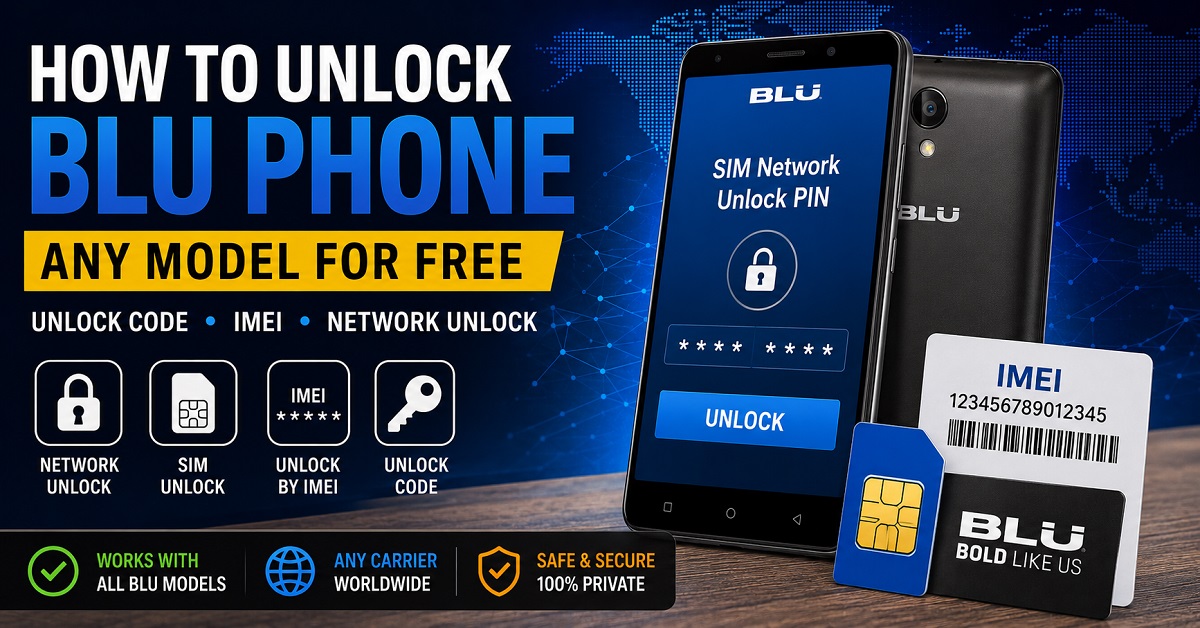
What Does It Mean to Unlock a BLU Phone?
Unlocking a BLU phone normally means removing a carrier or network restriction so that the device can accept a compatible SIM card from another network.
For example, you may purchase a BLU phone that was originally sold through a carrier. When you insert a SIM from another network, the phone may display a message such as SIM Network Unlock PIN, Network Unlock Code or a similar request.
In that situation, the phone may require a network unlock rather than a screen-lock reset or factory reset.
| Lock or restriction | What it affects | Typical solution |
|---|---|---|
| Network lock | Prevents use with another carrier’s SIM | Carrier unlock or compatible network unlock code |
| SIM PIN | Protects the SIM card | Correct SIM PIN or carrier-issued PUK |
| Screen PIN/pattern | Prevents access to the phone | Owner account or supported device recovery |
| FRP | Google account verification after certain resets | Previously associated Google account or legitimate recovery |
| IMEI blacklist | Network access may be restricted because of the device status | Contact the carrier or original owner |
BLU Phone Unlock: Which Method Do You Need?
The most important question is what your BLU phone is actually asking you to unlock. A network-locked phone requires a different solution from a forgotten screen password or an FRP-locked device.
| What you see | Likely problem | What to investigate |
|---|---|---|
| SIM Network Unlock PIN | Network/SIM lock | Network unlock code, NCK or carrier unlock |
| Network Unlock Code | Network lock | Carrier or supported unlock-code method |
| Enter SIM PIN | SIM card security | SIM PIN or PUK from the carrier |
| Google account verification | FRP | Original Google account recovery |
| Forgotten screen PIN | Screen lock | Supported Android recovery options |
| No signal after unlocking | Possible compatibility issue | Carrier bands, VoLTE, APN and network compatibility |
What Is a BLU Unlock Code?
A BLU unlock code is a code used by supported devices to remove a network or SIM restriction. The exact procedure depends on the BLU model, firmware, original carrier and the type of network lock.
Some BLU devices and unlocking systems use terminology such as NCK, MCK or SPCK. These codes should not be treated as interchangeable because they can have different purposes.
If you are researching NCK codes in more detail, see our dedicated NCK Code Generator and Network Unlock Guide.
BLU NCK Code
NCK is commonly used to describe a primary network unlock code on supported devices. If a BLU phone displays a network unlock prompt, the NCK may be the relevant code type depending on the device’s locking system.
BLU MCK or Unfreeze Code
MCK, sometimes called an Unfreeze code, may be associated with a device that has entered a freeze state after too many incorrect network unlock attempts on systems that use this type of code.
This is one reason you should never guess unlock codes repeatedly. Incorrect attempts can create additional restrictions or require a different recovery procedure.
BLU SPCK Code
SPCK refers to a Service Provider Control Key in systems that use this terminology. It can relate to a secondary or service-provider restriction rather than the primary network lock.
If your phone does not specifically request this type of code, do not assume that an SPCK is the code you need.
How to Find the IMEI on a BLU Phone
The IMEI is an important identifier when requesting a network unlock for a BLU phone. It identifies the individual cellular device and may be required by a carrier or unlocking service.
Use the *#06# Code
Open the phone application and enter:
*#06#
On compatible BLU phones, the IMEI should appear on the screen.
Check Android Settings
Depending on the model and Android version, you can usually look under Settings → About phone or a device-status section.
Check the Original Packaging
The IMEI may also be printed on the original phone box or a device label. Whenever possible, compare the number with the IMEI displayed by the phone itself.
Can You Unlock a BLU Phone by IMEI?
IMEI-based unlocking is a legitimate method used for some BLU phones. The IMEI identifies the device, while the carrier information helps determine which network restriction applies.
However, an IMEI does not automatically produce a valid unlock code for every BLU model. Support depends on the device, original network, locking system and the service or carrier handling the unlock.
For a broader explanation of IMEI-based phone unlocking, see our Free IMEI Unlock and Unlock Phone With IMEI Guide.
How to Unlock a BLU Phone With an Unlock Code
If your BLU phone is network locked and the supported unlocking method provides a network unlock code, the general process is straightforward.
- Confirm the phone is network locked. Insert a compatible SIM from another carrier and check the message displayed by the phone.
- Find the IMEI. Use *#06# or check the phone’s About section.
- Identify the original carrier. The carrier to which the phone is locked can be important when determining the correct unlocking method.
- Check eligibility. Carrier policies and device status can affect whether an unlock is available.
- Obtain the correct unlock method. Depending on the BLU model, this may involve the original carrier, an authorized unlocking process or a supported unlock-code service.
- Insert the other SIM card. Turn the BLU phone on with the new carrier’s SIM installed.
- Enter the correct code if prompted. Never guess a code or repeatedly enter random numbers.
- Test the new network. Check calls, SMS and mobile data after the phone accepts the SIM.
What to Do When Your BLU Phone Says SIM Network Unlock PIN
The message SIM Network Unlock PIN generally indicates that the phone is requesting a network unlock credential rather than the normal PIN used to protect the SIM card.
Do not confuse the two. A SIM PIN belongs to the SIM card, while a SIM Network Unlock PIN is associated with a network restriction on the device.
Our dedicated SIM Network Unlock PIN Guide explains the terminology, how IMEI information relates to network unlocking and when an NCK or carrier unlock may be required.
How to Check Whether Your BLU Phone Is Already Unlocked
The simplest test is to use a compatible SIM card from a different carrier.
- Power off the BLU phone.
- Insert a SIM from another compatible network.
- Turn the phone back on.
- Wait for the device to connect to the network.
- Try making a call and sending an SMS.
- Check mobile data after confirming that the phone has network service.
If the phone accepts the SIM but mobile data does not work, the problem may not be the network lock. Check network compatibility, APN configuration, supported frequency bands and carrier requirements.
BLU Phone Unlock vs. Screen Lock
One of the most common mistakes is treating every locked BLU phone as a network-locked phone.
A network lock affects which carrier SIM cards the device can use. A screen lock prevents access to the Android interface. An unlock code designed for a network restriction will not normally remove a forgotten screen PIN or pattern.
| Situation | Is a network unlock code the answer? |
|---|---|
| Phone displays SIM Network Unlock PIN | Possibly yes |
| Phone rejects another carrier’s SIM | Possibly yes |
| Forgotten screen PIN | No |
| Forgotten pattern | No |
| Google account verification after reset | No |
| SIM asks for PIN | No, this is a SIM security feature |
| Phone has no signal after successful network unlock | Investigate compatibility and carrier settings |
What About a Free BLU Unlock Code Generator?
Searches for a free BLU unlock code generator are common, but a generator should not be assumed to work with every BLU phone.
Unlock-code systems can depend on the model, IMEI, carrier, firmware and underlying network-lock system. Older devices may use different code-generation systems from newer models.
For that reason, a website claiming that one universal generator can produce a valid code for every BLU phone should be treated carefully.
When a supported calculation is possible, the required device information should be clearly explained before a user attempts to enter a code.
BLU Unlock Code by IMEI: What Information May Be Required?
An unlocking request may require several pieces of information rather than the IMEI alone.
| Information | Why it matters |
|---|---|
| IMEI | Identifies the individual cellular device |
| BLU model | Helps determine device and firmware compatibility |
| Original carrier | Identifies the network restriction |
| Country | Carrier and unlocking rules can vary by market |
| Network-lock message | Helps identify the type of restriction |
Popular BLU Phones and Unlocking Considerations
BLU has released many different smartphones over the years, and the exact unlocking procedure can vary between models and carriers. A method that works for one BLU device should not automatically be assumed to work for another.
| BLU device family | What to check first |
|---|---|
| BLU Bold series | Network status, carrier and exact model |
| BLU G series | Carrier lock and supported network bands |
| BLU Studio series | Network unlock prompt and original carrier |
| BLU Vivo series | IMEI, carrier and network compatibility |
| BLU View series | Original carrier and device eligibility |
| Older BLU models | Exact model and legacy unlock-code system |
If you have an older BLU model, do not assume that a newer unlocking procedure will apply. Model-specific support is more important than the age of the article or the popularity of a particular unlock tool.
Why a BLU Unlock Code May Not Work
There are several reasons an unlock attempt can fail even when the phone appears to be network locked.
- The code was generated for the wrong IMEI.
- The wrong carrier was selected.
- The phone model or variant was identified incorrectly.
- The device uses a different unlocking system.
- The phone has already reached its allowed number of attempts.
- The device is not actually network locked.
- The phone is incompatible with the new carrier’s network.
- The device has another restriction such as FRP or a screen lock.
Do Not Keep Guessing Unlock Codes
If the phone provides a limited number of attempts, repeatedly entering random codes can make the situation worse. Stop and verify the exact model, IMEI, carrier and requested code type before trying again.
Network Unlock Does Not Remove an IMEI Blacklist
A network unlock and an IMEI blacklist are separate issues.
If a device has been reported lost or stolen, or has another carrier-level restriction associated with its IMEI, entering a network unlock code does not automatically clear that status.
If you purchased a used BLU phone and it has unexpected network restrictions, contact the seller or the original carrier rather than attempting to bypass the device’s status.
What to Check Before Unlocking a Used BLU Phone
- Confirm the exact BLU model.
- Record the IMEI privately.
- Determine which carrier originally locked the device.
- Check whether the phone is reported lost, stolen or otherwise restricted.
- Confirm that the phone is compatible with the carrier you want to use.
- Back up important information before performing any reset or recovery procedure.
- Never publish your complete IMEI, account credentials or personal information in a public comment.
Frequently Asked Questions About BLU Phone Unlocking
Can I unlock any BLU phone for free?
There is no single free method that is guaranteed to unlock every BLU phone. Some devices can be unlocked through the original carrier when eligibility requirements are met, while other models may use supported unlock-code or IMEI-based procedures.
Can I unlock a BLU phone with the IMEI?
IMEI-based unlocking is used for some BLU devices. The IMEI identifies the phone, but whether an unlock can be completed depends on the model, carrier, network-lock system and eligibility.
What is the BLU network unlock code?
It is a code used by supported BLU phones to remove a network or SIM restriction. Depending on the device, the relevant code may be referred to as an NCK or another network unlock credential.
What does SIM Network Unlock PIN mean on a BLU phone?
It normally indicates that the phone is requesting a network-unlock credential. It is different from the ordinary SIM PIN used to protect the SIM card.
Will unlocking my BLU phone make it work with every carrier?
No. Network unlocking removes a carrier restriction, but the phone must still support the required network bands, technologies, VoLTE requirements and other carrier specifications.
Can I unlock a BLU phone with an NCK code?
NCK is used as a network unlock code on supported devices. Whether an NCK is applicable to your BLU phone depends on its particular locking system.
What if my BLU phone is asking for a Google account?
That is generally an account or Factory Reset Protection issue rather than a network unlock. A network unlock code is not designed to remove Google account verification.
Related BLU and Phone Unlock Guides
If you are still determining which unlocking method applies to your BLU phone, these guides provide more detailed information:
- Free Phone Unlock Codes: Network, SIM & Carrier Unlock Guide
- NCK Code Generator: NCK Unlock Code & Network Unlock Guide
- Free IMEI Unlock: How to Unlock a Phone With IMEI Number
- SIM Network Unlock PIN: Free Code & Network Unlock Guide
- Samsung Unlock Code: Network Unlock & NCK Guide
- LG Unlock Code: Network Unlock & NCK Code Guide
Final Takeaway
To unlock a BLU phone successfully, first identify the type of lock instead of immediately searching for a universal unlock tool. If the phone displays a SIM Network Unlock PIN or Network Unlock Code after you insert another carrier’s SIM, you are likely dealing with a network restriction.
For supported devices, the solution may involve the original carrier, an IMEI-based unlocking process or a compatible network unlock code such as an NCK. The exact method depends on the BLU model, IMEI, carrier and locking system.
Most importantly, avoid guessing codes or publishing your IMEI publicly. Verify the device information first, use the correct unlocking method and make sure the BLU phone is compatible with the network you intend to use.
Hi I wanted to get an invite code for my blue TracFone I don’t know why they locked it supposed to be unlocked so if you could just give me the code that would be great the imei is 353011724543517/10 thanks!
Vivo Y21s telstra locked.
Imie: 862494055525291