NCK Code Generator: NCK Unlock Code & Network Unlock Guide
Looking for an NCK code generator to unlock a network-locked phone? This guide explains what an NCK code is, how NCK and network unlock codes work, what information may be required, and how to choose the correct unlocking method for your phone.
An NCK code is commonly associated with a Network Control Key used to remove a carrier or network restriction on compatible mobile devices. Depending on the phone, manufacturer, carrier and lock system, the code may also be described as a network unlock code or SIM network unlock PIN.
If you are searching for a free phone unlocking solution, it is important to identify the exact type of lock first. An NCK code is intended for a network or SIM restriction. It is not the same as a SIM PIN, PUK, screen password, Google FRP lock or IMEI blacklist.
For a broader explanation of different phone unlocking methods, see our free phone unlock codes guide.
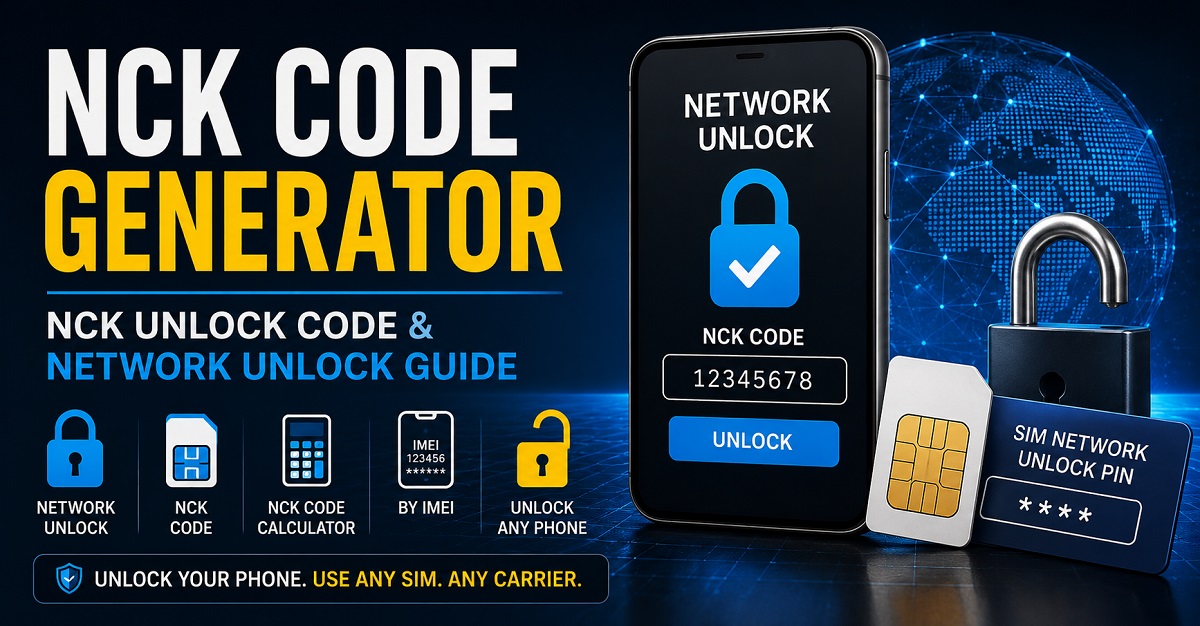
What Is an NCK Code?
NCK commonly refers to a Network Control Key. On supported phones, the NCK is the code used to remove a network or carrier restriction that prevents the device from accepting a SIM card from another network.
For example, a phone originally sold by one mobile operator may display a message such as SIM Network Unlock PIN, Network Unlock Code or Enter Network Unlock Code when a SIM from another carrier is inserted.
| Term | Meaning | Typical Purpose |
|---|---|---|
| NCK | Network Control Key | Network or SIM unlock on compatible devices |
| Network Unlock Code | Code used to remove a carrier/network restriction | Allows a compatible phone to accept another carrier’s SIM |
| SIM Network Unlock PIN | On-screen name used by some phones for the network unlock code | Entered when the device requests network unlocking |
| IMEI | Unique device identifier | Often required when obtaining an unlock code or checking eligibility |
| SIM PIN | Security PIN belonging to the SIM card | Protects the SIM and is separate from network unlocking |
| PUK | PIN Unlock Key for a SIM | Used to recover a SIM after too many incorrect SIM PIN attempts |
What Does an NCK Code Generator Do?
An NCK code generator or NCK code calculator is software or an online service designed to determine an appropriate network unlock code for a compatible device.
Historically, different phone manufacturers and network-lock systems used different code-generation methods. Some older devices could be supported by local calculators, while other devices require information from the original carrier, manufacturer or a remote unlocking server.
This means that there is no single NCK calculator that should automatically be expected to generate a valid code for every phone in existence. Compatibility depends on the device and its particular network-lock system.
A useful NCK code generator should therefore identify the supported manufacturer, model, carrier and code system instead of simply claiming universal compatibility.
How NCK Network Unlocking Works
When a phone is network locked, its software can restrict which mobile networks are accepted. If you insert a SIM card from a different carrier, the phone may detect that the SIM does not belong to the permitted network and request an unlock code.
When the correct network unlock code is entered on a compatible device, the network restriction can be removed. The exact procedure and code format vary between manufacturers, models and carriers.
Typical NCK Unlock Process
- Identify the exact phone model.
- Find the device’s IMEI number.
- Identify the original carrier or network.
- Insert a SIM card from another compatible network if appropriate.
- Check the exact message displayed by the phone.
- Obtain the correct network unlock code from the appropriate source.
- Enter the code carefully when the device requests it.
- Restart or test the phone with the new SIM if required.
Do not guess an NCK code. Some devices limit the number of unsuccessful attempts, and repeated incorrect entries can make unlocking more difficult.
Where Does the NCK Code Come From?
The source of an NCK code depends on the device and carrier. In many cases, the original carrier is the most appropriate source because it can verify the device’s eligibility and provide the authorized network unlock method.
Some older phones and modem devices were compatible with specific code calculators or software tools. Other devices use server-based systems where the code cannot simply be calculated locally from the IMEI.
| Unlock Method | How It Works | Best For |
|---|---|---|
| Carrier unlock | The original network provides or applies the unlock | Modern carrier-locked phones |
| NCK code | A compatible phone accepts a network unlock code | Devices using code-based network unlocking |
| NCK calculator | Compatible software calculates a code | Supported legacy devices and systems |
| IMEI-based service | A service processes the device information remotely | Devices where local calculation is unavailable |
| Manufacturer-supported unlocking | Unlocking follows the manufacturer’s supported process | Supported modern devices |
How to Find Your IMEI for an NCK Unlock
The IMEI is commonly required when identifying a phone for an IMEI-based unlocking process. Most mobile phones display the IMEI when you dial *#06#.
You may also find the IMEI in the phone’s Settings under an About Phone, Device Information or similar menu. The exact location depends on the manufacturer and operating system.
Keep your IMEI private and only provide it to a service you trust. An IMEI is a device identifier and should not be unnecessarily posted publicly in comments or forums.
If you are specifically interested in IMEI-based unlocking, see our IMEI unlock code service guide.
NCK Code Generator vs NCK Code Calculator
The terms NCK code generator and NCK code calculator are often used interchangeably, but they can describe different types of tools.
| Search Term | What It Usually Refers To |
|---|---|
| NCK code generator | A tool or service intended to produce a network unlock code |
| NCK code calculator | A calculator that determines an unlock code from supported device information |
| NCK unlock code | The actual network unlock code needed by a compatible device |
| Network unlock code | General term for a code used to remove a carrier/network restriction |
| SIM network unlock PIN | Common wording displayed by some phones when requesting the network unlock code |
For search purposes these phrases are closely related, but the correct code still depends on the individual device and lock system.
Can You Generate an NCK Code for Free?
Free NCK code generation is a common search because many older phones were supported by publicly available calculators and unlocking tools. However, a free generator should not be assumed to work with every modern phone.
Some devices require an authorized carrier unlock. Others may use server-side systems, manufacturer-specific procedures or device databases that cannot be reproduced by a simple local calculator.
If a website promises that one free NCK generator can unlock every phone, every carrier and every model simply by entering an IMEI, treat that claim cautiously.
When a Free NCK Calculator May Be Useful
- The phone is an older model using a known code-based unlocking system.
- The calculator specifically supports the phone manufacturer and model.
- The required carrier or network is supported.
- The code-generation method is documented.
- The device accepts an NCK or network unlock code.
When a Free Generator May Not Work
- The phone uses a carrier-controlled unlocking process.
- The device requires server-side processing.
- The model is not supported by the calculator.
- The phone is not network locked in the first place.
- The problem is actually FRP, a screen lock, SIM PIN, PUK or another type of restriction.
NCK Code vs SIM Network Unlock PIN
If your phone displays SIM Network Unlock PIN, it is important to understand that this can refer to the network unlock code rather than the security PIN belonging to your SIM card.
On compatible devices, an NCK or Network Control Key may be the code required to remove the network restriction. The exact terminology varies by manufacturer and model.
Do not confuse a SIM Network Unlock PIN with your normal SIM PIN. They serve different purposes.
| Phone Message / Term | Likely Issue | Correct Direction |
|---|---|---|
| SIM Network Unlock PIN | Network/carrier restriction | Network unlock / NCK |
| Enter Network Unlock Code | Network/carrier restriction | Network unlock code |
| SIM PIN | SIM security | Use the SIM PIN supplied by the carrier |
| Enter PUK | SIM blocked after incorrect PIN attempts | Contact the SIM carrier for the PUK |
| Google account verification | Factory Reset Protection | Use the legitimate Google/account recovery process |
| Screen PIN/password | Device screen security | Use the device’s supported recovery method |
NCK Code vs IMEI Unlock
NCK unlocking and IMEI unlocking are closely related but should not automatically be treated as the same process.
An NCK is a code used by compatible devices to remove a network restriction. An IMEI-based unlock service, on the other hand, may use the device’s IMEI to process an unlock through a carrier, manufacturer or remote service.
| Feature | NCK Unlock | IMEI-Based Unlock |
|---|---|---|
| Uses IMEI information | Often | Usually |
| Requires an unlock code | Usually | Not always |
| Can be carrier controlled | Yes | Yes |
| Works on every phone | No | No |
| Suitable for modern devices | Depends on device | Depends on carrier and device |
For more information about IMEI-based unlocking, visit our free IMEI unlock code service guide.
Which Phones Can Use an NCK Code?
NCK terminology has been used across many different mobile devices and network-lock systems. Compatibility is more important than the brand name alone.
| Brand / Device Type | NCK Relevance | What to Check |
|---|---|---|
| Samsung | Some models and network-lock systems use NCK terminology | Exact model, carrier and unlock prompt |
| LG | Some network-locked LG phones use network unlock codes | Model-specific unlock procedure |
| Huawei | Some phones and modems use multiple network unlock code types | Model and code-generation system |
| Alcatel | Some devices use network unlock codes | Exact model and carrier |
| Nokia | Older devices may use code-based unlocking systems | Model and network restriction |
| ZTE / Modems | Some devices use NCK or network unlock terminology | Device type and supported code system |
Samsung NCK Unlock Codes
Samsung devices have used different network-lock systems over the years. Do not assume that an old universal Samsung unlock code will work on a newer Galaxy device.
For Samsung-specific information, see our Samsung Galaxy unlock code guide.
LG NCK and Network Unlock Codes
Some LG devices use network or service-provider unlock codes. The correct procedure can depend on the exact model and carrier.
See our LG unlock code generator guide for additional model-specific information.
Huawei NCK and Unlock Codes
Huawei phones, modems and routers can use different generations and types of unlock codes. A calculator designed for one Huawei system should not automatically be used with another.
For Huawei-specific code information, visit our Huawei code calculator guide.
Nokia Unlock Codes
Older Nokia devices are another area where code-based unlocking has historically been important. However, Nokia unlocking procedures differ between generations and network providers.
See our Nokia Lumia unlock guide for more information.
What Information Do You Need Before Looking for an NCK Code?
Before using an NCK code generator or requesting a network unlock code, collect as much accurate device information as possible.
| Information | Why It Matters |
|---|---|
| Phone brand | Different manufacturers use different unlocking systems |
| Exact model | Unlocking support can differ between models |
| IMEI | Often used to identify the individual device |
| Original carrier | Network restrictions are frequently carrier-specific |
| Country | Carrier and device variants can differ by region |
| Unlock message | Helps determine which type of lock is present |
How to Check Whether Your Phone Needs an NCK Code
The first step is to identify what happens when you insert a SIM card from another carrier.
- Turn off the phone.
- Insert a compatible SIM card from another network.
- Turn the phone on.
- Read the exact message displayed on the screen.
- Determine whether the phone requests a network unlock code, SIM PIN, PUK or another credential.
If the device specifically requests a Network Unlock Code, Network Control Key or SIM Network Unlock PIN, an NCK-related unlocking method may be relevant.
What If the NCK Code Does Not Work?
If an NCK code is rejected, do not repeatedly enter random codes. First verify that the code belongs to the exact device and that the phone is actually requesting a network unlock code.
Check the Phone Model
A code for one model or regional variant may not work on another model, even if both phones have the same brand.
Check the Original Carrier
The original carrier can be important because network-lock information may be associated with the carrier’s systems.
Check the Exact Error Message
If the phone is asking for a SIM PIN, PUK, Google account, screen password or another credential, an NCK code is not the correct solution.
Stop Before the Attempt Counter Is Exhausted
Some devices limit the number of unsuccessful network-unlock attempts. Continuing to enter incorrect codes can cause additional problems.
NCK Code, MCK, SPCK and Other Unlock Codes
Some older unlocking systems use several different code types. The terminology can vary by manufacturer and device.
| Code | General Meaning | Purpose |
|---|---|---|
| NCK | Network Control Key | Primary network unlock on supported systems |
| MCK / Unfreeze | Master or unfreeze code in some systems | May be associated with recovering from certain failed unlock attempts |
| SPCK | Service Provider Control Key | Service-provider restriction on supported devices |
| PUK | PIN Unlock Key | Recovers a blocked SIM card |
| SIM PIN | SIM security PIN | Protects the SIM card |
These codes should not be treated as interchangeable. Use only the code type requested by the specific device.
NCK Unlocking and Carrier Unlocking
A network-locked phone is often restricted because it was originally sold or activated through a particular mobile carrier. The carrier may have an official process for removing that restriction.
Before looking for third-party NCK software, check whether the original carrier offers an official unlock. This is especially important for newer smartphones where local code calculators may not support the device.
If you are dealing with a specific carrier, our broader phone unlock codes guide can help you determine which unlocking direction is most appropriate.
NCK Code Generator Safety Tips
- Verify the exact phone model before requesting a code.
- Confirm the original carrier whenever possible.
- Keep your IMEI private.
- Do not enter random NCK codes.
- Do not assume an old calculator supports a modern phone.
- Check whether the phone actually has a network lock.
- Do not confuse an NCK with a SIM PIN or PUK.
- Stop if the phone reports that the unlock attempt limit has been reached.
- Use an official carrier unlock when it is available and appropriate.
Frequently Asked Questions About NCK Codes
What does NCK stand for?
NCK commonly stands for Network Control Key. It is used as a network unlock code on compatible mobile devices.
Is an NCK code the same as a network unlock code?
On compatible devices, NCK can be another name for the Network Unlock Code. The terminology varies between manufacturers, carriers and unlocking systems.
Can an NCK code be generated from an IMEI?
Some older or specifically supported systems can calculate an unlock code using device information such as the IMEI. Other phones require carrier or server-based processing, so an IMEI alone does not guarantee that a local NCK generator can produce a valid code.
Is there a universal NCK code?
No. A single universal NCK code should not be expected to unlock every phone. Network unlock codes are dependent on the device, carrier and unlocking system.
Can I use a free NCK code generator?
Some older devices are compatible with free code-generation tools, but compatibility varies significantly. A free generator should only be used when it specifically supports the device and network-lock system.
What is a SIM Network Unlock PIN?
A SIM Network Unlock PIN is a message used by some phones when they require a network unlock code. On supported devices, the requested code may be an NCK or Network Control Key.
Can an NCK code remove an FRP lock?
No. NCK network unlocking and Google Factory Reset Protection are different security systems. If the phone is asking for the Google account previously associated with the device after a reset, an NCK code is not the appropriate solution.
Can an NCK code remove an IMEI blacklist?
No. A network unlock and an IMEI blacklist are different issues. Unlocking a carrier restriction does not automatically remove a reported, blocked or blacklisted IMEI.
Final Thoughts on NCK Code Generators
An NCK code generator can be useful when you have a compatible phone that uses a code-based network unlocking system. NCK commonly means Network Control Key, and the term is also associated with Network Unlock Codes and SIM Network Unlock PINs.
The most important step is to identify the exact device and the exact type of lock before looking for an unlock code. A calculator that works with one phone or carrier may not work with another.
If you are looking for a broader collection of unlocking options, start with our Free Phone Unlock Codes guide. For IMEI-based unlocking, see our IMEI Unlock Code Service guide. If your phone specifically displays SIM Network Unlock PIN, our SIM Network Unlock PIN guide is the most relevant next step.
For brand-specific unlocking, you can also explore our guides for Samsung, LG, Huawei and Nokia.
The goal is not simply to find the biggest or most promising “free NCK generator.” The right approach is to identify the phone, carrier and lock type first, then use the unlocking method that actually matches the device.
THNX….
please provide for me the NCK CODE for my Alcatel
IMEI: 357984060259391
PLEASE
Please assist me with the NCK code for my LG Q7 PLUS.
IMEI:357568091764618
Country: Malawi
By Email:versonteckson@gmal.com
THANKS IN ADVANCE
please provide unlock code
imei: 353037080152643
vodafone mobile wifi R217
Hello!
Help me by providing the NCK code of my wifi air box MW40.
Here’s the IMEI 352491104154211 and the provider network is Orange.
Thank you !
Hi!
Help me by providing the NCK CODE for my INQ Mobile phone , Type : B1 – 200H
IMEI: 354069030954652
S/N: Q47NAB1010804760