Samsung Bootloader Unlock: Tool, OEM Unlocking & Galaxy Guide
Looking for a Samsung bootloader unlock tool that works with every Galaxy model? The old idea of using one universal code generator for all Samsung phones is outdated. Samsung Galaxy devices can have different bootloader restrictions depending on the model, region, carrier and software configuration.
This updated guide explains how Samsung Galaxy bootloader unlocking works, what OEM unlocking means, when a Samsung bootloader can be unlocked, why a universal code generator should not be trusted, and what you should check before modifying your device.
If your goal is to install a custom ROM, work with Android development software, modify supported system components or experiment with advanced Android software, bootloader unlocking may be an important first step. However, it is not the same thing as removing a SIM or carrier lock.
Important: Bootloader unlocking is an advanced operation. It can erase user data and may affect security features, warranty coverage, software functionality or device integrity. Always back up important data and verify the exact model and region of your Samsung Galaxy before proceeding.
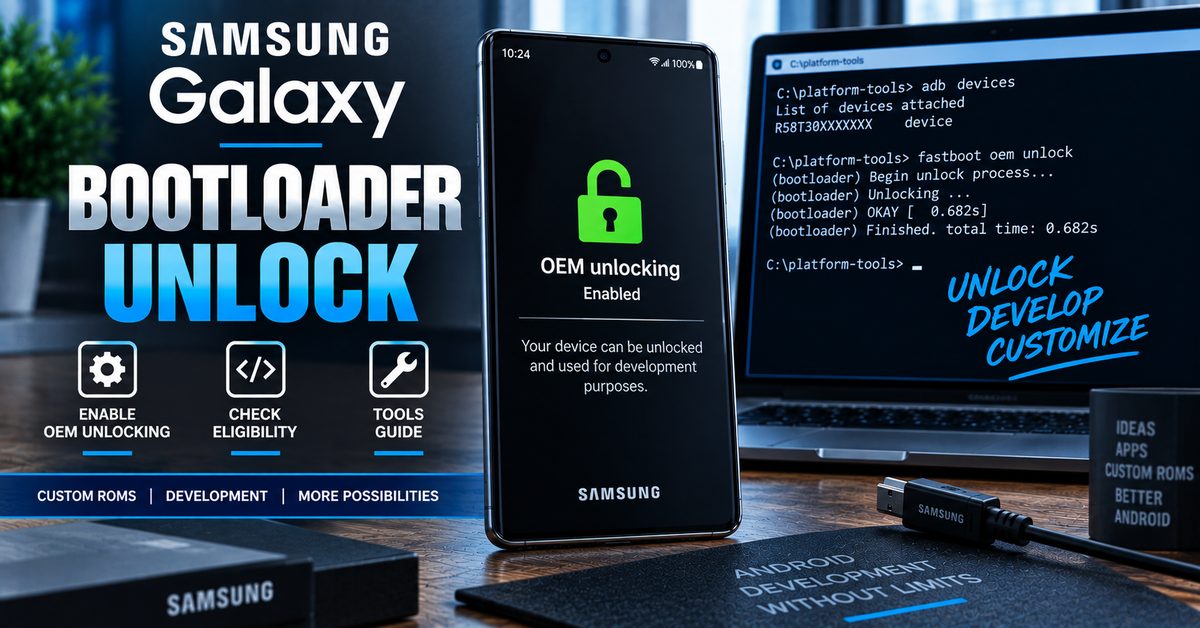
What Is a Samsung Bootloader Unlock?
The bootloader is part of the startup chain of an Android device. It determines whether the device can load approved software and controls access to certain low-level operations.
A Samsung bootloader unlock changes the security state of a supported device so that certain software-development and modification operations become possible.
For Android devices generally, bootloader unlocking can allow an owner to modify system software or install supported custom operating systems. However, Android’s generic bootloader documentation does not mean that every manufacturer implements the process in the same way. Samsung Galaxy devices can have their own model-specific bootloader behavior and restrictions.
What Can Bootloader Unlocking Be Used For?
| Use case | Why bootloader access matters |
|---|---|
| Custom ROMs | Allows supported alternative Android software to be installed or tested. |
| Android development | Provides additional control for development and testing on compatible hardware. |
| Custom kernels | May allow supported kernel experimentation on compatible devices. |
| System modification | Can enable advanced modifications that are unavailable on a locked device. |
| Root-related development | Bootloader access may be a prerequisite for some rooting methods, but unlocking does not itself provide root. |
Samsung Bootloader Unlock vs Samsung SIM Unlock
One of the biggest problems with older Samsung unlock articles is that they combine different types of unlocking into one process.
Samsung bootloader unlocking is related to software modification. A SIM or carrier unlock is related to network restrictions. They are completely different operations.
| Unlock type | What it changes | Main purpose |
|---|---|---|
| Bootloader unlock | Bootloader security state | Custom software and development |
| SIM/network unlock | Carrier restriction | Using another compatible network |
| FRP/account protection | Google account verification after reset | Ownership/account security |
| Screen lock | Device access protection | Unlocking the Android interface |
If you are trying to remove a carrier restriction from a Samsung phone, a bootloader unlock is not the correct solution.
Is There a Universal Samsung Bootloader Unlock Tool?
No universal Samsung bootloader unlock tool should be assumed to work with every Galaxy model.
The original version of this page promoted a tool that supposedly generated codes for every Samsung model and removed both carrier and bootloader locks. That description is too broad for a modern Samsung Galaxy guide.
Samsung does not provide a universal public bootloader code generator that can unlock every Galaxy device. Samsung’s developer FAQ directs users with device-specific bootloader questions to Samsung Support rather than providing a universal unlock service.
The practical approach is therefore to identify the exact Galaxy model, region and software configuration first and determine whether that device actually supports bootloader unlocking.
| Old search phrase | Modern interpretation |
|---|---|
| Samsung bootloader code generator | Search term for bootloader-unlock information, not proof of a universal generator. |
| Samsung Galaxy unlock tool for every model | No universal tool should be assumed to support every Galaxy. |
| Samsung bootloader unlock code | May refer to older or device-specific unlocking terminology. |
| Samsung OEM unlock | Developer setting associated with bootloader unlocking on supported devices. |
| Samsung Fastboot unlock | Should not be treated as a universal Samsung method because Galaxy bootloader implementations vary. |
What Is OEM Unlocking on Samsung Galaxy?
OEM unlocking is an Android developer setting associated with allowing the bootloader to be unlocked on supported devices.
On Galaxy phones where the option is available, it is normally found inside Developer options. Samsung’s current documentation explains that Developer options are hidden by default and can generally be enabled by going to Settings → About phone → Software information and tapping Build number seven times.
The exact menus can vary by Galaxy model and Android/One UI version.
How to Enable Developer Options on Samsung Galaxy
- Open Settings.
- Open About phone or About device.
- Open Software information if required.
- Tap Build number seven times.
- Enter your device security credentials if prompted.
- Return to the main Settings screen.
- Open Developer options.
Samsung notes that Developer options are advanced settings intended primarily for users familiar with development and that the available settings can vary between devices and software versions.
Where Is OEM Unlocking on Samsung Galaxy?
If your specific Samsung Galaxy supports the relevant bootloader-unlock path, an OEM unlocking option may appear under Developer options.
However, the absence of the option does not mean that you should immediately download a random Samsung bootloader unlock tool.
OEM unlocking availability can depend on the device, software, region, carrier configuration and security state.
| What you see | What it may mean |
|---|---|
| OEM unlocking available | The device exposes an OEM-unlock setting and may support the relevant bootloader workflow. |
| OEM unlocking missing | The device or current software configuration may restrict the feature. |
| OEM unlocking unavailable/disabled | Additional device, software, network or security conditions may apply. |
| Bootloader already unlocked | The device has already undergone a bootloader state change. |
Can Every Samsung Galaxy Bootloader Be Unlocked?
No.
This is one of the most important points to understand before searching for a Samsung bootloader unlock tool.
Samsung Galaxy phones are sold in many different configurations around the world. Model numbers, processors, regions, carriers and software versions can all affect what development and bootloader options are available.
Why Samsung Models Can Behave Differently
| Factor | Why it matters |
|---|---|
| Exact model number | Two phones with similar commercial names can have different hardware or software configurations. |
| Region | Regional firmware and policies can affect available options. |
| Carrier | Carrier-specific devices can have additional restrictions. |
| Processor/platform | Samsung has released Galaxy devices using different hardware platforms. |
| Android/One UI version | Developer settings and security behavior can change between software releases. |
| Security state | Previous modifications or device security conditions can affect available operations. |
Samsung Bootloader Unlock Code: Do You Need One?
The phrase Samsung bootloader unlock code appears frequently in older search results, but it should not be interpreted as a universal code that works across Galaxy devices.
Samsung’s modern Android ecosystem is not based on a single public code generator capable of unlocking every Galaxy model.
If a website asks you to provide your Samsung IMEI and promises to generate a universal bootloader unlock code for any Galaxy, treat the claim cautiously.
Do not publish your IMEI, Samsung account credentials or other sensitive information in public comments simply because an unofficial tool says it needs them.
Samsung Bootloader Unlock and Fastboot
Another common source of confusion is Fastboot.
Android’s generic documentation describes Fastboot as a bootloader interface used on supported Android devices. However, you should not assume that a generic Fastboot bootloader-unlock command applies to every Samsung Galaxy phone.
Samsung Galaxy devices use their own bootloader and firmware ecosystem, and the appropriate development or flashing workflow depends on the exact device.
ADB vs Fastboot vs Samsung Download Mode
| Interface | Typical role | Samsung consideration |
|---|---|---|
| ADB | Communication with Android or supported recovery environments | Useful for development and device management where supported. |
| Fastboot | Bootloader communication on supported Android devices | Do not assume the generic Fastboot unlock workflow applies to every Galaxy. |
| Download Mode | Samsung-specific low-level firmware servicing environment | Important in many Samsung firmware workflows. |
What Happens When You Unlock a Samsung Bootloader?
Bootloader unlocking is a significant security change rather than a simple software toggle.
On Android devices that support standard bootloader unlocking, the unlock process is designed to erase user data. This protects personal information because an unlocked device can permit software to be replaced or modified.
| Potential consequence | What to expect |
|---|---|
| Data wipe | Important personal data may be erased during the unlock process. |
| Security state changes | The device is no longer in the same locked state as a retail phone. |
| Custom software | Supported devices may be used for custom software or development. |
| Warranty implications | Effects depend on device, region and applicable warranty terms. |
| Software updates | Modified devices may have a different update experience. |
| Security features | Some security-related functions may be affected by modification. |
Back Up Your Samsung Galaxy Before Bootloader Unlocking
Do not begin an advanced bootloader operation before protecting your important files.
Back up photographs, videos, contacts, documents, messages and any application data that you cannot afford to lose.
Even if a particular device’s process appears straightforward, Android’s standard bootloader-unlock model is designed around a factory data reset to prevent unauthorized access to information stored on the device.
How to Prepare a Samsung Galaxy for Bootloader Development
1. Identify the Exact Model
Open Settings → About phone and record the complete model number.
Do not rely only on the commercial name such as Galaxy S, Galaxy Note, Galaxy A or Galaxy Z. The exact model identifier is much more useful when determining compatibility.
2. Check the Software Version
Record the Android version, One UI version and build information before making any changes.
3. Enable Developer Options
Enable Developer options using the Samsung settings path appropriate for your device.
4. Check for OEM Unlocking
If the relevant OEM unlocking option is present, read the warnings and understand what enabling it means before continuing.
5. Back Up Your Data
Assume that bootloader unlocking can erase your data.
6. Research the Exact Model
Look for instructions specifically written for your complete Samsung model number rather than downloading a supposed universal Galaxy unlock program.
7. Use Trusted Development Tools
Avoid unknown executables, cracked utilities and tools that promise to bypass device security without explaining the exact supported models.
Samsung Bootloader Unlock Tool: What Should You Look For?
If you are searching for a Samsung bootloader unlock tool, the most important question is not whether the tool has the word “universal” in its name. The important question is whether the procedure is actually compatible with your exact Galaxy device.
| Tool claim | How to evaluate it |
|---|---|
| “Works with every Samsung” | Be skeptical. Galaxy models have different hardware, regions and security configurations. |
| “Generates any bootloader code” | Do not assume a generic code can unlock a modern Galaxy. |
| “Unlocks carrier and bootloader together” | Carrier unlocking and bootloader unlocking are different processes. |
| “No backup required” | Unsafe assumption because bootloader unlocking can erase user data. |
| “Bypasses every security restriction” | Strong warning sign for an untrusted tool. |
| “Requires your Samsung password” | Do not provide account credentials to an unknown utility. |
Samsung Bootloader Unlock for Custom ROMs
One of the main reasons Android enthusiasts investigate bootloader unlocking is to install or develop custom ROMs.
A custom ROM replaces or modifies parts of the original Android software environment. This can provide additional customization, development options or continued experimentation on supported hardware.
However, a custom ROM must be built for the exact Samsung Galaxy model. Installing software intended for another model can cause serious problems.
Bootloader Unlock vs Custom ROM vs Root
| Technology | Purpose |
|---|---|
| Bootloader unlock | Changes the device’s bootloader security state. |
| Custom ROM | Provides an alternative Android software environment. |
| Root | Provides elevated permissions inside Android. |
| Recovery | Provides a specialized environment for supported maintenance or software operations. |
Unlocking the bootloader does not automatically root a Samsung Galaxy.
Samsung Bootloader Unlock Problems and What They Mean
OEM Unlocking Is Missing
If OEM unlocking does not appear, do not assume that a universal generator will solve the problem. The device, region, carrier, software version or security configuration may prevent the option from appearing.
OEM Unlocking Is Greyed Out
A disabled option can indicate a device-specific restriction or security condition. Research the exact model and current software version before attempting further modifications.
The Samsung Galaxy Will Not Enter the Expected Mode
Different Galaxy generations use different procedures and button combinations. Follow instructions written specifically for the exact model rather than applying a method from another Samsung device.
The Phone Shows a Warning After Unlocking
Security warnings are normal when a device moves away from its original locked state. Read the message carefully before confirming any irreversible operation.
The Phone Lost Data After Unlocking
Bootloader unlocking can trigger a factory reset. This is why a complete backup should be made before starting.
The Phone Is Still Carrier Locked
Unlocking the bootloader does not remove a carrier or SIM restriction. If your objective is to use another network, you need a carrier-unlock solution rather than a bootloader modification.
Can a Samsung Bootloader Unlock Remove a Carrier Lock?
No.
A bootloader unlock and a carrier unlock solve different problems.
If a Samsung Galaxy accepts only a particular network’s SIM card, changing the bootloader state is not the appropriate solution. Carrier restrictions need to be handled through the relevant network provider and its eligibility requirements.
This distinction is particularly important because older online articles sometimes advertised one “universal Samsung unlock” tool as capable of removing both restrictions simultaneously.
Can You Unlock a Samsung Bootloader Without a Code?
The answer depends on the exact Samsung Galaxy model and its supported bootloader process.
Do not assume that a traditional unlock-code workflow is required simply because an old article uses the phrase Samsung bootloader unlock code. Modern Android bootloader procedures can rely on device-side authorization and manufacturer-specific mechanisms rather than a universal code generator.
The correct starting point is always the exact model, software version and official or trusted documentation applicable to that device.
Why the Old Samsung Code Generator Method Is Outdated
The original version of this page described a universal generator that supposedly accepted a Samsung model and IMEI and returned a code capable of removing both carrier and bootloader restrictions.
That approach should not be presented as a current universal Samsung solution.
The biggest problem is that Samsung bootloader unlocking is not equivalent to generating a carrier unlock code from an IMEI. The two systems serve different purposes and can have completely different eligibility requirements.
| Old claim | Updated guidance |
|---|---|
| One generator works with every Galaxy | Compatibility must be determined by exact model and configuration. |
| IMEI automatically generates a bootloader code | Do not assume an IMEI-based universal bootloader code exists. |
| Carrier and bootloader locks are the same | They are separate restrictions. |
| One-click unlocking is universal | Samsung procedures are device-specific. |
| No backup needed | Back up first because unlocking can erase data. |
Samsung Galaxy Models and Bootloader Unlocking
Samsung has released a very large number of Galaxy devices, including Galaxy S, Galaxy Note, Galaxy A, Galaxy M, Galaxy F, Galaxy Z and other families.
Because the bootloader behavior is not identical across every model, this guide should be used as a starting point rather than as a claim that every Samsung Galaxy can be unlocked.
| Galaxy family | What to verify |
|---|---|
| Galaxy S | Exact model, region, processor, software and bootloader availability. |
| Galaxy Note | Exact model and regional/carrier configuration. |
| Galaxy A | Model-specific bootloader and OEM-unlock support. |
| Galaxy M | Regional and software differences. |
| Galaxy Z | Exact Fold or Flip generation and regional variant. |
| Older Galaxy models | Legacy bootloader behavior and model-specific documentation. |
Samsung Bootloader Unlock in 2026
In 2026, the correct way to approach Samsung bootloader unlocking is to start with the exact Galaxy model rather than a supposed universal generator.
Samsung’s current documentation continues to treat Developer options as advanced functionality and directs device-specific bootloader questions toward Samsung Support. Android’s current documentation likewise makes clear that bootloader unlocking depends on whether the device supports the relevant unlock capability.
This means that a Samsung Galaxy bootloader unlock article should focus on eligibility, OEM unlocking, model-specific procedures and data protection rather than promising a single code that unlocks every Galaxy.
Frequently Asked Questions About Samsung Bootloader Unlock
What is a Samsung bootloader unlock?
It is the process of changing the bootloader security state on a supported Samsung Galaxy so that certain software-development and modification operations can be performed.
Is there a universal Samsung bootloader unlock tool?
You should not assume that one universal tool can unlock every Samsung Galaxy model. Model, region, carrier and software configuration can affect bootloader support.
What is Samsung OEM unlocking?
OEM unlocking is a Developer options setting associated with allowing bootloader unlocking on supported Android devices.
Does Samsung bootloader unlocking require an unlock code?
Not necessarily. The correct procedure depends on the exact Galaxy model and its supported bootloader implementation. A generic code generator should not be treated as a universal solution.
Does bootloader unlocking unlock the SIM?
No. Bootloader unlocking is for software modification. SIM or carrier unlocking is a separate process.
Does unlocking the Samsung bootloader erase data?
Bootloader unlocking can trigger a factory data reset. Always back up your important files before attempting the process.
Does Samsung bootloader unlocking root the phone?
No. Bootloader unlocking and root access are separate operations.
Why can’t I find OEM Unlocking on my Samsung Galaxy?
The option may be unavailable because of the exact model, region, carrier, software version or security configuration. Do not assume that a third-party generator can safely bypass the restriction.
Can I install a custom ROM after unlocking my Samsung bootloader?
On supported devices, an unlocked bootloader can make custom software development or installation possible. The custom ROM must be compatible with the exact Galaxy model.
Can I relock the Samsung bootloader?
Relocking is highly device- and software-dependent. Never relock a modified device without confirming that the exact firmware and procedure are appropriate for your model.
Useful Samsung and Android Resources
If you are continuing with Android development or device modification, our Android tools section contains additional phone software and unlocking guides.
You can also browse our bootloader unlock guides for information about other manufacturers and device-specific bootloader procedures.
If your issue involves Windows connectivity or drivers rather than the bootloader itself, our How-To guides can provide additional troubleshooting resources.
For Samsung-specific network-unlock topics, you can also browse our code-generator archive, but remember that older code-generator articles may describe legacy carrier-unlock methods and should not be interpreted as universal modern bootloader instructions.
Final Thoughts on Samsung Bootloader Unlock
The phrase Samsung bootloader unlock tool for every model by generating code reflects an older approach that should no longer be presented as a universal solution.
Modern Samsung Galaxy bootloader unlocking is better approached by identifying the exact device, checking whether the relevant OEM-unlocking functionality is available, understanding the regional and carrier limitations, backing up personal data and following a procedure designed for that specific model.
A bootloader unlock is also completely different from a SIM or carrier unlock. If your goal is to install custom software or perform Android development, investigate bootloader eligibility. If your goal is to use another carrier, investigate network unlocking instead.
The safest rule is simple: identify the exact Samsung Galaxy model first, verify whether bootloader unlocking is supported, protect your data, and never trust a universal code generator simply because it claims to unlock every Galaxy.
s10 imei 358789109449245 unlock code please
352818091051291/01