Nokia Lumia Unlock: Unlock Code, IMEI & SIM Network Guide
If your Nokia Lumia is locked to a mobile network and refuses a SIM from another carrier, the phone may need a network unlock code. The correct unlocking method depends on the exact Lumia model, original network, device status and the type of lock displayed on the screen.
This guide explains how Nokia Lumia network unlocking works, how to identify the correct unlock code, where the IMEI fits into the process, what the SIM Network Unlock PIN means, and what to do if the phone rejects an unlock code.
Important: Nokia Lumia phones do not have one universal unlock code. Network unlock codes are associated with specific devices and network configurations. Do not repeatedly enter random codes.
Nokia Lumia Unlock at a Glance
| What you have | What it tells you | Next step |
|---|---|---|
| Lumia asks for an unlock code | Likely network/SIM restriction | Identify model and original carrier |
| Different SIM is rejected | Phone may be carrier locked | Check network unlock status |
| You have the IMEI | Identifies the individual phone | Use it when checking the correct unlock procedure |
| Phone asks for SIM PIN | SIM security, not necessarily network lock | Enter the correct SIM PIN |
| Phone asks for PUK | SIM PIN has been blocked | Contact the SIM/network provider |
| Unlock code is rejected | Code or device information may be incorrect | Stop and verify the details |
Which Nokia Lumia Do You Have?
Before looking for a Nokia Lumia unlock code, identify the exact model. Lumia devices were released in many different versions, and carrier variants can behave differently even when two phones have similar names.
| Lumia family | Examples | Information to record |
|---|---|---|
| Lumia 500 series | 520, 521, 525, 530, 535, 540 | Exact model + carrier + IMEI |
| Lumia 600 series | 610, 620, 625, 630, 635, 640 | Exact model + carrier + IMEI |
| Lumia 700 series | 710, 720, 730, 735 | Exact model + carrier + IMEI |
| Lumia 800 series | 800, 810, 820, 830 | Exact model + carrier + IMEI |
| Lumia 900 series | 900, 910, 920, 925, 928, 930 | Exact model + carrier + IMEI |
| Lumia 1000 series | 1020 | Exact model + carrier + IMEI |
| Lumia 1300/1500 series | 1320, 1520 | Exact model + carrier + IMEI |
The original version of this page listed many of these models as if the same generator could unlock all of them. A better approach is to use the model number to determine which unlocking procedure actually applies to your device.
How to Find the Nokia Lumia IMEI
The IMEI is one of the most important pieces of information when dealing with a network-locked Lumia. It identifies the individual handset and can be required when requesting or obtaining device-specific unlocking information.
- Open the phone dialer and enter *#06#.
- Check Settings → About or the device information section.
- Check the original packaging if it is still available.
- On some older devices, the IMEI may also be shown on a label or under the battery.
A Nokia Lumia unlock code is not simply the IMEI converted into another number. The IMEI identifies the device; the network unlock credential is a separate value associated with the unlocking system.
Privacy reminder: Do not post your complete IMEI, email address or other personal information in public comments. If an unlocking provider needs your IMEI, submit it through a private and legitimate channel.
What Does “SIM Network Unlock PIN” Mean on a Lumia?
If a Nokia Lumia displays a message asking for a SIM Network Unlock PIN, the phone is generally asking for a network unlock credential because the inserted SIM is not accepted by the current network restriction.
This is different from the ordinary SIM PIN. A SIM PIN protects access to the SIM card, while a network unlock PIN/code is related to the phone’s carrier restriction.
| Message | Meaning |
|---|---|
| SIM Network Unlock PIN | Network restriction requiring an unlock credential |
| Network Unlock Code | Network/carrier unlocking request |
| SIM PIN | Security PIN belonging to the SIM card |
| PUK | Unblocking code for a SIM whose PIN has been blocked |
| Screen password/PIN | Phone access security |
For a broader explanation of this terminology, see our SIM Network Unlock PIN guide.
How to Unlock a Nokia Lumia With an Unlock Code
Once you have confirmed that the problem is a network lock and have obtained the correct unlock information for the exact device, the basic process is straightforward.
Step 1: Use a SIM From Another Network
Turn the Lumia off and insert a SIM card from a different network than the one to which the phone is locked. Turn the phone back on and wait for the device to recognize the SIM.
Step 2: Watch for the Unlock Prompt
If the phone is network locked, it may display a request for an unlock code, subsidy code or SIM Network Unlock PIN. The exact wording can vary by model, carrier and software version.
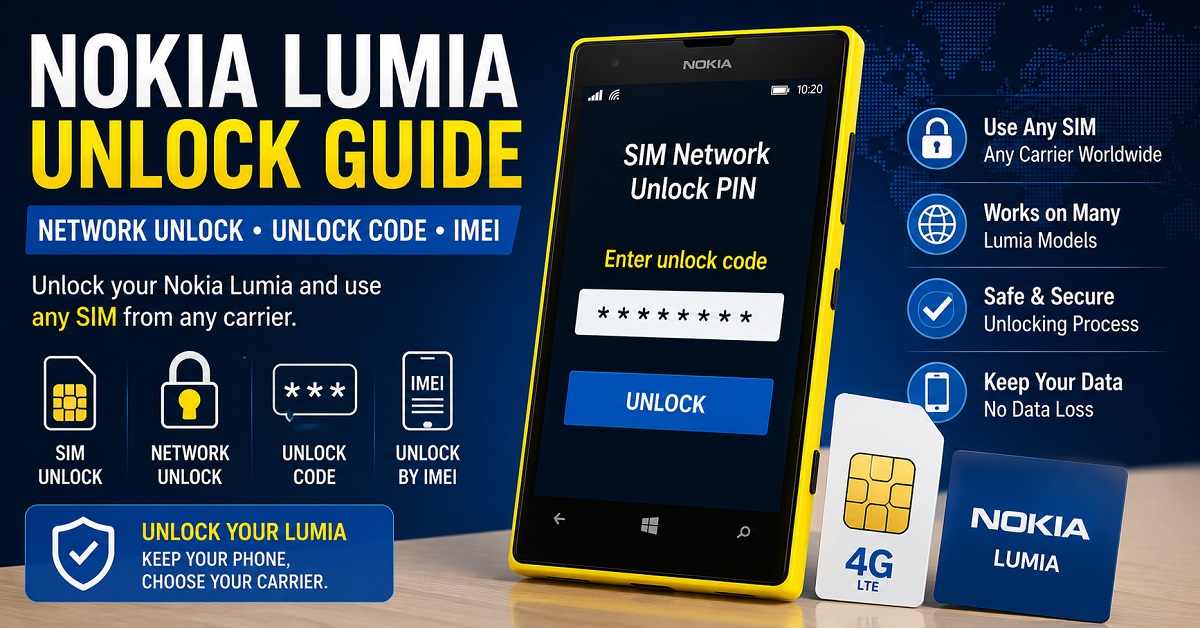
Step 3: Enter the Correct Code
Enter the device-specific network unlock code you received from the appropriate carrier or legitimate unlocking service. Do not substitute the SIM PIN or PUK unless the phone specifically requests one of those credentials.
Step 4: Confirm the Result
A successful unlock should allow the Lumia to accept the previously rejected network SIM. You can then test calls, SMS and mobile data with the new carrier, provided the device and network are technically compatible.
Nokia Lumia Unlock Code: What Information Is Needed?
If you need to request a network unlock code, have the following information ready. Providing incorrect information can result in the wrong unlocking procedure or an invalid code.
| Information | Why it matters |
|---|---|
| Exact Lumia model | Different Lumia models can use different procedures |
| IMEI | Identifies the individual handset |
| Original carrier | Identifies the network restriction |
| Country/region | Carrier and device variants can differ |
| Current SIM/network | Helps confirm the unlocking problem |
| Screen message | Shows which type of code the phone is requesting |
Can You Generate a Nokia Lumia Unlock Code for Free?
Search results for Nokia Lumia unlocking often use phrases such as free Nokia Lumia unlock code generator or free Lumia unlock software. However, a downloadable universal generator should not be treated as a guaranteed solution for every Lumia.
Network unlock codes are device-specific, and legitimate unlocking can depend on the original carrier and the exact handset. Some carriers provide the required code as part of their unlocking process, while other situations may require a legitimate third-party service.
| Approach | What it can provide | What to watch for |
|---|---|---|
| Original carrier | Official eligibility and unlocking process | Requirements vary by carrier |
| Device-specific unlock service | Potentially a code for the exact handset | Verify model and IMEI information |
| Random online generator | May produce a number without verifying the device | No guarantee that the code is valid |
| Universal downloadable tool | Claims to support many devices | Do not assume universal compatibility |
For a wider explanation of how phone unlock codes and network unlock methods work, visit our Free Phone Unlock Codes guide.
Popular Nokia Lumia Models and Unlock Searches
Many Lumia models continue to appear in searches for network unlocking because these phones were sold by different carriers and in multiple regional versions. The model-specific searches below are useful when identifying the correct procedure.
| Model | Common search intent | What to identify |
|---|---|---|
| Lumia 520 | Lumia 520 unlock code | Carrier + IMEI |
| Lumia 521 | Lumia 521 network unlock | Carrier variant + IMEI |
| Lumia 530 | Lumia 530 unlock code | Original network + IMEI |
| Lumia 535 | Lumia 535 SIM unlock | Model + carrier + IMEI |
| Lumia 610 | Lumia 610 network unlock code | Carrier + unlock status |
| Lumia 620 | Lumia 620 unlock code | Carrier + IMEI |
| Lumia 625 | Lumia 625 unlock code | Carrier + IMEI |
| Lumia 630/635 | Lumia 630/635 SIM unlock | Exact model + carrier |
| Lumia 640 | Lumia 640 unlock code | Carrier + IMEI |
| Lumia 820 | Lumia 820 network unlock | Carrier + IMEI |
| Lumia 920 | Lumia 920 unlock code | Carrier + IMEI |
| Lumia 925 | Lumia 925 SIM unlock | Carrier + IMEI |
| Lumia 930 | Lumia 930 network unlock | Carrier + region |
| Lumia 1020 | Lumia 1020 unlock code | Carrier + IMEI |
| Lumia 1520 | Lumia 1520 unlock code | Carrier + IMEI |
Why Nokia Lumia Unlock Codes Can Be Rejected
If the phone displays an error after you enter an unlock code, do not immediately enter the same code again. First check whether the information used to obtain the code matches the phone.
| Symptom | Possible cause | Recommended check |
|---|---|---|
| Code Error | Wrong code or incorrect device information | Verify IMEI, model and carrier |
| Unlock unsuccessful | Wrong unlocking procedure | Confirm exact Lumia model |
| No code prompt | Phone may already be unlocked or use another procedure | Test with a known compatible SIM |
| SIM still rejected | Network restriction remains | Check unlock completion |
| No signal after unlock | Network compatibility issue | Check carrier compatibility and supported bands |
| PUK requested | SIM PIN has been blocked | Contact the SIM provider |
The Importance of the Attempt Counter
Some Lumia unlocking procedures have a limited number of attempts. Current unlocking documentation for Lumia devices specifically warns users to check the remaining attempts before entering a code. :contentReference[oaicite:3]{index=3}
Because of this, guessing codes is not a sensible way to troubleshoot a locked phone. If you are unsure whether a code is correct, stop and verify the model, IMEI and original network first.
Nokia Lumia Unlock Methods by Situation
| Your situation | Best starting point |
|---|---|
| You bought a used Lumia and another SIM does not work | Identify the original carrier and check network lock status |
| You see “SIM Network Unlock PIN” | Find the correct network unlock credential |
| You know the IMEI but not the carrier | Identify the original network before requesting an unlock |
| You have an unlock code but it fails | Verify model, IMEI, carrier and remaining attempts |
| The phone asks for SIM PIN | Use the SIM’s security PIN, not a network unlock code |
| The phone asks for PUK | Contact the SIM provider |
| The phone accepts the SIM but has no service | Check carrier compatibility and network bands |
Nokia Lumia Unlock Code vs IMEI Unlock
These terms are related but they are not identical. The IMEI is the device identifier, while an unlock code is the credential used by a compatible network-unlocking process.
For users specifically searching for an IMEI-based phone unlocking method, our Free IMEI Unlock guide covers the broader process. This Lumia article remains focused on the device-specific Nokia Lumia network unlock intent.
What If the Lumia Was Blacklisted?
A network unlock does not automatically solve every problem associated with a phone. A device can be unlocked from a carrier and still have another issue affecting network use.
- The IMEI may have been reported as lost or stolen.
- The device may not support the destination carrier’s network bands.
- The SIM may not be activated correctly.
- The carrier may not support the older device.
- The phone may still have a network restriction.
Therefore, if your Lumia accepts the new SIM but cannot connect to the network, investigate compatibility and device status instead of assuming that another unlock code is required.
Nokia Lumia Unlock Checklist
- ☐ Identify the exact Lumia model.
- ☐ Find the 15-digit IMEI.
- ☐ Identify the original carrier.
- ☐ Insert a SIM from another network.
- ☐ Read the exact message displayed by the phone.
- ☐ Determine whether the phone is requesting a network code, SIM PIN or PUK.
- ☐ Confirm the correct unlock procedure for the model.
- ☐ Check the remaining unlock attempts before entering a code.
- ☐ Do not publish the IMEI publicly.
- ☐ Test calls, messages and mobile data after unlocking.
Frequently Asked Questions
Can every Nokia Lumia be unlocked with the same code?
No. Nokia Lumia unlock codes are associated with individual devices and network configurations. You should use information specific to your exact model and original carrier.
How do I find my Nokia Lumia IMEI?
Dial *#06# or check the phone’s About/device information section. The original packaging may also contain the IMEI.
What is a Nokia Lumia unlock code?
It is a device-specific credential used by compatible network-unlocking procedures to remove a carrier restriction from a network-locked Lumia.
What does SIM Network Unlock PIN mean on Nokia Lumia?
It generally indicates that the phone is requesting a network-unlocking credential because the inserted SIM is not accepted by the current network restriction.
Can I unlock a Nokia Lumia for free?
Possibly, depending on the original carrier and the device’s eligibility for official unlocking. A random online generator should not be treated as a guaranteed free solution for every Lumia.
Why does my Lumia say Code Error?
The code may be incorrect, or the model, IMEI or original network information used to obtain it may not match the phone. Verify all information before making another attempt.
Does unlocking remove the screen password?
No. Network unlocking and screen security are separate. An unlock code is intended to address a carrier/network restriction, not a forgotten device password.
Will an unlocked Lumia work on every carrier?
Not necessarily. Network unlocking removes a carrier restriction, but the phone must still be technically compatible with the destination network, including supported frequencies and network technology.
More Phone Unlocking Guides
If your search started with Nokia Lumia but you are actually dealing with another type of network lock, these related guides can help you choose the correct path:
- Free Phone Unlock Codes: Network, SIM & Carrier Unlock Guide
- NCK Code Generator: NCK Unlock Code & Network Unlock Guide
- Free IMEI Unlock: Unlock Phone With IMEI Number
- SIM Network Unlock PIN: Free Code & Unlock Guide
- Samsung Unlock Code: Network Unlock & NCK Guide
- LG Unlock Code: Network Unlock & NCK Code Guide
Final Answer: Unlocking a Nokia Lumia
To unlock a Nokia Lumia, first determine whether the phone is actually network locked. Then identify the exact Lumia model, record the IMEI, determine the original carrier and read the message shown when a different SIM is inserted.
If the phone requests a network unlock code or SIM Network Unlock PIN, use the correct device-specific unlocking information rather than trying random numbers or assuming that a universal generator will work.
The most important rule is simple: identify the Lumia first, identify the network restriction second, and only then enter the correct unlock credential. This approach is safer, more accurate and much more useful than relying on a generic “universal” unlock claim.
Microsoft Lumia 535, RM 1089
IMEI: 353707071276391