ZTE Unlock Code: How to Unlock a ZTE Phone, Modem or Router
If your ZTE device is locked to a mobile network and displays a message such as SIM Network Unlock PIN, Network Unlock Code or Network Locked, you may need a network unlock code that matches the exact device and carrier.
ZTE unlocking is not one universal process. Different ZTE phones, USB modems, mobile hotspots and routers can use different security systems and code formats. The correct approach is to identify the device first, check the type of network lock, and then choose a compatible unlocking method.
This guide explains how ZTE unlock codes work, how IMEI numbers are used, what NCK and SPCK mean, why some ZTE devices ask for a 16-digit code, how to recognize the correct unlock screen, and what to do when an unlock code does not work.
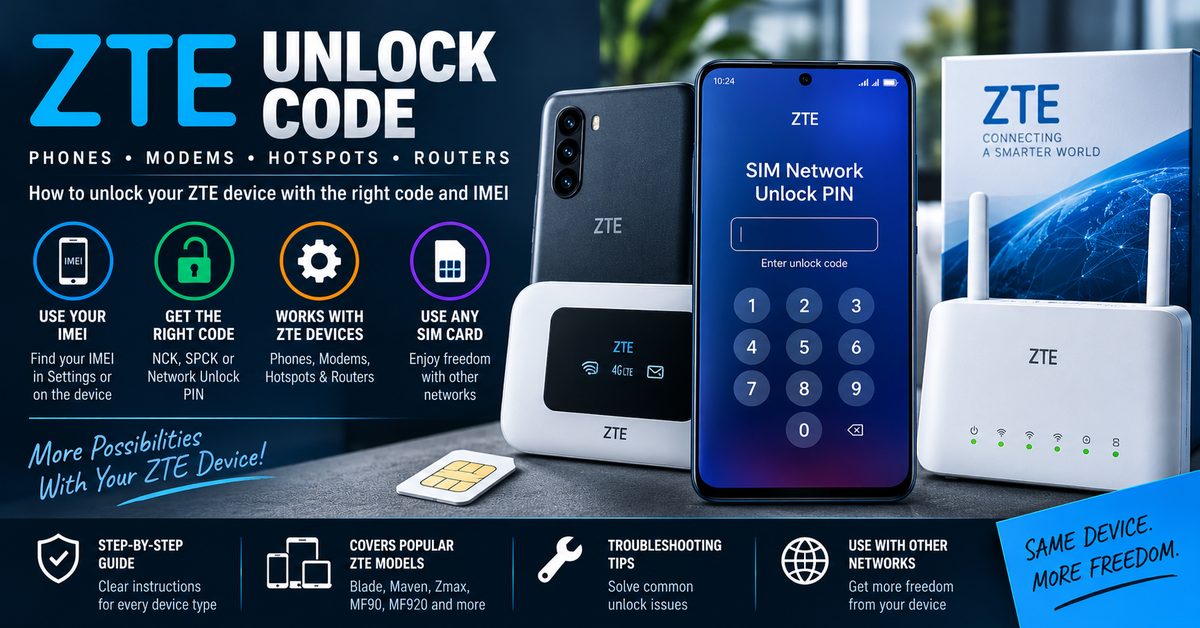
What Is a ZTE Unlock Code?
A ZTE unlock code is a security code used by compatible ZTE devices to remove a carrier or SIM-network restriction. Once the correct code is accepted, the device may be able to work with a SIM card from another supported network.
The exact unlocking system depends on the ZTE model, carrier, firmware, device type and security generation. A code that works with one ZTE modem or phone should not automatically be expected to work with another.
| What you see | What it may mean | First thing to check |
|---|---|---|
| SIM Network Unlock PIN | Network or SIM lock | Exact ZTE model and IMEI |
| Network Unlock Code | Device is requesting a network unlock credential | Carrier and supported code type |
| Network Locked | A carrier restriction is active | Original carrier and device eligibility |
| SIM PIN | SIM card security | SIM card PIN, not a ZTE network code |
| PUK | SIM recovery requirement | Contact the SIM carrier for the PUK |
| Invalid IMEI | Different device/IMEI problem | IMEI troubleshooting rather than network unlocking |
Is Your ZTE Actually Network Locked?
Before searching for a ZTE unlock code generator, confirm that the problem is actually a network lock. Several different security messages can look similar to someone who has never dealt with a carrier-locked device.
Network Lock
A network lock prevents a device from being used with certain other carriers. A different SIM may cause the device to request a network unlock code.
SIM PIN
A SIM PIN protects the SIM card itself. It is not the same as a ZTE network unlock code.
PUK Code
A PUK is used to recover a SIM card after too many incorrect SIM PIN attempts. If your ZTE asks for a PUK, look to the SIM carrier rather than a ZTE unlock-code generator.
Screen Lock or Google Account Lock
A phone screen PIN, pattern, password or Google account protection is a different security system. A network unlock code will not remove a screen lock or account protection.
ZTE Unlock Code by IMEI: What Does the IMEI Do?
The IMEI is the device identifier commonly used when checking or requesting network-unlock information. It helps distinguish one device from another, but the IMEI itself is not the unlock code.
Some older ZTE unlocking systems can use the IMEI as an input for calculating or obtaining a network unlock code. Other devices require additional information, a carrier-specific process, server-side processing or a different unlocking method.
| Item | Purpose |
|---|---|
| IMEI | Identifies the individual device |
| Model number | Identifies the specific ZTE device |
| Carrier | Identifies the network restriction |
| Firmware | Can affect compatibility with unlocking methods |
| NCK/NP | Network-related unlock code used by some ZTE systems |
| SPCK/SP | Service-provider-related code used by some older systems |
Important: never publish your complete IMEI in a public comment or forum simply because a website promises to generate an unlock code. Treat the IMEI as device-specific information and only provide it to a service you trust and actually need to use.
How to Find the IMEI on a ZTE Device
The location depends on the ZTE device type and model. Common places to check include:
- The phone’s Settings or About Phone section
- The label underneath a removable battery on older phones
- The original device packaging
- A label on a ZTE modem, hotspot or router
- Device documentation or purchase records
On many phones, dialing *#06# can also display the IMEI. If the device has two SIM slots, make sure you record the IMEI associated with the relevant SIM/network configuration.
ZTE NCK Code, NP Code and SPCK: What Is the Difference?
Older ZTE unlocking discussions frequently mention NCK, NP, SPCK and SP. These terms can be confusing because different tools and devices use different terminology.
| Code term | General meaning | Where it may appear |
|---|---|---|
| NCK | Network Control Key | Some ZTE network-unlock systems |
| NP | Network-related unlock code terminology | Some older ZTE tools and devices |
| SPCK | Service Provider Control Key | Some older ZTE unlocking systems |
| SP | Service-provider-related code terminology | Some older ZTE devices and tools |
| Network Unlock Code | General term used by the device | Phones, modems and other network-locked equipment |
Do not assume that an NCK and SPCK are interchangeable. The correct code depends on the security system used by the particular ZTE device.
ZTE 16 Digit Unlock Code: Why Does the Length Matter?
Searches for a ZTE 16 digit unlock code are common because some ZTE phones and carrier variants request a long network unlock code. Other ZTE devices use shorter code formats.
There is no single code length that applies to every ZTE phone, modem, hotspot or router. The message displayed by the device is more useful than assuming a fixed number of digits.
| Device message or situation | What to consider |
|---|---|
| Network unlock code (16 digits) | The device is specifically requesting a 16-digit network code |
| NCK/NP requested | Use the code type compatible with the device |
| SPCK/SP requested | Do not substitute a random NCK |
| No code prompt | The device may use another unlocking procedure |
| Code rejected | Verify model, carrier, IMEI and code type before another attempt |
If your ZTE specifically asks for a 16-digit code, do not enter a shorter code simply because an online calculator produced one.
ZTE Phones vs ZTE Modems, Hotspots and Routers
One reason ZTE unlocking information can become confusing is that ZTE produces several different types of network equipment. A method designed for an older USB modem should not automatically be applied to a modern smartphone or 5G router.
| ZTE device type | Typical identification | Common unlock search |
|---|---|---|
| ZTE smartphone | Model + IMEI + carrier | ZTE phone unlock code |
| ZTE Blade | Exact Blade model + IMEI | ZTE Blade unlock code |
| ZTE modem | Model + IMEI + carrier | ZTE modem unlock code |
| ZTE USB dongle | Model + IMEI | ZTE USB modem unlock |
| ZTE hotspot/MiFi | Model + IMEI | ZTE hotspot unlock code |
| ZTE router | Model + IMEI or device information | ZTE router unlock code |
How to Unlock a ZTE Phone With a Network Unlock Code
If your ZTE phone is eligible for code-based unlocking, the general process is straightforward once the correct code has been obtained.
- Identify the exact ZTE model.
- Confirm the original carrier or network restriction.
- Record the device IMEI.
- Insert a SIM card from another compatible carrier if appropriate.
- Turn on the device.
- Wait for a network-unlock message such as SIM Network Unlock PIN or Network Unlock Code.
- Enter the verified code carefully.
- Allow the device to restart or complete the unlock process if requested.
- Test calls, messaging and mobile data with the new network.
The exact wording and sequence can differ between ZTE models and carriers. If your phone does not display a network-unlock prompt, do not repeatedly enter random codes.
How to Unlock a ZTE Modem or Mobile Hotspot
ZTE USB modems and mobile hotspots can behave differently from ZTE smartphones. Older devices may use desktop dashboard software that displays the network-unlock request when a SIM from another carrier is inserted.
- Identify the exact modem or hotspot model.
- Find the IMEI printed on the device or its original label.
- Insert a SIM from the intended network.
- Connect the modem or hotspot normally.
- Check whether the dashboard or device interface requests a network unlock code.
- Use only a code compatible with the exact device.
- Complete the network configuration, including APN settings, if required by the new carrier.
An unlocked modem may still require correct APN or network-band configuration before mobile data works correctly. Unlocking the network restriction and configuring the new network are separate steps.
What Is a ZTE Unlock Code Generator?
A ZTE unlock code generator is software or an online service designed to calculate or obtain a network unlock code for compatible ZTE devices. Older ZTE unlocking tools have supported particular phones, modems and network-lock systems.
The important word is compatible. There is no reliable reason to assume that one generator can calculate a valid code for every ZTE device ever produced.
What Information Can a Generator Require?
- ZTE model number
- IMEI
- Original carrier
- Country or market
- Firmware or software version
- Device type
- Required code type
Some older code-calculation systems rely heavily on the IMEI, while other unlocking methods need additional device information or server-side processing.
Should You Download a Free ZTE Unlock Code Generator?
Be careful with software advertised as a free universal ZTE unlock code generator. A download that claims to support every ZTE phone, modem and router without identifying supported models should be treated cautiously.
| Claim | Why to be cautious |
|---|---|
| Works with every ZTE model | ZTE devices use different generations and security systems |
| 100% guaranteed unlock | Compatibility depends on the exact device and network |
| Every IMEI generates a valid code | IMEI alone does not guarantee a compatible calculation |
| Install unknown executable software | Untrusted downloads can create security risks |
| Post your IMEI publicly | Device identifiers should not be unnecessarily exposed |
The safest approach is to identify the device first and then use an unlocking method that clearly explains which ZTE models and security systems it supports.
How to Choose the Right ZTE Unlock Method
Instead of starting with a random generator, use the information displayed by your device to narrow down the correct method.
| Your situation | Best starting point |
|---|---|
| ZTE phone asks for SIM Network Unlock PIN | Identify model, carrier and IMEI |
| ZTE modem asks for network unlock code | Identify modem model and required code format |
| ZTE asks for 16-digit code | Use a method specifically supporting that code format |
| You have an NCK/NP request | Look for an NCK/NP-compatible method |
| You have an SPCK/SP request | Check for the correct service-provider code type |
| Device has no unlock prompt | Check whether carrier or software-based unlocking is required |
| IMEI is invalid or missing | Fix the IMEI/device problem before treating it as a network lock |
What If the ZTE Unlock Code Does Not Work?
Do not immediately try another random code. First determine why the first result failed.
| Symptom | Possible cause | What to check |
|---|---|---|
| Code rejected | Wrong code or wrong code type | Model, IMEI, carrier and requested code format |
| 16-digit code required | Wrong code-generation method | Use a method supporting the required format |
| No code screen appears | Different unlocking procedure | Check the device and carrier method |
| Phone accepts code but has no service | Network compatibility or configuration | APN, bands, carrier compatibility and coverage |
| Modem connects but no internet | APN/profile configuration | Configure the new carrier profile |
| IMEI is invalid | Separate device/IMEI issue | Do not continue treating it as a normal network lock |
Do Not Guess Unlock Codes
Repeated incorrect attempts can cause some devices to enter a more restrictive state or exhaust available attempts. If you are uncertain about the code, stop and verify the device information first.
ZTE Unlock Code and Carrier Eligibility
Before using third-party software, check whether the original carrier provides an official unlocking process for your ZTE device.
Carrier requirements can vary. Some networks may require the device to be paid off, associated with an eligible account, not reported lost or stolen, and otherwise meet their unlocking requirements.
If an official carrier unlock is available, it is generally the first option worth investigating because it avoids using an unverified code-generation method.
Popular ZTE Devices Associated With Unlock Searches
ZTE unlocking searches cover a large range of phones, modems, hotspots and routers. Examples include older and newer devices from several ZTE product families.
| ZTE family or model | Useful search intent |
|---|---|
| ZTE Blade | ZTE Blade unlock code |
| ZTE Maven | ZTE Maven network unlock |
| ZTE Zmax | ZTE Zmax unlock code |
| ZTE MF90 | ZTE MF90 unlock code |
| ZTE MF920 | ZTE MF920 network unlock |
| ZTE MF927U | ZTE MF927U unlock code |
| ZTE MF293N | ZTE MF293N unlock |
| ZTE MF833V | ZTE MF833V network unlock |
| ZTE mobile hotspots | ZTE hotspot unlock code |
| ZTE LTE routers | ZTE router unlock code |
These models should not be treated as sharing one universal unlock algorithm. Always identify the exact device before selecting a code method.
ZTE Unlock Code vs IMEI Problems
An IMEI-related problem is not automatically a network-lock problem. If the device shows an invalid, missing or otherwise abnormal IMEI, generating a network unlock code is unlikely to solve the underlying issue.
Similarly, a blacklisted IMEI is different from a SIM or carrier lock. An unlock code does not remove a reported device status.
Related UnlockPhoneTool Guides
If your ZTE displays a network-unlock message, these related guides can help you understand the broader unlocking process:
- NCK Code Generator and Network Unlock Guide – explains NCK, network unlock codes and SIM Network Unlock PIN terminology.
- Free IMEI Unlock Guide – explains how IMEI information is used when checking phone-unlock options.
- SIM Network Unlock PIN Guide – useful when your device specifically displays a SIM Network Unlock PIN or similar message.
- Samsung Unlock Code Guide – useful if your unlocking problem involves a Samsung device rather than ZTE.
- LG Unlock Code Guide – another brand-specific network-unlock resource.
Frequently Asked Questions About ZTE Unlock Codes
What is a ZTE unlock code?
A ZTE unlock code is a security code used by compatible ZTE devices to remove a carrier or SIM-network restriction.
Can I unlock a ZTE phone with the IMEI?
Some ZTE devices and older unlocking systems can use the IMEI as part of the process for calculating or obtaining a network unlock code. Compatibility depends on the exact model, carrier and security system.
What is a ZTE NCK code?
NCK is commonly used as a network-related unlock code term in older ZTE unlocking systems. The exact terminology and code requirements depend on the device.
What is an SPCK code on ZTE?
SPCK generally refers to a service-provider-related control code used by some older ZTE unlocking systems. It should not automatically be substituted for an NCK.
Why does my ZTE need a 16-digit unlock code?
Some ZTE models and carrier variants request a 16-digit network unlock code. Other devices use different code formats, so the required length should come from the device’s unlock screen rather than a universal rule.
What if my ZTE says SIM Network Unlock PIN?
This usually points toward a carrier or SIM-network restriction. Identify the exact ZTE model and original carrier before looking for an unlock code.
Can a ZTE unlock code generator unlock every ZTE device?
No universal generator should be assumed to support every ZTE phone, modem, hotspot and router. Different devices can use different code systems, firmware and carrier restrictions.
Can I post my ZTE IMEI in a comment to get an unlock code?
It is better not to publish your complete IMEI publicly. Use private communication with a legitimate carrier or trusted service when the IMEI is genuinely required.
Why did my ZTE unlock code fail?
The code may be for a different model, carrier, firmware or code type. The device may also require a different unlocking method. Verify the exact device information before trying another code.
ZTE Unlock Code: Identify First, Unlock Second
The most important part of unlocking a ZTE device is not finding the biggest or most promising code generator. It is identifying the exact device and understanding what type of lock is actually present.
Identify the ZTE model → confirm the network lock → record the IMEI → identify the required code type → check carrier eligibility → obtain the compatible code → enter it carefully.
This approach works much better than assuming that one old ZTE IMEI calculator can unlock every phone, modem, hotspot or router. When the model, carrier and security system are known, it becomes much easier to choose the right unlocking path and avoid unnecessary failed attempts.
For additional information about network unlock codes and related unlocking methods, see our NCK and Network Unlock Guide or our SIM Network Unlock PIN Guide.
862891019967156
865891025877206
MF833V
863099033147289
MF910vs
865679039882022
IMEI.info: 860250042457358
IMEI# 990008869231535 needs a code for Facebook entry.