Nokia SL3 Unlock: NCK Code, IMEI & BB5 Unlock Guide
If you have an older Nokia phone with an SL3 network lock, unlocking it is very different from using a simple modern phone-unlock application. Nokia SL3 belongs to the older BB5 security platform, and the correct unlocking method depends on the phone model, security data and available unlock method.
This guide explains what Nokia SL3 means, how SL3 unlocking works, what an NCK code is, why the IMEI alone is not normally enough, how to identify an SL3 device and what options you have if you want to use the phone with another network.
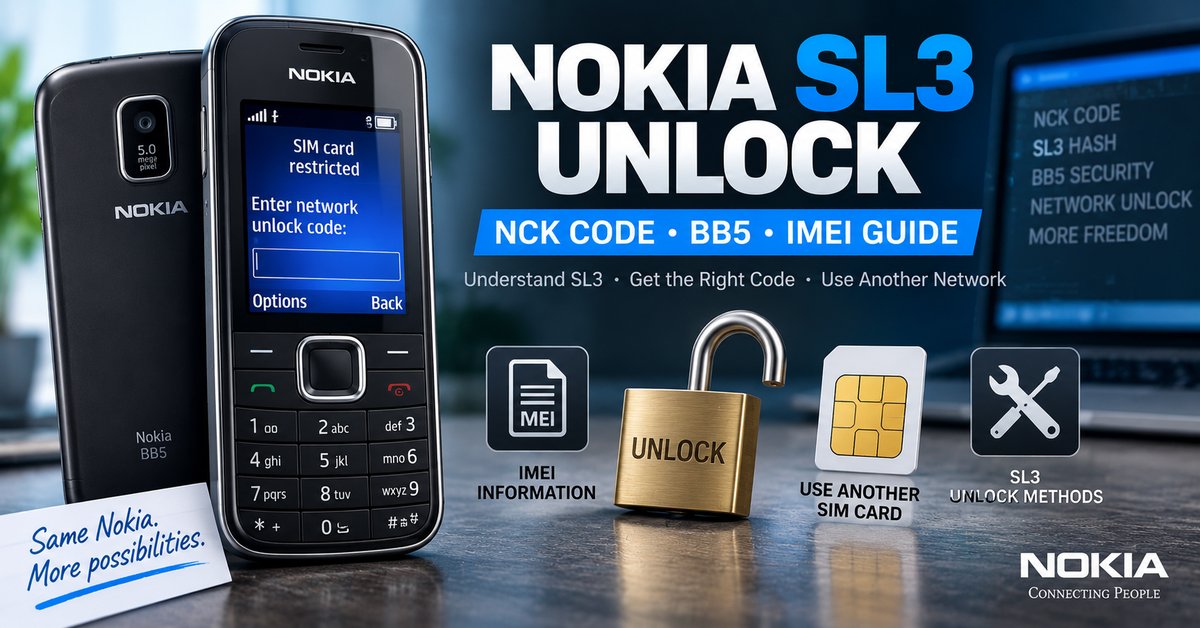
What Is Nokia SL3?
SL3 is a security level associated with certain Nokia BB5 phones. BB5 was the platform used by many Nokia phones from the 2000s and early 2010s, including a number of popular Nokia feature phones and smartphones.
Unlike some older Nokia platforms where an unlock code could be calculated relatively simply from an IMEI and operator information, SL3 devices use stronger security data. Historically, specialized service tools extracted information from the phone and used that data in a computational process to obtain the required unlock information.
| Term | Meaning |
|---|---|
| SL3 | A security level used on certain Nokia BB5 devices |
| BB5 | Nokia’s later-generation security platform covering many older Nokia models |
| IMEI | The unique identifier of the mobile device |
| NCK | Network Control Key, commonly used to describe a network unlock code |
| Hash | Security data associated with the phone that may be required by specialized SL3 unlocking processes |
| SIM lock | A network restriction preventing the phone from accepting another carrier’s SIM |
Nokia SL3 Unlock Is Not the Same as a Normal IMEI Calculator
One of the biggest problems with old Nokia SL3 guides is that they describe the process as if entering a 15-digit IMEI into any free calculator will immediately produce a working unlock code.
That is not a reliable description of SL3 unlocking. The IMEI identifies the phone, but SL3 unlocking can also depend on security information obtained from the device.
Older SL3 tools and service systems used phone-specific security data, including hash information, before calculating the required network unlock information. This is why an ordinary IMEI calculator should not be assumed to work with every SL3 Nokia.
How Nokia SL3 Unlocking Works
The historical SL3 unlocking process can be understood as a sequence of identification, security-data extraction and code calculation.
| Stage | Purpose |
|---|---|
| 1. Identify the phone | Determine the Nokia model and BB5 platform |
| 2. Check the IMEI | Identify the individual device |
| 3. Determine the security level | Confirm whether the phone uses an SL3-type security system |
| 4. Obtain required security data | Specialized service tools may read the information required for the calculation |
| 5. Calculate the unlock information | A compatible SL3 method calculates the required network unlock data |
| 6. Apply the unlock | The resulting code or authorized service procedure is used on the phone |
The exact procedure varies by Nokia model, chipset, firmware and service equipment. For that reason, a single set of instructions should not be presented as a universal solution for every Nokia SL3 phone.
What Is a Nokia SL3 NCK Code?
NCK stands for Network Control Key. In Nokia unlocking terminology, the NCK is associated with removing a network or SIM restriction from a compatible device.
On an SL3 phone, the NCK should be treated as device-specific unlocking information rather than a universal code that can be generated for every Nokia using the same formula.
This distinction is important because many websites use the terms “NCK calculator,” “NCK generator” and “IMEI unlock code” interchangeably even though different Nokia platforms use different security systems.
Can You Unlock Nokia SL3 With IMEI Only?
Usually, you should not assume that an IMEI alone is enough for an SL3 unlock.
The IMEI is essential for identifying the phone, but historical SL3 unlocking methods also relied on security information from the handset. Depending on the particular model and service method, this could include a security hash or other device-specific data.
This is different from some older Nokia DCT models where IMEI-based calculators were widely used for network codes.
| Nokia unlocking type | IMEI alone? | Typical situation |
|---|---|---|
| Older DCT models | Sometimes | Some older calculators used IMEI and operator information |
| BB5 SL1/SL2 | Not necessarily | Specialized servicing methods may be required |
| BB5 SL3 | No simple universal method | Historically associated with device security data and computational unlocking |
| Nokia Lumia | Not the same system | Network unlock procedures depend on the carrier and device |
How to Check Your Nokia IMEI
The IMEI can help identify your Nokia before you investigate an unlock. On many older Nokia phones, dialing *#06# displays the IMEI.
Depending on the model, the IMEI may also be printed on a label beneath the battery or shown in the phone’s information menu.
Keep your complete IMEI private. If you need to provide it to a carrier or legitimate unlocking service, use the provider’s private submission process rather than posting the number publicly.
How to Tell If a Nokia Phone Is Network Locked
The simplest way to investigate a network lock is to test the phone with a compatible SIM card from a different network.
- Turn off the Nokia phone.
- Remove the current SIM card.
- Insert a compatible SIM from another network.
- Turn the phone on.
- Watch for a SIM, network or unlock-code message.
- Check whether the phone registers on the new network.
If the phone accepts the SIM and connects normally, it may already be unlocked. If it specifically requests a network unlock code, that is a strong indication that a carrier restriction is present.
Nokia SL3 Unlock Code vs. Security Code
Nokia phones can have several different types of codes, and confusing them can lead to the wrong solution.
| Code or restriction | Purpose |
|---|---|
| Network unlock code / NCK | Used for removing a compatible carrier or SIM restriction |
| Security code | Protects access to certain phone functions or settings |
| SIM PIN | Protects the SIM card |
| PUK | Used to recover a SIM after too many incorrect SIM PIN attempts |
| Phone lock code | Device-level access protection |
An SL3 network unlock problem should not be confused with a forgotten Nokia security code or a blocked SIM card.
Which Nokia Phones Can Use SL3 Unlock Methods?
SL3 is associated with a range of older BB5 Nokia models. The exact security platform cannot safely be determined from the Nokia brand name alone because different versions and hardware platforms were used across the product range.
| Example Nokia family | SL3 relevance |
|---|---|
| Nokia 2690 | Some variants appear in historical SL3 support lists |
| Nokia 2700 Classic | Associated with historical SL3 unlocking tools |
| Nokia 2730 Classic | Some variants were supported by SL3 methods |
| Nokia 5130 XpressMusic | Common example in historical BB5 SL3 documentation |
| Nokia 5310 XpressMusic | Associated with historical SL3 support |
| Nokia 6300 | Some versions appear in BB5 SL3 references |
| Nokia E63 | Included in historical SL3 support lists |
| Nokia E71 | Some variants were handled by SL3 methods |
| Nokia N97 | Several variants appear in historical BB5 SL3 documentation |
This list is only an indication, not a guarantee that every hardware or firmware variant of a particular model uses the same unlocking method. Model, RM variant and security information can matter.
What Is the Nokia SL3 Hash?
The term “SL3 hash” appears frequently in technical Nokia unlocking documentation. In simple terms, it refers to security-related data associated with the phone that was used by specialized tools as part of the SL3 calculation process.
This is one of the reasons SL3 unlocking became considerably more difficult than older Nokia IMEI calculators. A service tool could read information from the device, prepare the required data and then use a compatible calculation method to obtain the network unlock information.
You may therefore see terms such as SL3 hash, BB5 hash, PM security data, NCK and Master SP code when researching professional Nokia unlocking.
Why Old Nokia SL3 Code Generators Often Do Not Work
Many websites still advertise old Nokia SL3 generators as universal free tools. The problem is that software created for one security configuration may not support another model, hash type or hardware platform.
- The phone may not actually be SL3.
- The particular model or hardware variant may not be supported.
- The required security data may not be available.
- The old calculator may depend on discontinued software or hardware.
- The calculated information may be intended for a different Nokia security level.
- The phone may already have exhausted its available unlock attempts.
For this reason, installing a random “universal Nokia SL3 unlock generator” should not be considered a guaranteed solution.
Can Nokia SL3 Be Unlocked for Free?
Historically, some SL3 unlocking tools supported local calculation methods, while other services performed the computational work remotely. Older technical documentation describes both local and server-assisted approaches.
However, the availability of a free method depends heavily on the exact phone, security configuration, required hardware and software. A modern website should not promise that every Nokia SL3 can be unlocked instantly and for free simply by entering an IMEI.
If you are looking for broader information about free phone unlocking, our Free Phone Unlock Codes guide explains the difference between network codes, SIM unlocking, carrier unlocking and other methods.
What You Need Before Trying an SL3 Unlock
| Information | Why it matters |
|---|---|
| Nokia model | Different models can use different security configurations |
| RM number | Helps identify the exact hardware variant |
| IMEI | Identifies the individual device |
| Original network | Useful when determining the original SIM restriction |
| Security level | Helps determine which unlocking method is appropriate |
| Unlock attempts remaining | Important before entering any network code |
If a professional tool is required, the exact service equipment and software depend on the Nokia platform. Do not flash or modify the phone simply because an online guide claims that it will remove a network lock.
What Happens After You Obtain an NCK Code?
The code-entry procedure depends on the Nokia model and its network-lock implementation. On compatible phones, inserting a SIM from a different network may cause the handset to display a request for a network unlock code.
If the phone displays an unlock prompt, use only the code intended for that specific device and follow the procedure appropriate for the model. Do not repeatedly enter random codes.
Some Nokia devices have limited unlock attempts. Exhausting the counter can make a straightforward code-based unlock much more difficult or impossible without additional servicing.
Nokia SL3 Unlock Problems and Solutions
The Phone Does Not Ask for an Unlock Code
The phone may already be unlocked, the SIM may not be compatible, or the device may have a different problem. Test with a known-working SIM from another supported network before assuming that an SL3 unlock is required.
The NCK Code Is Rejected
First confirm that the code belongs to the exact device. Check the IMEI, model and original network information. Do not continue entering codes if the phone reports that attempts are being reduced.
The Phone Has No Attempts Remaining
An exhausted unlock counter can prevent normal code-based unlocking. At this point, further random attempts are not recommended. A specialist service may be required depending on the phone’s security platform.
The IMEI Calculator Produces No Code
This does not necessarily mean that the IMEI is incorrect. SL3 unlocking is not a universal IMEI-only calculation, so the calculator may simply not support the phone or security configuration.
The Phone Shows a SIM PIN or PUK Request
A SIM PIN or PUK request concerns the SIM card rather than the Nokia’s network lock. You need to resolve the SIM security issue before troubleshooting the network unlock.
Nokia SL3 Unlock vs. Nokia Lumia Unlock
Do not automatically apply old BB5 SL3 instructions to a Nokia Lumia. Lumia devices use a different software and hardware platform, and their network unlocking procedures are not the same as the classic Nokia BB5 SL3 process.
If you have a Nokia Lumia rather than a classic BB5 Nokia, see our Nokia Lumia Unlock guide instead.
Nokia SL3 Unlock and IMEI Safety
Your IMEI is sensitive device information. Although it is commonly required by carriers and legitimate unlocking services, there is no good reason to publish your complete IMEI in a public comment section.
When requesting an unlock, provide the IMEI only through the private channel of the carrier or service you have chosen. Be particularly careful with websites that ask users to post IMEI numbers publicly in order to receive a supposed free code.
Nokia SL3 Unlock vs. NCK Generator
A generic NCK generator should not be confused with a dedicated SL3 unlocking method. Some NCK tools support particular brands or network-lock systems, while SL3 requires knowledge of the Nokia BB5 security platform.
If your device is an Android phone rather than an older Nokia BB5 device, our NCK Code Generator and Network Unlock Guide may be more relevant.
For general IMEI-based phone unlocking information, see our Free IMEI Unlock guide.
Frequently Asked Questions About Nokia SL3 Unlock
What is Nokia SL3 unlock?
Nokia SL3 unlock refers to removing a network or SIM restriction from a compatible Nokia BB5 device using an SL3-compatible unlocking method. It is a specialized process associated with certain older Nokia security configurations.
Can I unlock Nokia SL3 with an IMEI?
The IMEI is used to identify the device, but an SL3 unlock should not be treated as a simple IMEI-only calculation. Depending on the phone, additional security information may be required.
What is an NCK code on Nokia?
NCK stands for Network Control Key and is commonly used to describe a network unlock code. On compatible Nokia devices, it can be used to remove a network restriction.
Is there a free Nokia SL3 code generator?
Historical tools supported free or locally calculated SL3 unlocking in certain circumstances, but there is no reason to assume that a current universal free generator supports every Nokia SL3 phone. Compatibility depends on the exact security configuration and available tooling.
Does every Nokia BB5 phone use SL3?
No. BB5 covers multiple security levels and hardware configurations. The fact that a phone is BB5 does not automatically mean that it should be handled with an SL3 method.
What is an SL3 hash?
An SL3 hash is security-related data associated with the phone and used by historical SL3 unlocking systems as part of the code-calculation process. It is one reason SL3 unlocking is more complicated than basic IMEI calculators.
Can I use a Nokia Lumia unlock method for SL3?
No. Nokia Lumia devices use a different platform and should not automatically be treated as classic BB5 SL3 phones.
What should I do if my Nokia has no unlock attempts left?
Stop entering codes. An exhausted attempt counter can prevent normal code-based unlocking, so further random codes can make the situation worse. A specialist Nokia servicing method may be required.
Related Nokia and Phone Unlock Resources
- Free Phone Unlock Codes: Network, SIM & Carrier Unlock Guide
- NCK Code Generator: NCK Unlock Code & Network Unlock Guide
- Free IMEI Unlock: How to Unlock a Phone With IMEI Number
- Nokia Lumia Unlock: Unlock Code & Network Guide
Final Thoughts
Nokia SL3 unlocking is a specialized part of the older BB5 unlocking ecosystem. The biggest mistake is treating every Nokia as if it can be unlocked with the same free IMEI calculator.
If your Nokia is network locked, first identify the exact model, RM variant and IMEI, then determine whether the device actually uses an SL3 security configuration. From there, use an unlocking method that specifically supports that device instead of relying on a universal generator.
Most importantly, avoid random unlock codes and never publish your complete IMEI publicly. The correct Nokia SL3 unlock method depends on the device’s security configuration, and accuracy is much more important than promises of an instant “one-click” unlock.
Unlock LG TRACFONE ON LTE