SIM Network Unlock PIN Free: Code, Generator & Network Unlock Guide
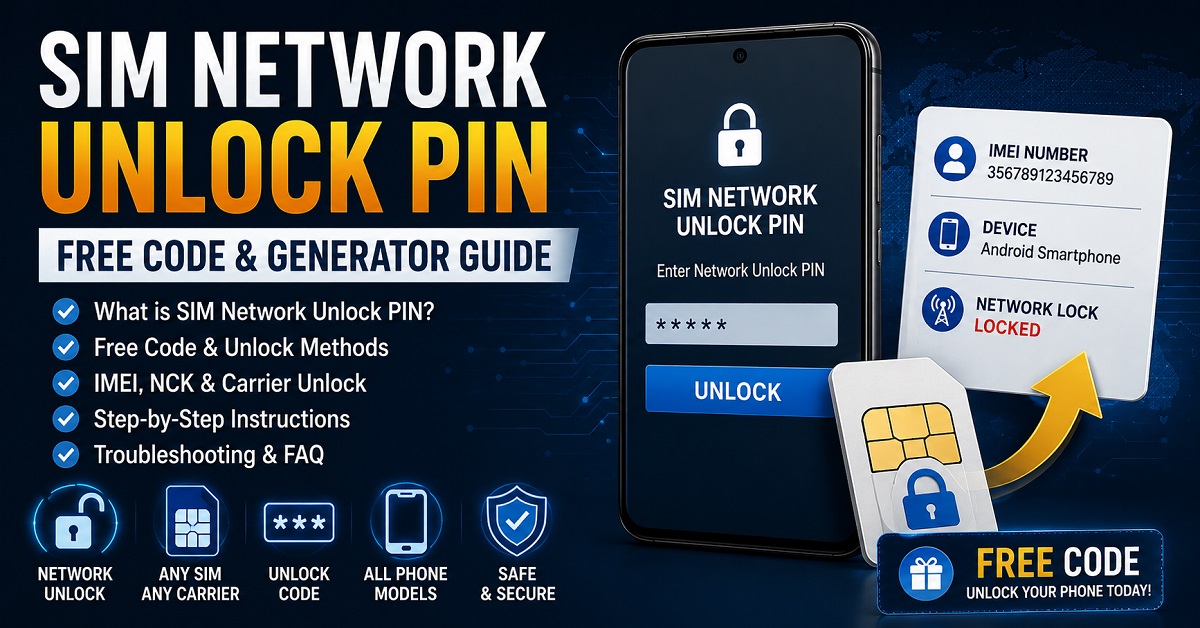
Seeing SIM Network Unlock PIN, Network Unlock Code or a similar message after inserting another SIM card? This guide explains what the message means, whether you can get a SIM Network Unlock PIN for free, how IMEI information is used, and which unlocking method makes sense for your phone.
FIRST: IDENTIFY THE LOCK
A SIM Network Unlock PIN normally relates to a carrier or network lock. It is not the same as a SIM PIN, PUK, screen password or Google account verification.
Free option: Start with the original carrier. Eligible devices may be unlocked without a separate charge, while some phones require a device-specific network unlock code or another carrier-controlled method.
What Does “SIM Network Unlock PIN” Mean?
A SIM Network Unlock PIN is a code or authorization associated with removing a network restriction from a mobile phone. When a phone is locked to its original carrier, it may reject a SIM card from another network and display a request such as SIM Network Unlock PIN or Enter Network Unlock Code.
The wording can vary between manufacturers, carriers and phone generations. On some compatible devices, the network unlock code is also associated with the term NCK, or Network Control Key.
| Message or Term | Usually Refers To | Is It a Network Unlock? |
|---|---|---|
| SIM Network Unlock PIN | Carrier/network restriction | Yes |
| Network Unlock Code | Carrier/network restriction | Yes |
| NCK / Network Control Key | Network unlock code on supported devices | Yes |
| SIM PIN | SIM card security | No |
| PUK | Blocked SIM PIN recovery | No |
| Screen PIN | Phone screen security | No |
| Google verification | Factory Reset Protection/account security | No |
Can You Get a SIM Network Unlock PIN for Free?
Sometimes, yes. The most reliable free route is normally to check the original carrier’s network-unlock policy and request an unlock for an eligible device.
The important distinction is between a free carrier unlock and a website claiming to generate a universal free code. A carrier may be able to authorize the device directly, while a third-party generator may not have access to the information required for your particular phone and network.
FREE ROUTE
Original carrier
Check eligibility and request the official network unlock.
CODE ROUTE
Device-specific NCK
Some phones require a network unlock code associated with the device.
DATABASE ROUTE
Carrier-controlled unlock
Some phones can be unlocked through an authorized database or device-side process.
SIM Network Unlock PIN Free Code Generator: What Does It Actually Mean?
The phrase SIM Network Unlock PIN free code generator suggests that you can enter information such as your phone model and IMEI and instantly calculate the correct network unlock PIN.
That can describe some older or specific unlocking systems, but it should not be treated as a universal method for modern phones. The unlock mechanism depends on the manufacturer, model, firmware, original carrier and network-lock system.
| Type of Unlock Method | How It Works | Works on Every Phone? |
|---|---|---|
| Universal code generator | Attempts to calculate a code from limited information | No |
| Device-specific NCK | Uses the appropriate network unlock code for the device | No |
| Carrier unlock | Carrier verifies eligibility and removes the restriction | Depends on carrier/device |
| IMEI-based unlock service | Uses the IMEI to identify and process the device | Depends on supported models/carriers |
| Carrier app/database unlock | Network-lock status is changed through an authorized system | Depends on device/carrier |
For more information about NCK terminology and code-based unlocking, see our NCK Code Generator and Network Unlock Guide.
What You Should Do When Your Phone Asks for a SIM Network Unlock PIN
Instead of immediately searching for a random code, follow this short diagnostic path.
Use a compatible active SIM from a different network and note the exact message displayed.
Determine whether the phone asks for a Network Unlock Code, SIM Network Unlock PIN, SIM PIN, PUK or something else.
The carrier that originally supplied the phone is usually the most important source of unlock information.
Check Settings → About phone or use *#06# where supported.
Check carrier eligibility first, then determine whether your device requires a code-based or carrier-controlled unlock.
SIM Network Unlock PIN by IMEI: How Are They Connected?
When an unlock process asks for an IMEI number, the IMEI is being used to identify the individual device. It is not itself the SIM Network Unlock PIN.
A carrier or authorized unlocking system may use the IMEI to determine the phone’s model, network status, eligibility and the appropriate unlocking process. On some older or supported code-based systems, the required network unlock code may be associated with that device record.
Remember: IMEI = device identifier. Network Unlock PIN = unlock credential or authorization. They are related during some unlock processes, but they are not the same thing.
If you want to understand the broader relationship between IMEI numbers and phone unlocking, read our Free IMEI Unlock guide.
How to Find Your Phone’s IMEI Number
You may need the IMEI when checking whether your phone can be unlocked or when contacting the original carrier.
- Open Settings → About phone.
- Look for IMEI, IMEI information or device status.
- On many phones, dial *#06#.
- Some devices display separate IMEIs for SIM 1 and SIM 2.
- If the phone has a removable battery, the IMEI may also appear on a label underneath it on older models.
Do not publish your complete IMEI together with your email address, phone number or other personal information in public comments. An IMEI is useful for identifying a device, so treat it as private device information.
SIM Unlock Code vs. SIM PIN vs. PUK
The word “PIN” creates confusion because several completely different codes can appear on a phone.
| Code | Belongs To | Purpose |
|---|---|---|
| SIM Network Unlock PIN | Phone/network lock | Removes a supported carrier/network restriction |
| NCK | Phone/network lock | Network Control Key on supported devices |
| SIM PIN | SIM card | Protects access to the SIM |
| PUK | SIM card | Recovers a blocked SIM PIN |
| Screen PIN | Phone | Unlocks the device screen |
| MCK / Defreeze | Some network-lock systems | Associated with certain frozen unlock states |
Which Phones Can Show a SIM Network Unlock PIN?
The message is not limited to one manufacturer. Carrier-locked Android phones and some older devices can display network-unlock prompts when a SIM from another provider is inserted.
| Phone Category | Possible Unlock Situation | What to Check |
|---|---|---|
| Samsung Galaxy | Network unlock PIN/code or carrier-controlled unlock | Model, original carrier and exact prompt |
| LG phones | Network unlock code on supported devices | Model and original network |
| Huawei phones | Code-based network unlocking on compatible models | Model, IMEI and carrier |
| Nokia phones | Older network-lock systems may request an unlock code | Exact model and network |
| Other Android phones | Carrier/network restriction may apply | Original carrier and device software |
For Samsung-specific searches, use our Samsung Galaxy Unlock Code guide. It focuses specifically on Samsung network unlocking, NCK and related Samsung lock messages.
Samsung, LG and Huawei Unlock Codes: Why the Method Can Differ
Different manufacturers and carriers have used different network-lock systems over the years. This is one reason a code generator that works for one family of devices cannot automatically be expected to work for another.
- Samsung Galaxy unlock codes — network unlock, NCK, MCK and SIM Network Unlock PIN information.
- LG unlock codes — LG-specific network unlocking information.
- Huawei code calculator and unlock guide — Huawei-specific code terminology and unlocking methods.
- Nokia Lumia unlocking — Nokia-specific phone unlocking information.
Why a Free SIM Unlock Code Generator May Not Work
There are several reasons an online generator may fail even when the phone appears to be a normal network-locked device.
| Possible Reason | What It Means |
|---|---|
| Wrong carrier | The original network restriction belongs to another provider. |
| Wrong model | A similar model name may use a different lock system. |
| Unsupported device | The generator does not contain the required device/carrier information. |
| Carrier-controlled unlock | The phone may need a database or account-based unlock rather than a typed code. |
| Wrong code type | The phone may need NCK, SPCK, MCK or another specific credential. |
| Device not eligible | The carrier may have eligibility requirements before unlocking. |
| Too many failed attempts | The device may enter a frozen or blocked code-entry state. |
What to Do If the SIM Network Unlock PIN Is Rejected
If the phone rejects an unlock PIN, the safest response is to stop entering random numbers and determine why the attempt failed.
CHECK THESE IN ORDER
- Confirm the exact wording displayed on the phone.
- Verify the original carrier.
- Verify the exact model number.
- Confirm that the IMEI belongs to the phone being unlocked.
- Check whether the carrier offers an official unlock.
- Determine whether the phone requires NCK, MCK/defreeze or another code.
- Do not continue guessing codes if the device reports a blocked or frozen state.
What if the phone says “Enter MCK”?
An MCK or defreeze request can appear on certain code-based network-lock systems after unsuccessful unlock attempts. It is not the same as the normal NCK or SIM Network Unlock PIN.
If your phone is asking for MCK, identify the exact device and carrier before attempting anything else. Our NCK Code Generator guide contains additional information about NCK and MCK terminology.
Does Factory Reset Remove a Network Lock?
Normally, no. A factory reset is not the standard solution for removing a carrier network restriction.
A network lock is associated with the phone’s carrier/network configuration. Resetting personal data does not automatically change that network authorization.
In addition, resetting a phone can introduce another problem: Android’s Factory Reset Protection may require the previously associated Google account during setup. That is a completely different security mechanism from a SIM network unlock.
SIM Network Unlock PIN vs. IMEI Blacklist
A network lock and an IMEI blacklist are also different problems.
| Situation | What Is Restricted? | Does a Network Unlock Fix It? |
|---|---|---|
| Carrier network lock | Use of another carrier’s SIM | Yes, when properly unlocked |
| IMEI blacklist | Device access to supported mobile networks | No |
| SIM PIN lock | SIM card access | No |
| PUK lock | Blocked SIM PIN | No |
| FRP | Google account verification after reset | No |
How to Choose a Free SIM Network Unlock Option
Use this simple decision guide before entering any code or installing an unlocking application.
Use the carrier’s official process first. This is generally the cleanest solution because the carrier controls the network restriction.
Determine whether your exact model and carrier use a code-based system. Do not substitute a random code.
The device may use a carrier app, account process or remote/database-based unlock rather than a traditional PIN.
Read the exact message first. SIM Network Unlock PIN, SIM PIN, PUK, screen PIN and Google verification require different solutions.
Safety Checklist Before Using Any Free Unlock Generator
- Use the unlock process only for a phone you own or are authorized to unlock.
- Never publish your full IMEI and personal contact details in public comments.
- Do not install unknown APKs or executable files simply because a site promises an instant free unlock.
- Do not enter random NCK, MCK, SIM PIN or PUK values.
- Back up important information before performing any operation that could reset the phone.
- Confirm the exact phone model and original carrier.
- Remember that unlocking the network does not guarantee compatibility with every carrier’s bands or services.
Frequently Asked Questions
What is a SIM Network Unlock PIN?
It is a code or authorization used by supported phones to remove a carrier or network restriction. The phone may request it after a SIM from another carrier is inserted.
Can I get a SIM Network Unlock PIN for free?
In some cases, yes. The original carrier may provide an eligible network unlock without charging a separate fee. Whether a free code is available depends on the device, carrier and unlock policy.
Is there a universal SIM Network Unlock PIN?
No. A universal PIN that works on every phone and carrier should not be expected. Unlock credentials and procedures can be device and carrier specific.
Can a SIM Network Unlock PIN be generated from an IMEI?
The IMEI can be used to identify a device during an unlock process, and some code-based systems associate an unlock code with the device record. However, the IMEI itself is not the unlock PIN, and it cannot guarantee that a universal generator will produce a working code.
What is the difference between a SIM Network Unlock PIN and a SIM PIN?
A SIM Network Unlock PIN relates to the phone’s carrier/network restriction. A SIM PIN protects the SIM card itself. They are separate security credentials.
What is the difference between NCK and SIM Network Unlock PIN?
On supported devices, NCK generally refers to the Network Control Key used for network unlocking. A phone may display different terminology depending on its manufacturer and carrier.
What if my phone asks for a PUK instead?
A PUK is associated with the SIM card and is normally supplied by the mobile carrier. It is not a network unlock code.
Will a factory reset remove the SIM network lock?
Normally no. A factory reset removes user data and restores software settings, but it does not normally remove a carrier network restriction.
Why does my free unlock code not work?
The code may be incorrect, associated with another device or carrier, unsupported by your model, or the phone may use a carrier-controlled unlock system rather than a traditional code.
Related UnlockPhoneTool Guides
If you arrived here looking for a particular type of phone-unlocking solution, these guides cover the closely related topics without mixing their search intent together:
- Free Phone Unlock Codes — broader guide to network, SIM and carrier unlock codes.
- Free IMEI Unlock — how IMEI-based phone unlocking works.
- NCK Code Generator — NCK, MCK and network unlock terminology.
- Samsung Galaxy Unlock Code — Samsung-specific network unlock information.
- LG Unlock Code — LG network unlocking information.
- Huawei Code Calculator — Huawei-specific unlock code information.
The Bottom Line on Free SIM Network Unlock PINs
The search phrase SIM Network Unlock PIN free code generator makes it sound as though every network-locked phone can be unlocked by entering an IMEI into a free calculator. In reality, unlocking depends on the exact device, original carrier and network-lock system.
If your phone is asking for a SIM Network Unlock PIN, first identify the carrier lock and check whether the original carrier offers a free unlock. If the device uses a code-based system, determine whether it requires an NCK or another specific network credential. If it uses a carrier-controlled system, a traditional code generator may not be the right tool at all.
THE RIGHT UNLOCK STARTS WITH THE RIGHT LOCK TYPE
SIM Network Unlock PIN → Network Lock
SIM PIN → SIM Security
PUK → SIM Recovery
NCK → Network Control Key
FRP → Google Account Protection
Once you know which lock you are dealing with, the correct unlocking path becomes much easier to identify—and you can avoid wasting time on generic codes that were never intended for your device.
359963100408794
Hello,
Where is the software link?
thanks.
Envoi moi le lieu de télechargement s’il vous plaît
i need to unlock my lg tribute 2 thats on sprint
meid dec- 089446861507870835
meid hex 30508207781973
I need to unlock my Samsung s22 ultra. Its with spectrum immigration 356980745736 049
I need help to get my unlock code for my samsung a03s and the carrier it’s using is TracFone i know how to get the the unlock code but i just need the unlock code can someone please give it to me!!!
Hi could someone please email or post the link to the free unlocking software please?
351575071381038
samsung A5
send unlock