FRP Lock Explained: What Is Factory Reset Protection on Android?
If an Android phone has been factory reset and suddenly asks for the Google account that was previously used on the device, you have probably encountered FRP lock.
FRP stands for Factory Reset Protection. It is an Android security feature designed to help protect a device after a factory reset, particularly when the reset happens without the owner’s normal authorization.
FRP can be confusing because it is not the same thing as a screen lock, SIM lock, carrier lock, IMEI blacklist, or bootloader lock. A phone can be completely functional before a factory reset and then require Google account verification during setup afterward.
In this guide, we will explain what FRP actually does, why Android asks for the previous Google account, how FRP differs from other types of phone locks, what happens after a factory reset, and how to avoid FRP problems when selling or buying a used Android phone.
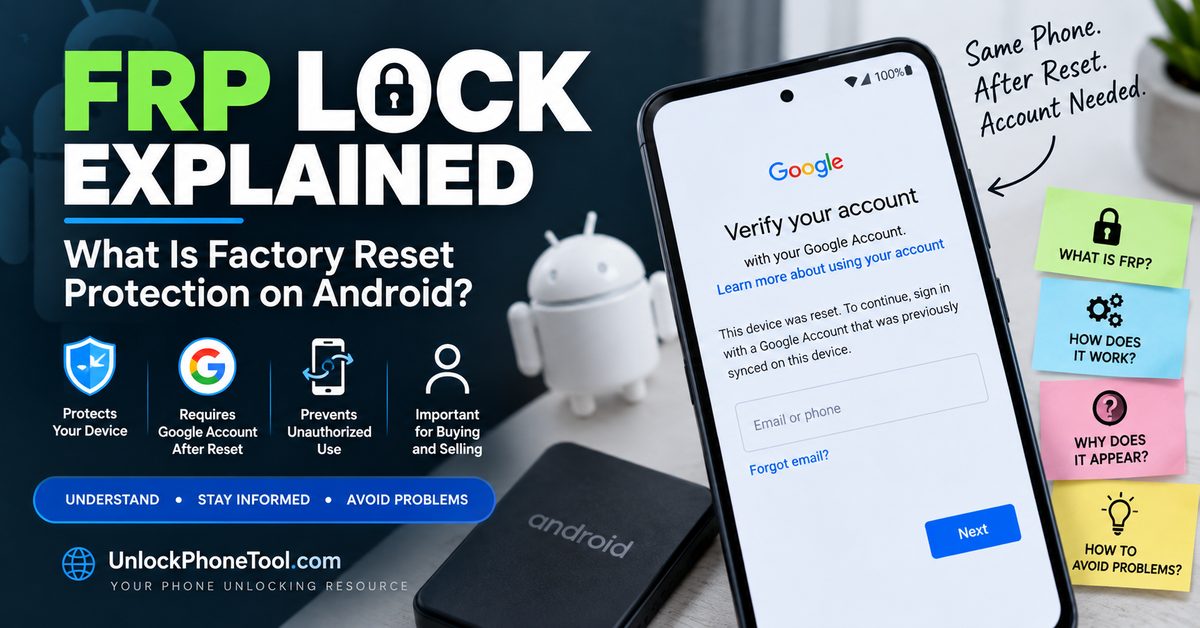
What Is FRP Lock on Android?
FRP lock is the common name for Android’s Factory Reset Protection feature. It is designed to prevent a factory reset from simply turning a protected device into a completely unrestricted phone for whoever happens to have it.
The idea is particularly important if an Android phone is lost or stolen. A person who obtains the device may be able to perform a factory reset, but that does not necessarily mean the phone can immediately be configured as a new device.
After the reset, Android can require verification of a Google account that was previously associated with the device before setup can continue.
This makes FRP fundamentally different from a normal screen password. A screen lock protects access to the phone while it is being used. FRP is concerned with what happens during the device setup process after a factory reset.
What Does FRP Stand For?
FRP stands for Factory Reset Protection.
The name is useful because it describes the situation in which users most commonly encounter it: after a factory reset.
When a protected Android phone is reset, the personal data stored on the device may be erased, but the setup process can still require appropriate account verification.
FRP Explained in Simple Terms
Here is the basic idea:
- A Google account is configured on an Android phone.
- The phone becomes associated with that user’s device configuration.
- The phone is factory reset.
- Android starts the initial setup process again.
- The device may require verification of a previously associated Google account.
- Once the legitimate verification process is completed, setup can continue.
The exact wording and screens can differ between manufacturers, Android versions, and individual models.
Why Does Android Have FRP?
FRP exists because a factory reset alone should not necessarily be enough to remove every security relationship from a device.
Imagine a phone is lost. Someone finds it, enters recovery mode, and performs a factory reset. Without an additional protection mechanism, the reset could potentially leave the device looking like a brand-new phone during setup.
Factory Reset Protection adds another layer of protection by connecting the setup process with the device’s previous account configuration.
For legitimate owners, this normally means that preparing the phone correctly before a factory reset is important.
When Does FRP Lock Appear?
FRP-related verification is most commonly noticed during Android setup after a factory reset.
Depending on the phone and Android version, you may see messages referring to:
- Google account verification
- Verify your account
- Previous Google account
- This device was reset
- Sign in with a Google account previously synced on this device
The exact message is not identical on every Android phone, but the situation is similar: the device is requesting account verification before normal setup can continue.
What Does “This Device Was Reset” Mean?
If an Android phone says “This device was reset” and then asks you to sign in with a Google account that was previously synchronized with the phone, the device is indicating that additional verification is required during setup.
This does not automatically mean the phone is damaged.
It also does not mean that the phone has a SIM-card problem or carrier lock.
The message is related to the device’s security configuration and the Google account verification process.
If you legitimately own the phone, the correct approach is to use the appropriate Google account and supported account-recovery procedures rather than installing random software that promises an instant FRP bypass.
FRP Lock vs Screen Lock
FRP and a screen lock protect different parts of the Android experience.
A screen lock is normally a:
- PIN
- Password
- Pattern
- Fingerprint
- Face authentication method
The screen lock controls access to the phone while the device is in use.
FRP, on the other hand, can become relevant after a factory reset during the initial setup process.
This is why performing a factory reset does not necessarily mean that every security mechanism associated with the previous owner has disappeared.
FRP Lock vs Carrier Lock
A carrier lock and FRP lock have completely different purposes.
A carrier lock can restrict a phone from being used with another mobile network. The device may display messages such as a network unlock requirement or SIM restriction.
FRP is associated with device protection and Google account verification after a factory reset.
If your phone is asking for a network unlock code or NCK, that is a different problem. Our NCK Code Generator and Network Unlock Guide explains the difference between NCK codes, SIM network unlock PINs, carrier unlocking and other types of phone restrictions.
FRP Lock vs IMEI Blacklist
An IMEI blacklist is also different from FRP.
The IMEI is a device identifier used by mobile networks and other services to identify a particular handset. A device can potentially be reported as lost or stolen and become subject to network restrictions.
FRP does not mean that the IMEI is blacklisted.
Likewise, a phone can have a clean IMEI and still require Google account verification after a factory reset.
If you are dealing with an IMEI that is missing, invalid, or no longer displaying correctly after software work, see our IMEI repair and recovery guide.
FRP Lock vs Bootloader Lock
FRP should also not be confused with the Android bootloader.
The bootloader is involved in starting the operating system and controlling whether certain system modifications are permitted. Bootloader unlocking is commonly associated with Fastboot, custom ROMs and other advanced Android modifications.
FRP is focused on device protection and account verification following a factory reset.
These are two separate security mechanisms.
If you are researching bootloader unlocking, our Android Bootloader Unlock Guide explains bootloader unlocking, OEM unlocking, Fastboot, eligibility and manufacturer-specific procedures.
Does a Factory Reset Remove FRP?
You should not assume that a factory reset removes FRP.
This is one of the most common misunderstandings about Android security.
A factory reset is designed to erase user data and return the phone to an initial setup state. However, a protected device can still require account verification during that setup process.
That is why a used phone can appear completely wiped while still asking for the previous owner’s Google account.
For someone selling a phone, this distinction is extremely important. Simply telling the buyer that the device has been factory reset does not necessarily mean the phone has been properly prepared for a new owner.
Why Does My Phone Ask for the Previous Google Account?
When Android asks for a Google account that was previously used on the device after a factory reset, it is generally because the device’s protection state requires account verification during setup.
This situation commonly occurs when:
- The phone was reset before the previous Google account was properly removed.
- A used phone was reset by someone other than the original owner.
- The device was restored through recovery mode.
- The phone was prepared incorrectly before being sold or transferred.
If you are the legitimate owner, account recovery is the appropriate path when you cannot remember the credentials.
If you purchased the phone from another person and it is still requesting their account, the seller or previous owner should complete the appropriate account-removal process.
How to Avoid FRP Problems Before Resetting Your Android Phone
If you are resetting your own phone because you are selling it, trading it in, giving it to someone else, or sending it for another person to use, prepare the device before performing the final reset.
1. Back Up Your Important Information
Save your photos, contacts, documents, messages and other important information before deleting anything from the phone.
2. Remove Your Google Account
Use the phone’s normal Android account settings to remove your Google account from the device before the final factory reset.
The exact menu location can vary depending on the manufacturer and Android version.
3. Check Manufacturer Accounts
Some Android phones also use manufacturer-specific accounts.
For example, Samsung Galaxy devices can have a Samsung account, while Xiaomi devices can have a Xiaomi account.
These accounts should be reviewed separately when preparing a phone for another person.
4. Remove Your SIM Card
If you are physically transferring the phone to another person, remember to remove your SIM card unless you are intentionally transferring the service according to your carrier’s procedures.
5. Review eSIM Information
If the phone uses an eSIM, review the installed mobile plans before handing the device to another person.
6. Perform the Factory Reset
Once your accounts and personal information have been properly handled, perform the factory reset through the phone’s supported settings whenever possible.
The objective is to leave the phone in a clean setup state without your personal accounts remaining associated with the device.
Can an IMEI Number Remove FRP?
No. An IMEI number is not a universal FRP unlock code.
The IMEI identifies the mobile device. It can be useful for device identification, network-related checks and certain repair or support procedures, but simply knowing an IMEI does not grant permission to remove Google account verification.
This is especially important because older phone-unlock websites have promoted so-called universal FRP generators that claim an IMEI can produce a code capable of removing Google’s protection.
Those claims should not be treated as a universal solution for modern Android phones.
FRP behavior depends on the device, Android version, manufacturer implementation and account configuration.
Can an NCK Code Remove FRP?
No.
An NCK or network unlock code relates to a different type of restriction.
If the phone asks for a SIM Network Unlock PIN, Network Unlock Code, or similar carrier-related credential, you are dealing with a network restriction.
If the phone asks for a previously associated Google account after a factory reset, the issue is related to device protection and account verification.
One type of code should not be confused with the other.
What Happens When You Buy a Used Phone With FRP Active?
This is one of the most important situations to understand before buying a second-hand Android phone.
Imagine that you purchase a used phone. The seller tells you that the device has been factory reset. You turn it on, connect it to Wi-Fi and begin the setup process.
The phone then asks for a Google account previously used on the device.
At this point, inserting your own SIM card will not normally solve the problem. A carrier unlock also does not turn into an FRP solution simply because the phone can connect to a mobile network.
The appropriate action is to contact the seller or previous owner and have the device properly prepared for transfer.
This is one reason why checking a used phone before paying for it is so important.
What Should You Check Before Buying a Used Android Phone?
FRP should be only one part of your used-phone inspection.
Before buying a second-hand Android device, consider checking:
- The IMEI and device identity
- Whether the IMEI has been reported or blacklisted
- Carrier or network lock status
- Google account and FRP status
- Manufacturer account status
- Screen lock status
- Whether the device can reach the normal setup screen
- Whether the previous owner has removed their accounts
- Whether the phone is compatible with your mobile carrier
A phone can have a clean IMEI and still have FRP active. It can also be carrier unlocked while still being associated with a previous owner’s account.
Checking only one status is therefore not enough.
Why You Should Be Careful With FRP Bypass Tools
Search results for FRP problems often contain websites promising one-click FRP removal, universal FRP generators, IMEI-based FRP codes, or software that supposedly works on every Android model.
Be careful with these claims.
Android manufacturers use different security implementations, and those implementations can change between device generations and Android versions. A program claiming to unlock every Samsung, Xiaomi, Motorola, Google Pixel, OPPO, Vivo and other Android device with one universal method deserves careful scrutiny.
There is also a security risk associated with downloading unknown software and connecting it to your phone over USB.
Never give your Google password, recovery codes, authentication codes or other sensitive account information to an unknown FRP tool simply because it promises an instant result.
Can FRP Be Removed From a Phone You Own?
If the phone belongs to you, the correct solution is to use the supported account and device-management procedures.
If you still have access to the phone, prepare it properly before a factory reset by removing the relevant accounts through the normal Android settings.
If the phone has already been reset and you cannot remember your Google account credentials, use Google’s legitimate account recovery process.
If the phone belongs to another person, the appropriate solution is for the owner or seller to complete the required account-removal process.
Do not confuse legitimate account recovery with a website promising that an IMEI number can generate a universal FRP unlock code.
FRP Problems After Changing a Google Account Password
Another situation that can cause confusion occurs when a Google account password has recently been changed.
If a device has been reset and you immediately attempt to authenticate using recently changed credentials, the account verification process may not behave exactly as expected.
If the account belongs to you, use Google’s supported recovery and verification procedures rather than repeatedly entering credentials or installing unknown FRP software.
How to Prevent FRP Problems When Selling Your Android Phone
The easiest FRP problem to solve is the one you prevent before handing the phone to its next owner.
Before selling, trading in, or giving away an Android phone:
- Back up your important information.
- Remove your Google account from the device.
- Review and remove manufacturer-specific accounts where applicable.
- Remove your physical SIM card.
- Review installed eSIM and mobile-plan information.
- Remove personal data and accounts from the device.
- Perform the factory reset using the supported device settings.
- Allow the phone to return to its initial setup screen.
- Do not sign back into your account after the final reset.
This gives the next owner a much cleaner starting point and reduces the risk of the device remaining associated with your personal accounts.
FRP Lock Frequently Asked Questions
What is FRP lock?
FRP lock is the common term for Android’s Factory Reset Protection. It can require Google account verification during setup after a factory reset on a protected device.
What does FRP stand for?
FRP stands for Factory Reset Protection.
Does factory reset remove FRP?
You should not assume that it does. A factory reset erases user data, but a protected device can still require verification of a previously associated Google account during setup.
Why is my Android phone asking for the previous Google account?
The device may still be protected after the reset and therefore require verification associated with its previous configuration.
Can an IMEI number unlock FRP?
No. An IMEI is a device identifier and is not a universal FRP unlock key.
Can an NCK code remove FRP?
No. NCK and network unlock codes relate to carrier or network restrictions, not Google account verification after a factory reset.
Is FRP the same as a carrier lock?
No. A carrier lock controls mobile-network usage, while FRP concerns device protection and account verification during setup.
Is FRP the same as a screen lock?
No. A screen lock protects access to the phone while it is being used. FRP can require account verification during setup after a factory reset.
How can I avoid FRP problems when selling my phone?
If you own the phone, remove your Google account and other relevant accounts through the supported device settings before performing the final factory reset.
What should I do if I bought a used phone with FRP active?
Contact the seller or previous owner and ask them to complete the legitimate account-removal process. If the account belongs to you, use the appropriate Google account-recovery process.
Final Thoughts
FRP is an important Android security feature, but it is frequently confused with other types of phone restrictions.
FRP is not a carrier lock, SIM lock, screen lock, IMEI blacklist, or bootloader lock. Its purpose is connected to device protection and account verification after a factory reset.
The most important thing to remember is that factory resetting a phone and properly preparing it for a new owner are not necessarily the same thing.
If you own the device, remove your relevant accounts before performing the final reset. If you are buying a used Android phone, check FRP together with the IMEI, carrier status and account information before completing the purchase.
Understanding which type of lock you are actually dealing with is the first step toward choosing the correct solution. An NCK code cannot solve FRP, an IMEI is not a universal FRP key, and bootloader unlocking is not an account-removal method.
For more Android unlocking information, continue with our Android Bootloader Unlock Guide, NCK and Network Unlock Guide, and IMEI Repair and Recovery Guide.