
Samsung Galaxy J7 Unlock: Network, SIM & Unlock Code Guide
Need to unlock a Samsung Galaxy J7 because another SIM card is not working? The solution depends on the type of lock, the original network provider and the exact Galaxy J7 variant you have. This guide explains how Samsung Galaxy J7 network unlocking works, what a SIM Network Unlock PIN means, how IMEI information is used, and what to do when your phone refuses a different carrier’s SIM.
The Galaxy J7 family includes several models and carrier versions, so there is no single unlock method that works for every device. Before trying an unlock code or tool, identify the type of lock and the original carrier.
What Does Samsung Galaxy J7 Unlock Mean?
When people search for a Samsung Galaxy J7 unlock, they usually mean removing a network or carrier restriction that prevents the phone from accepting a SIM card from another provider.
A network-locked Galaxy J7 may work normally with its original SIM but display a message such as SIM Network Unlock PIN, Network locked, Enter unlock code or a similar message after a different SIM is inserted.
| What you see | What it usually means | What to check |
|---|---|---|
| SIM Network Unlock PIN | Network or carrier lock | Original carrier and correct unlock method |
| Network locked | The phone is restricted to a network | Carrier eligibility and device model |
| Enter unlock code | The phone is requesting a network unlock code | Correct code for the device and carrier |
| SIM PIN | The SIM card itself is protected | SIM PIN from the mobile operator |
| PUK required | The SIM PIN has been entered incorrectly too many times | PUK from the SIM provider |
| Screen PIN or pattern | Phone screen security | Use the device’s account or recovery options |
Is Samsung Galaxy J7 Network Locked?
The easiest practical test is to insert a working SIM from a different network. If the phone connects normally, it may already be unlocked. If it refuses the SIM or asks for a network unlock PIN or code, the device may have a carrier or network restriction.
Keep in mind that a SIM problem does not automatically mean the phone is network locked. A damaged SIM, inactive account, incompatible network bands or a SIM PIN can produce different problems.
Check the Original Network
Before looking for an unlock code, determine which carrier originally sold or activated the Galaxy J7. This is important because the unlock process is normally associated with the original network rather than the new SIM you want to use.
If you bought the phone second-hand, ask the seller which carrier originally supplied it, or use the device and account information available to determine its history.
Samsung Galaxy J7 SIM Network Unlock PIN
The phrase SIM Network Unlock PIN refers to a network-unlock credential requested by certain Samsung devices when a SIM from another network is inserted.
This is different from the PIN used to protect the SIM card. It is also different from the screen lock PIN used to unlock the phone itself.
| Code or PIN | Purpose |
|---|---|
| SIM Network Unlock PIN | Used for a network or carrier restriction |
| NCK / Network Code | Network unlock credential on compatible Samsung devices |
| MCK / Unfreeze Code | May be relevant when an unlock-code counter has been blocked on certain models |
| SPCK | Service-provider unlock credential on some configurations |
| SIM PIN | Protects the SIM card itself |
| PUK | Recovers a SIM after too many incorrect SIM PIN attempts |
Not every Galaxy J7 uses all of these codes. The exact requirement depends on the phone’s model, firmware, original carrier and type of restriction.
How to Unlock Samsung Galaxy J7
Start with the simplest and safest route. Do not begin by installing an unknown unlock application or entering random codes.
Step 1: Identify Your Galaxy J7
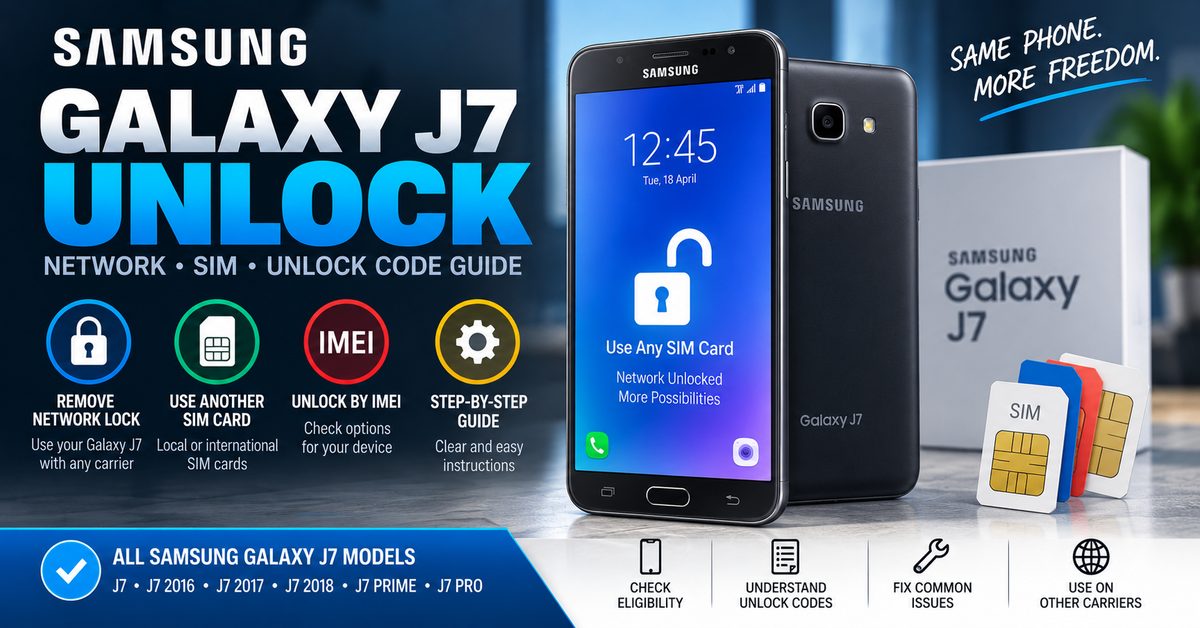
Galaxy J7 is a product family rather than one single hardware configuration. Versions include the original Galaxy J7 as well as regional and carrier-specific variants such as Galaxy J7 2016, Galaxy J7 2017, Galaxy J7 Prime and other J7 models.
Find the exact model number in Settings > About phone. The model number is much more useful than simply saying that you have a “J7.”
Step 2: Find the IMEI
The IMEI is a device identifier that can help a carrier or legitimate unlocking service identify the phone. On many Samsung phones, you can display it by entering *#06# in the phone application.
You can also find the IMEI through the phone’s settings or on the original device packaging.
Important: never post your complete IMEI publicly in website comments, forums or social media. Treat it as device information that should only be provided to a trusted carrier or service when genuinely required.
Step 3: Check the Original Carrier
Contact the carrier that originally sold or activated the phone and check whether the device qualifies for network unlocking. This is often the most reliable route because carriers can verify the device status and eligibility.
Step 4: Insert a Different SIM
After confirming that the device should be eligible, insert a working SIM from another compatible network and restart the phone if necessary.
If the Galaxy J7 displays a network-unlock prompt, use the correct unlock credential supplied through the appropriate carrier or legitimate unlocking process.
Step 5: Confirm the Unlock
Once the network restriction has been removed, the phone should be able to register on a compatible network using the new SIM, assuming the device supports that carrier’s network and the account and SIM are active.
Can You Unlock a Samsung Galaxy J7 for Free?
Sometimes, yes. Whether a Galaxy J7 can be unlocked without paying a third-party service depends mainly on the original carrier’s policy and the device’s eligibility.
For an eligible device, the carrier may provide the unlock through its own process without requiring you to purchase an independent unlock code. Other devices may require a carrier-specific procedure or another legitimate unlocking method.
There is an important distinction between free carrier unlocking and websites claiming to have a universal free Samsung unlock-code generator. A random generator cannot be assumed to have a valid code for every Galaxy J7 model and carrier.
Samsung Galaxy J7 Unlock Code by IMEI
Searches for Samsung Galaxy J7 unlock code by IMEI are common because the IMEI uniquely identifies the device. However, the IMEI itself is not a universal mathematical key that can automatically unlock every Galaxy J7.
Depending on the carrier and device, the IMEI may be used to check eligibility, identify the correct device record or request an unlock. Some legitimate services may also use the IMEI to determine whether an unlock credential is available.
If you want to understand how IMEI-based unlocking works across different phones, see our Free IMEI Unlock guide.
Samsung Galaxy J7 NCK, MCK and SPCK Codes
Older Samsung network-unlock procedures can involve several types of codes. The terminology can be confusing because not every Galaxy J7 model displays the same prompt.
| Code | Common meaning | When it may appear |
|---|---|---|
| NCK | Network Control Key or network unlock code | Network-lock prompt on compatible devices |
| MCK | Unfreeze code | Some devices when the code counter is blocked |
| SPCK | Service Provider Control Key | Certain service-provider restrictions |
| RGCK | Regional unlock credential | Some regional-lock situations |
If you want to understand the wider NCK and network-unlock terminology, our NCK Code Generator and Network Unlock Guide covers the subject in more detail.
Samsung Galaxy J7 Models and Unlocking
The name Galaxy J7 covers several generations and regional versions. An unlock method that applies to one J7 can fail on another model, particularly when the phone was sold by a specific carrier.
| Galaxy J7 version | What to verify |
|---|---|
| Galaxy J7 | Exact model number and original carrier |
| Galaxy J7 2016 | Model variant, carrier and network-lock behavior |
| Galaxy J7 2017 | Exact SM model and original network |
| Galaxy J7 2018 | Carrier-specific unlock requirements |
| Galaxy J7 Prime | Model, region and original carrier |
| Galaxy J7 Pro | Regional and carrier compatibility |
| Galaxy J7 Max | Regional SIM and network restrictions |
If you have a specific variant, always use the complete model number when researching the unlock procedure rather than relying only on the J7 name.
Samsung Galaxy J7 Unlock Code Not Working
If an unlock code does not work, do not keep entering random codes. Repeated incorrect attempts can create additional problems on some devices and configurations.
| Problem | Possible reason | What to do |
|---|---|---|
| Wrong code | Code does not match the phone or carrier | Verify model, IMEI and original carrier |
| No unlock prompt | The phone uses another unlocking mechanism | Check carrier-specific instructions |
| SIM not detected | SIM or hardware problem | Test another known-working SIM |
| Network unavailable | Carrier compatibility or account issue | Check supported bands and SIM activation |
| SIM PIN requested | This is a SIM security feature | Use the SIM PIN from the carrier |
| PUK requested | SIM PIN attempts were exceeded | Contact the SIM provider for the PUK |
| Phone remains locked | Device may not meet carrier requirements | Ask the original carrier to verify eligibility |
Why a Different SIM May Still Not Work After Unlocking
Removing a network lock does not guarantee that every network will work with every Galaxy J7. The phone must still support the carrier’s network technologies and frequency bands, and the SIM and account must be active.
This is particularly important with older Galaxy J7 models because network compatibility varies between regional and carrier versions.
Galaxy J7 Network Unlock vs SIM PIN vs PUK
These three terms are frequently confused, but they solve completely different problems.
| Issue | What it protects | Who normally provides the solution? |
|---|---|---|
| Network unlock | Phone’s connection to a particular carrier | Original carrier or legitimate unlock provider |
| SIM PIN | The SIM card | Mobile network provider |
| PUK | Recovery of a blocked SIM | Mobile network provider |
| Screen PIN | Access to the phone | Device owner / account recovery |
Samsung also distinguishes a SIM card lock from a network lock. A SIM card PIN is a security setting on the SIM, while a network lock is associated with the provider that originally supplied the device.
Should You Use a Free Samsung Galaxy J7 Unlock Tool?
Be careful with websites or applications claiming that one free tool can instantly unlock every Samsung Galaxy J7 worldwide.
A legitimate unlocking process needs to account for the actual model, original carrier and type of restriction. Some carrier-specific Galaxy J7 versions can also use an application-based unlocking process rather than presenting a traditional code-entry screen.
Do not install unknown APK files simply because a page promises a free unlock. Avoid applications that request unnecessary permissions, ask you to disable security features, or claim to have unrestricted access to carrier or manufacturer servers.
What You Need Before Trying to Unlock a Galaxy J7
- Exact Samsung Galaxy J7 model number
- Original network or carrier
- IMEI number, when required by the carrier or legitimate service
- A working SIM from another compatible network for testing
- Access to the phone’s settings and keypad
- Knowledge of whether the problem is a network lock, SIM PIN, PUK or screen lock
Related Samsung and Phone Unlock Guides
If the Galaxy J7 is only one part of a larger phone-unlocking problem, these guides can help you continue with the correct topic:
- Samsung Galaxy Unlock Code: Network Unlock & SIM Unlock Guide
- NCK Code Generator: NCK Unlock Code & Network Unlock Guide
- SIM Network Unlock PIN: Free Code & Unlock Guide
- Free IMEI Unlock: Unlock Phone With IMEI Number
- LG Unlock Code: Network Unlock, NCK & SIM Unlock Guide
- ZTE Unlock Code: IMEI, NCK & Network Unlock Guide
Frequently Asked Questions About Samsung Galaxy J7 Unlocking
Can I unlock my Samsung Galaxy J7 for free?
Possibly. If the original carrier allows free unlocking and the phone meets its requirements, you may not need to pay a third-party service. The exact process depends on the carrier and device.
What is the Samsung Galaxy J7 SIM Network Unlock PIN?
It is a network-unlock credential that can be requested when a Galaxy J7 is restricted to another mobile network. It is not the same as the PIN used to protect the SIM card.
Can I unlock a Galaxy J7 using its IMEI?
The IMEI can be used to identify the phone and check or request an unlock, but the IMEI itself does not automatically unlock every Galaxy J7. The original carrier and device variant determine the appropriate process.
Why does my Galaxy J7 say SIM Network Unlock PIN?
This normally indicates that the phone is requesting a network-unlock credential because the inserted SIM belongs to a different network from the one associated with the device.
Does every Samsung Galaxy J7 use an unlock code?
No. Different J7 variants and carriers can use different unlocking procedures. Some may use a traditional network unlock code, while others may require a carrier-specific application or account-based process.
What if my Galaxy J7 unlock code does not work?
Stop entering random codes and verify the exact model, original carrier and unlock credential. If the phone does not display an unlock prompt, it may use a different unlocking method.
Will unlocking my Galaxy J7 remove the screen PIN?
No. Network unlocking and screen security are separate. Removing a carrier restriction does not remove a phone’s screen PIN, password or pattern.
Final Thoughts on Samsung Galaxy J7 Unlocking
The best way to unlock a Samsung Galaxy J7 is to identify the exact device and determine what kind of restriction is actually preventing the new SIM from working. Start with the original carrier, check the phone’s eligibility, identify the model and use the appropriate network-unlock procedure.
Do not assume that a “universal free Samsung unlock code generator” will work for every J7. The Galaxy J7 family contains multiple models and carrier versions, and the correct unlocking process can vary considerably.
If your problem specifically involves a network unlock code, NCK or SIM Network Unlock PIN, continue with our Samsung Galaxy Unlock Code Guide and our NCK Code and Network Unlock Guide.
358442/07/014872/3
unlock code for my samsung j7 prime