Opel Radio Code: How to Find, Recover and Enter Your Radio Code
If your Opel radio suddenly shows SAFE, CODE or another security message after a battery change, power interruption or radio replacement, the stereo may simply be waiting for its security code. The important part is identifying the exact radio before trying to enter anything.
This Opel radio code guide explains how to identify your stereo, find the information needed for code recovery, understand common Opel radio messages, and choose the right unlocking method. It also covers older CAR and CDR radios as well as later systems such as CD30 and CD70 units that may use vehicle pairing instead of a traditional radio PIN.
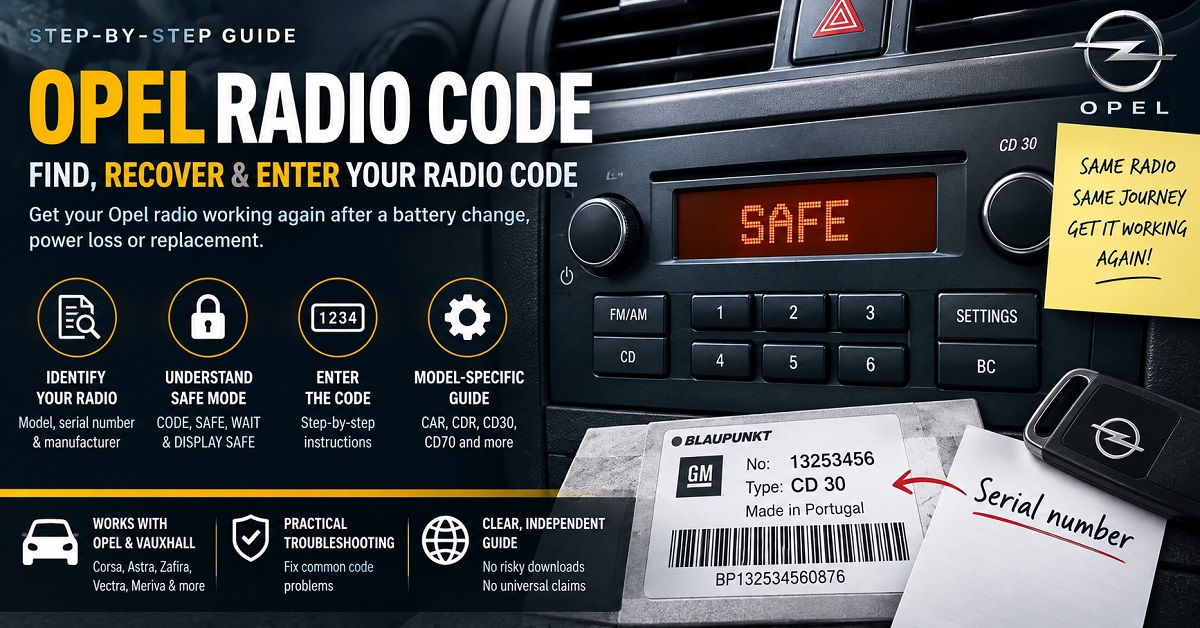
Important: there is no single code that works with every Opel radio. The correct recovery method depends on the radio model, manufacturer, serial number and, on some systems, the relationship between the radio and the vehicle.
Why Does an Opel Radio Ask for a Code?
Many factory-installed Opel radios use security features designed to discourage unauthorized use after the unit loses its stored information or is removed from the vehicle.
A radio may request a code after:
- The vehicle battery was disconnected.
- The battery became completely discharged.
- A fuse or power connection was removed.
- The radio was taken out of the dashboard.
- The vehicle electrical system was repaired.
- A used or replacement radio was installed.
- The radio has entered a security or waiting state after incorrect attempts.
A code request does not automatically mean that the radio is broken. In many cases the stereo is working normally and simply needs the correct security information.
Opel Radio Code vs. a Radio That Needs Programming
One of the most important things to understand is that not every Opel security message can be solved by entering a four-digit radio code.
| What you see | What it can indicate | What to check |
|---|---|---|
| CODE | The radio is ready for a security code | Radio model, serial number and correct code |
| SAFE | Security protection is active | Correct code and remaining attempts |
| WAIT | The radio may be temporarily locked after incorrect entries | Use the correct procedure for the exact unit |
| DISPLAY SAFE | The radio and display may not be correctly paired | Vehicle coding or specialist diagnostic work may be required |
| RADIO SAFE | The unit may be protected or incorrectly paired | Identify the radio and its vehicle relationship |
This distinction can save you time and money. A traditional radio-code service cannot automatically solve an electronic pairing problem on a later factory infotainment system.
What Information Do You Need for an Opel Radio Code?
Before looking for an Opel radio unlock code, collect the information that identifies the actual stereo rather than relying only on the vehicle model.
| Information | Why it matters | Where you may find it |
|---|---|---|
| Radio model | Different radio families use different security systems | Front panel, label or documentation |
| Radio manufacturer | Blaupunkt, Philips, Grundig, VDO, Delphi and others may use different identification formats | Radio casing label |
| Serial number | Often identifies the individual radio | Radio label or supported display procedure |
| Part number | Helps distinguish hardware versions | Radio casing label |
| VIN | Identifies the vehicle | Vehicle documents or dashboard |
| Car Pass information | May contain security information for the vehicle and factory equipment | Original vehicle documents |
Do not publish your complete VIN, Car Pass information or full radio security information in a public comment. These details should be treated as private vehicle information.
How to Find the Opel Radio Serial Number
The serial number is often the most useful identifier when researching an Opel radio code by serial number. However, its location and format depend on the radio.
Check the Original Vehicle Documents
Start with the owner’s documentation, radio handbook, service paperwork and the original Car Pass if you have it. The security code may have been recorded when the vehicle was delivered.
Look for an Identifier on the Radio
Some older Opel radios can display identifying information through a model-specific button procedure. Do not assume that the same button combination works across every Opel stereo.
Read the Radio Label
If the identifier is not available through the vehicle documents or display, the radio may need to be removed so that its casing label can be inspected. Depending on the unit, the label may contain the radio model, manufacturer, serial number, part number and other production information.
Record the complete label carefully. Characters such as O and 0, or I and 1, can easily be confused.
Which Opel Radios Commonly Use Security Codes?
Opel used several generations of factory radios over the years. The vehicle model alone is therefore not enough to determine the correct code procedure.
CAR 200, CAR 300 and CAR 400
Older CAR-series radios can use a traditional security-code system. These units may show SAFE after losing power and can require a code before normal operation resumes.
CDR 2005 and CDR-Series Radios
CDR radios combine radio and CD functionality and were installed in several Opel and Vauxhall vehicles. The exact recovery and code-entry procedure depends on the specific version of the unit.
CCR and Other Older Factory Systems
Some older Opel vehicles use CCR or other factory stereo systems with their own identification and security procedures. Always record the complete model designation before searching for an Opel radio unlock code.
CD30 and CD30 MP3
CD30 and CD30 MP3 systems require extra care because later Opel electronics can use vehicle-specific programming and pairing. A used radio removed from another vehicle may therefore have a problem that cannot be solved simply by entering a traditional four-digit code.
CD40, CDC40 and CD70 Navi
Later infotainment and navigation systems can also involve electronic pairing between components. If the display shows a message indicating that the radio and display are not correctly recognized, diagnostic programming may be more appropriate than a normal radio-code calculator.
Opel Radio Code After a Battery Change
A battery replacement is one of the most common reasons an older Opel radio asks for its security code. When power is interrupted, the radio may return to its protected state.
If the radio was working normally before the battery was disconnected, first check whether the original radio code is recorded in the vehicle documents. If you do not have the code, identify the exact radio before attempting any recovery method.
Do not enter random combinations simply because the radio displays a four-digit field. Incorrect attempts can cause a waiting period or make the recovery process more difficult.
What Does SAFE Mean on an Opel Radio?
SAFE normally indicates that the radio’s security protection is active. The precise behavior depends on the radio generation.
On some older Opel systems, SAFE appears after power has been interrupted and the correct radio code must be entered. On other systems, SAFE may appear after incorrect attempts and the radio may require a waiting period before another attempt is possible.
The most important rule is simple: do not guess the code. Identify the unit first and make sure the recovery information belongs to that particular radio.
What Does DISPLAY SAFE Mean?
DISPLAY SAFE is particularly important because it can indicate a problem involving the relationship between the radio and the vehicle display rather than a simple missing radio PIN.
This situation can occur when used components are installed in another vehicle or when factory infotainment components have not been correctly programmed together.
| Situation | Likely direction |
|---|---|
| Original radio after battery loss | Check the original security code |
| Used radio from another Opel | Check whether the unit requires vehicle programming |
| Display shows DISPLAY SAFE | Investigate pairing and diagnostic programming |
| Radio repeatedly shows SAFE after incorrect attempts | Stop guessing and follow the correct waiting procedure |
How to Recover an Opel Radio Code
There are several legitimate ways to recover the correct security information. The best option depends on the age and type of radio.
1. Check the Original Code
If the original Opel documentation contains the radio security code and the installed stereo is the original unit, this is usually the simplest option.
2. Identify the Radio by Its Serial Number
For compatible older radios, the serial number can be used to identify the correct code-recovery method. Make sure the complete serial and radio model are recorded before using an Opel radio code generator or calculator.
3. Contact an Authorized Opel or Vauxhall Service Point
An authorized service provider may be able to retrieve security information after verifying the vehicle and ownership details. This can be especially useful when the original documentation is missing or when the vehicle has a later infotainment system.
4. Use a Compatible Radio-Code Service
Some older radio families can be supported by serial-based code services. Compatibility should always be checked against the exact radio manufacturer, model and serial format. A service that supports one Opel radio should not automatically be assumed to support every Opel stereo.
5. Use Diagnostic Programming When a Code Is Not the Real Problem
If the radio or display requires electronic pairing, a diagnostic specialist may need to configure the components for the vehicle. In this situation, repeatedly searching for a four-digit Opel radio code is unlikely to solve the underlying problem.
How to Enter an Opel Radio Code
The code-entry procedure is not identical for every Opel radio. Older units may use the numbered preset buttons together with the AS button, while other systems use different controls.
Before entering the code:
- Confirm the exact radio model.
- Confirm the radio serial number or original security information.
- Check whether the display says CODE, SAFE, WAIT or DISPLAY SAFE.
- Read the procedure intended for your exact radio.
- Check every digit before confirming the code.
- Stop if the radio rejects the code instead of repeatedly trying another number.
For example, some older Opel radio manuals describe entering a four-digit security code using the numbered controls and then confirming the entry with a dedicated button. The exact procedure is model-specific, so instructions for a CDR2005 should not automatically be applied to another radio family.
Opel Radio Code by Model
| Opel model | What to identify | Common consideration |
|---|---|---|
| Corsa | Radio model and serial number | Different generations use different factory systems |
| Astra | Radio family, manufacturer and serial | Older coded radios differ from later infotainment systems |
| Zafira | Complete radio identification | SAFE and pairing issues should not be confused |
| Vectra | Radio model and security information | Several radio generations were used |
| Meriva | Exact stereo model | CD30 and older systems may require different recovery methods |
| Vivaro | Radio manufacturer and serial | Vehicle and radio generation both matter |
| Movano | Exact infotainment model | Some systems use security codes while others involve vehicle electronics |
Opel and Vauxhall Radio Codes
Opel and Vauxhall vehicles are closely related in many markets, so you may see the same type of factory radio discussed under either name. This is particularly common when searching for a Vauxhall radio code in the United Kingdom.
However, the Opel or Vauxhall badge is not enough to determine the correct security procedure. The radio manufacturer, model, production generation and serial number remain important.
Can an Opel Radio Code Be Calculated From the VIN?
The VIN identifies the vehicle, while the radio serial number identifies the individual stereo. They are therefore not interchangeable.
If the original factory radio is still installed, an authorized service provider may be able to use vehicle records to recover the appropriate security information. A replacement radio is different: its serial number and compatibility with the receiving vehicle may need to be checked separately.
What If Your Opel Radio Code Does Not Work?
If the code is rejected, do not immediately try another code. First investigate why the result may be wrong.
| Problem | Possible reason | Next step |
|---|---|---|
| Code rejected immediately | Wrong radio identification or incorrectly copied serial | Recheck the complete label |
| Radio says SAFE | Security mode is active | Use the correct recovery and waiting procedure |
| Radio says WAIT | Previous incorrect attempts | Do not keep entering codes |
| DISPLAY SAFE remains | Radio/display pairing problem | Investigate diagnostic programming |
| Used radio does not accept the original car’s code | Radio came from another vehicle | Verify the donor radio’s identity and vehicle programming requirements |
| Radio has no power | Electrical or hardware problem rather than a code problem | Check power, fuses and connections first |
Should You Use a Free Opel Radio Code Generator?
The phrase Opel radio code generator is commonly used to describe software or online services that attempt to recover a security code from radio identification data. The important issue is not whether a tool calls itself a generator or calculator, but whether it actually supports your particular radio.
Be careful with any service that claims one universal program can unlock every Opel radio. Different manufacturers and generations use different security systems, and later factory infotainment systems may require programming rather than a traditional calculated PIN.
- Do not install unknown software simply because it promises a universal code.
- Do not disable security software to run an untrusted download.
- Do not enter random codes to test whether they work.
- Do not assume the vehicle model alone is enough.
- Do not confuse DISPLAY SAFE with an ordinary missing radio code.
- Keep your VIN, Car Pass and radio security information private.
Related Radio Unlock Guides
If you are working on another factory stereo, our Car Radio Codes section contains additional brand-specific guides.
For another European factory-radio system, you can also compare our Fiat radio code guide, Skoda radio guide, Citroen radio guide and SEAT radio guide.
If your Opel unit identifies itself as VDO, our VDO radio guide may also help you understand the importance of identifying the manufacturer before choosing a recovery method.
For a general starting point, see our car radio codes guide to understand the basic information normally required when identifying a locked factory stereo.
Opel Radio Code FAQ
Why does my Opel radio say SAFE?
SAFE normally means that the radio’s security protection is active. This can happen after a power interruption or after incorrect code attempts. The exact procedure depends on the radio model.
Where can I find my Opel radio serial number?
The serial number may be stored in the vehicle documentation, displayed through a model-specific procedure or printed on the radio casing label. On many units the label becomes visible only after the radio is removed from the dashboard.
Can I get an Opel radio code from the VIN?
The VIN identifies the vehicle and may help an authorized provider access vehicle records, but it is not interchangeable with the radio serial number. Replacement radios may require separate identification and programming.
Is every Opel radio unlocked with a four-digit code?
No. Many older systems use traditional security codes, while later systems can use electronic pairing between the radio, display and vehicle.
What should I do if my Opel radio says DISPLAY SAFE?
Do not assume that you simply need another four-digit code. DISPLAY SAFE can indicate that the radio and display are not correctly paired. A compatible diagnostic and programming procedure may be required.
Can I use an Opel radio code generator for any model?
No universal generator should be assumed to work with every Opel radio. Compatibility depends on the radio family, manufacturer, serial format and security system.
What if my Opel radio code is rejected?
Stop entering codes and recheck the radio model, manufacturer and serial number. If the radio is showing SAFE, WAIT or DISPLAY SAFE, determine what that message means before attempting another recovery method.
Final Takeaway
Getting an Opel radio working again starts with identifying the stereo, not guessing a code. Check the vehicle documents first, record the complete radio information, determine whether the unit uses a traditional security code or vehicle pairing, and only then choose the appropriate recovery method.
For older coded radios, the correct Opel radio code may be associated with the radio’s identification information. For later systems, the solution may instead involve programming the radio and display to the vehicle. Understanding that difference is the key to avoiding incorrect codes, unnecessary downloads and wasted time.
Hi
know someone radio car code from Grunding R 2001E
GM020141062112
number : 24 462 947
from vaushall ( Opel) Agila fom 2004
Thanks in advance !
i have a radiocar blaupunkt sc 202c
GM 0202 R7830978
NUMBER 90 381 123
FROM OPEL CORSA
THANKS
Serial number 0822110
Device number 7612830142
Date 13.05.17